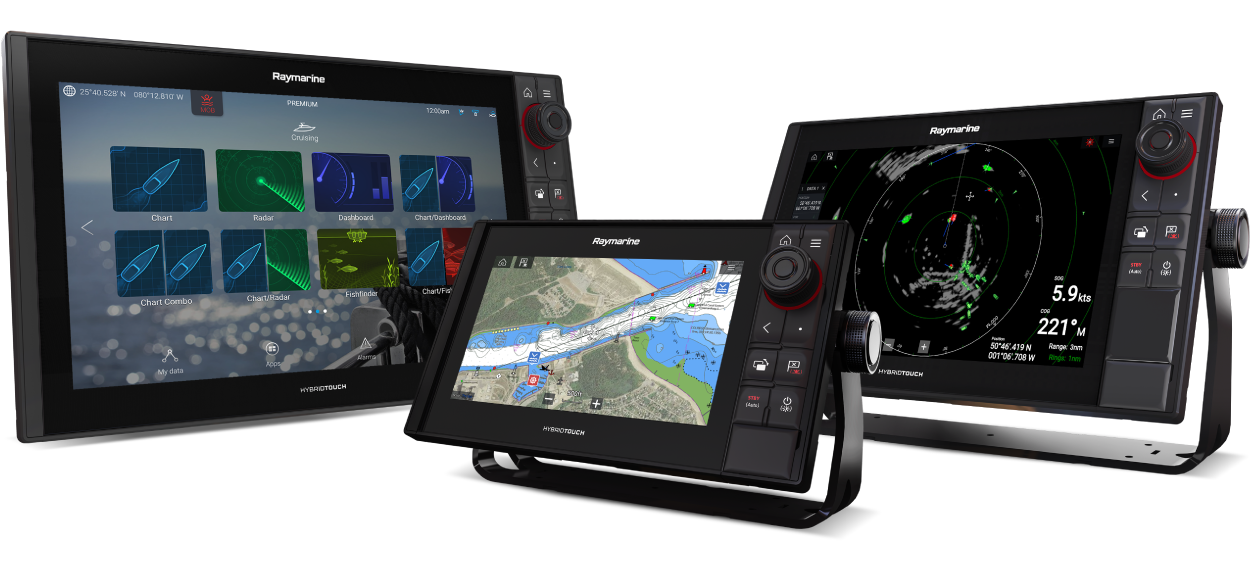
Axiom LightHouse 4 Operation Instructions
Let’s Go!
How to navigate this document
Legal notices
Important information
Safety warnings
Ensure safe navigation
Minimum Safe Depth, Width and Height
Maintain a permanent watch
Distraction disclaimer
Autopilot usage
Position holding/trolling features
Automatic route generation
Traffic separation
Minimum Sonar Depth
Radar transmission safety
Sonar operation
Day mode brightness warning
Product warnings
Anti-virus protection
Electronic chart data
Care of chart and memory cards
Ensure card reader cover or door is securely closed
Sun covers
Product cleaning
Regulatory notices
Disclaimer
End-User License Agreements (EULAs)
Open source license agreements
Regulatory approvals
RF exposure
Exposition aux radiofréquences
Network interfaces and services
PSTI Compliance
Warranty policy and registration
IMO and SOLAS
Technical accuracy
Publication copyright and fair use
Document information
Product documentation
Printed (hardcopy) product manuals
Document conventions
Document illustrations and screenshots
Glossary
Software details
Applicable software version
LightHouse software compatibility
Compatible MFDs / chartplotters
Compatibility for First-Generation Axiom-Series displays
Pre-installed apk apps
Quantum software compatibility
Compatible peripheral product software
YachtSense Link network connection
Legacy eS and gS Series compatibility with Axiom displays
Software updates
Automatic software update check
Checking current software
Installing software updates
Axiom+ 7" touchscreen calibration
Updating from older versions of LightHouse 4
Updating software from a memory card
Updating software over the Internet
Software Release Summary
Introduction
LightHouse 4 v4.11.133 Release Notes (July 2026)
Fixed issues:
Compatibility for First-Generation Axiom-Series displays
First generation Axiom-Series chartplotter list
General information
Memory card compatibility
Care of chart and memory cards
Removing MicroSD card from its adaptor
Inserting a MicroSD card — Axiom and Axiom+
Removing a MicroSD card
Inserting a MicroSD card — Axiom 2 Pro chartplotters
Removing a MicroSD card
Inserting a MicroSD card — Axiom Pro displays
Removing a MicroSD card
Inserting memory card into external storage devices
Removing external storage (SD and MicroSD)
Removing external storage USB drive
Ensure card reader cover or door is securely closed
Applications and integrations
Menu types
Setting controls
Alarm and information notifications
Sidebar
Sidebar selector
Customizing sidebars
Alpha chartplotter sidebar
Alpha-Series product information via chartplotter
Data overlays
Adding a data overlay
Display data
Battery data
Motor data
Boat data
Depth data
Display data
Distance data
Engine data
Fuel data
Environment data
Inside environment data
GNSS data
Heading data
Navigation data
Pilot data
Speed data
Time data
Wind data
Tank level data
Load cell data
Cyclops Marine load cells
Generator data
Windlass data
Sonar depth data recording/logging
Own boat AIS data
Getting started
Switching the display on / off
Chartplotters with a power swipe
Switching on the display
Switching the display to standby
Removing power
Chartplotters with physical buttons
Switching on the display
Switching the display to standby
Removing power
Controls
Touchscreen only controls
Axiom 2 Pro controls
Axiom Pro controls
Uni-controller
Assigning a function to the User Configurable key
RMK controls
iKey Bluetooth keyboard controls
Connecting a Bluetooth keyboard to Axiom-Series displays
Connecting a Bluetooth keyboard to Axiom 2-Series displays
Initial setup
First power up
First power up datamaster selection
Startup wizard
User interface languages
Selecting display language
Boating activities
Boat details
Homescreen icon style
Axiom 2 Pro keypad type selection
Safety clearances
Minimum safe depth
Minimum safe depth calculation guidance
Minimum safe height
Minimum safe height calculation guidance
Minimum safe width
Minimum safe width calculation guidance
First power up limitation on use acknowledgement
Propulsion system overview
Electric propulsion
Combustion engines
Related links
Engine manufacturer selection
Identifying engines
Multiple data sources
Data sources menu
Performing a settings reset
Performing a factory reset
Importing user data
Calibration
Transducer and sensor calibration
Sonar transducer calibration
Depth transducer offset
Setting a depth offset
Setting a temperature offset
RealVision AHRS calibration
Instrument transducer calibration
Selecting a transducer iTC-5
Instrument depth calibration
Wind calibration
Speed calibration
DST speed calibration
Performing speed calibration — Power boats
Performing speed calibration — Sailing boats
RSW-Series wind transducer configuration
Configuring RSW-Series wind transducers using a compatible chartplotter
RSW-Series wind transducer internal compass calibration
Resetting compass calibration (compatible chartplotter)
Shortcuts menu
Taking a screenshot
Activating touchlock
Radar standby
Eject SD card
Enabling/Disabling sonar modules
Autopilot shortcuts
Audio volume control
Adjusting brightness
Auto brightness
Display mode
Device pairing
Pairing a RMK remote keypad
Clear pairing (RMK)
Pairing with a Quantum Radar scanner
Pairing a Bluetooth speaker
Networking constraints
Maximum IP network configuration
Internet connection
YachtSense Link network connection
Connecting to the internet using Wi-Fi
Wi-Fi settings (Axiom-Series displays)
Wi-Fi settings (Axiom 2-Series displays)
Router connections
Connecting to a wireless display (Miracast®)
Disconnecting a wireless display
Unpairing a wireless display
Shared Brightness
Setting up shared brightness
OEM Commissioning
Saving an OEM install file
Powering up a new system
Importing an OEM install file
Battery configuration
Generator configuration
Tanks
Calibrating tanks
Run wizard calibration
Import calibration
Omitting specific fuel tanks from fuel economy calculations
Windlass anchor chain counter
Homescreen
Accepting the Limitations on Use
Homescreen overview
Homescreen app page icons
MFD Apps
Chart app
Radar app
Fishfinder app
Dashboard app
Engine apps
Audio app
Video app
Entertainment apps
YachtSense and DockSense apps
Other apps
Homescreen app page creation
Creating an app page
Additional mode icon steps
Customizing an existing app page
Editing the splitscreen ratio
Splash screen and Homescreen background images
Screen resolutions
Customizing the Splash screen
Customizing the Homescreen background
Homescreen Dynamic tile
Enabling and configuring the Dynamic tile
Global positioning
Global Navigation Satellite System (GNSS) constellations
Satellite-Based Augmentation Systems (SBAS)
GNSS (GPS) Status
GNSS settings
Raymarine GNSS receiver compatibility
External GNSS receiver compatibility
Internal GNSS receiver compatibility
Status area
First responder status area settings
Status area icons
My data
Messaging app
Files
Import/export
Saving user data
Saving display settings
Importing user data or settings from a memory card
Fuel/trip manager
Fuel set up
Setting up the fuel manager
Setting all tanks to full
Adding partial fuel fills
My profiles
Demo profiles
Demo movie requirements
Settings
Homescreen settings menus
Getting started settings menu
General Settings
Import and Export Settings
Homescreen settings
Boat details settings menu
Boat configuration settings
Sailing boat configuration settings
Safe distance settings
GNSS location settings
Propulsion system settings
Equipment settings
Units settings menu
This display settings menu
General display settings
User configurable key setting — Axiom Pro
Keypad and user configurable keys settings — Axiom 2 Pro
Display grouping settings
Homescreen background settings
External keypad settings
Wi-Fi and Wireless Connection Settings
Reset settings
Autopilot settings menu
Autopilot settings — power boats
Autopilot settings — Sailing boats
Autopilot settings — Pilot responsiveness
Autopilot settings — Pilot set-up menu
Pilot set-up — Autopilot configuration settings
Pilot set-up — Calibration settings
Pilot set-up — Rudder and turn settings
Pilot set-up — Sailing settings
Network settings menu
Product pop-over menu options
Diagnostics options
Datamaster
Switching datamaster
Switching off sensor LEDs
Find me
IP device user interface access
NMEA 0183 settings
NMEA 0183 settings
Responder settings
Alarms manager
Alarms manager
Alarm and information notifications
Active alarm indication
Alarm and notification sources
Alarm settings
External alarm speaker / buzzer
Acknowledging alarms
YachtSense Link router alarms
Digital switching alarms
Man Overboard (MOB)
MOB mode
DSC distress notification
High Speed Alarm
Engine integration & autopilot control
Engine integrations
ECI-100
Autopilot control
Compatible engine manufacturers
Manufacturer specific integrations
Caterpillar engine systems
Compatible Caterpillar® engine systems
Caterpillar® engine data
Honda
Compatible Honda® engine systems
Honda® engine data
Mercury engine systems
Compatible Mercury® engines systems
Mercury engine data
Mercury® features
Autopilot control
Suzuki
Compatible Suzuki engine systems
Supported Suzuki engine data
Volvo® Penta engine systems
Compatible Volvo® Penta engine systems
Volvo® Penta engine data
Volvo® Penta autopilot control
Yamaha engine systems
Compatible Yamaha® engine systems
Compatible Yamaha® gateways
Yamaha® engine data
Yamaha® autopilot control
Yanmar® engine systems
Compatible Yanmar® engine systems
Yanmar® engine data
Yanmar® autopilot control
Electric engine systems NMEA 2000 compatibility
Motor data
Electric propulsion page
Autopilot integration
Autopilot control
Maintain a permanent watch
Autopilot usage
Pilot sidebar — Standby
Pilot sidebar — Locked heading (Auto)
Pilot sidebar — Navigation (Track)
Pilot sidebar — Steer to Wind
Engaging the autopilot — Locked heading (Auto)
Engaging the autopilot — Navigation (Track)
Engaging the autopilot — Steer to wind (Wind vane)
Engaging the autopilot using the physical pilot button
Disengaging the autopilot
Pilot version keypad LED status (Axiom 2 Pro only)
Pilot notification
Commissioning — Evolution autopilot system
Commissioning pre-requisites
Commissioning steps
Vessel hull type selection
Using the Dockside wizard
Selecting a drive type
Aligning the rudder
Setting the rudder limit
Hard over time
Setting the hard-over time
Rudder check
Checking the rudder drive (rudder reference fitted)
Checking the rudder drive (no rudder reference fitted)
Compass linearization — Evolution autopilots
Compass lock
Locking the compass
Rudder damping levels and deadband angles
Adjusting the Rudder Damping level
Trolling motor and anchor integration
Trolling motor integration
Supported Trolling motors
Rhodan trolling motor integration
Power-Pole® trolling motor integration
C-Monster gateway connection
Pairing Power-Pole® devices using the display
Power-Pole® options
Trolling motor control overview
Manual control
Anchor here mode
Hold heading
Hold COG
Navigation mode
Thrust and speed
Alarms and limits
Power-Pole® shallow anchor integration
Anchor control overview
Adjusting anchor speed
Waypoints, Routes and Tracks
Waypoints
Placing a waypoint from the context menu
Placing a waypoint at a specific latitude and longitude
Placing a waypoint at your vessel's location
Waypoint list
Waypoint groups
Waypoint details
Waypoint symbols
Routes
Creating a Route
Route waypoint spacing
Route highlighting
Use Autorouting during route creation
Reversing a route
Auto-route
Automatic route generation
Autoroute - compatible cartography vendors
Dredged areas
Traffic separation
Minimum Safe Depth, Width and Height
Differences between automatic route generation functions
Creating an auto-route
Reviewing an automatically generated route
Auto-route review menu overview
Moving a waypoint in an auto-route
Inserting a waypoint in an auto-route
Adding a route leg to an auto-route
Auto-route troubleshooting
Importing a route
Route list
Route plan
Route options
Changing route color
Route rounding direction
Applying rounding directions from the context menu
Tracks
Creating a track
Converting a track to a route
Track list
Track options
Sharing Waypoints, routes and tracks
Waypoint, routes and tracks capacity
SAR (Search And Rescue) patterns
SAR (Search and Rescue) patterns
Sector search pattern
Creating a sector search pattern
Drift effects on sector search patterns
Expanding square search pattern
Creating an expanding square search pattern
Drift effects on expanding square search patterns
Creeping line / Parallel line search pattern
Creating a Creeping line / Parallel line search pattern
Trackline search (return) pattern
Creating a trackline search (return) pattern
Trackline search (non-return) pattern
Creating a trackline search (non-return) pattern
Polygon search pattern
Creating a polygon search pattern
SAR pattern broadcast and receipt
Hiding original SAR pattern
Un-managed searches
Broadcasting an un-managed SAR pattern
SAR pattern receipt (un-managed / not assigned as SRU)
Search pattern waypoint arrival alarm
Managed searches
SMC action — Broadcasting a SAR pattern
SMC action — Instructing SRU to divert
SMC action — Instructing SRU to resume
SRU SAR pattern receipt notification overview
SRU action — Accepting a SAR pattern
Search pattern waypoint arrival alarm
SRU search controls
SRU action — Diverting from a SAR pattern
SRU divert as instructed — overview
SRU action — Diverting as instructed by SMC
SRU action — Resuming from SMC instructed point
Searches lists
SMC searches list
Search history
Chart app — General
Chart app chapters
Chart app overview
Chart app onscreen controls
Chart ranging and panning
Vessel icon
Chart modes
Quick adjust menu
Info boxes
Context menu
Dragging the context menu
AIS target context menu
Radar target context menu
Selecting cartography
Chart motion mode
Chart orientation
Changing the Chart app's orientation mode
Boat icon pop-over options
Own boat AIS data
Battery / Fuel range
Charted objects
Chart layers
Camera tracking
Cartography overview
Supported cartography vendors
Third-party raster charts
Third-party hybrid charts
End-User License Agreements (EULAs)
Care of chart and memory cards
LightHouse charts
Legacy LightHouse Charts
LightHouse Charts Gen 2 and improved Chart app performance
LightHouse Chart store
My charts
Pre-programmed LightHouse Chart Cards
Blank chart card (discontinued)
Hybrid LightHouse charts
Redeeming a voucher code
LightHouse Charts new features
Gulf of Mexico blocks
Gulf of Mexico pipelines and offshore platforms
LightHouse Charts Buildings
S-63 Encrypted Charts
S-63 Encrypted Charts installation process
Obtaining an S-63 MFD activation file
Scheme administrator certificate
Copying user permit file(s) to memory card
Purchasing S-63 Encrypted Charts
Installing base cells and cell permits
Installing cumulative updates
Expired S-63 Encrypted Charts
S-63 Encrypted Chart settings
Chart app simulator
Simulated autopilot control
Simulator demonstration cartography
Navigation
Maintain a permanent watch
Autopilot usage
Cross Track Error (XTE)
XTE data item
Restarting cross track error
Off track alarm
Navigating to a waypoint or point of interest (manual steering)
Navigating to a waypoint or point of interest (autopilot)
Following a Route (manual steering)
Following a Route (autopilot)
Automatic turning
Automatic turning limits exceeded
Following a Route using automatic turning
Rudder bar indicator
Depths and contours
Depth soundings
Depth contours
Navionics depth contours
C-MAP depth contours
Bathymetry recordings
RealBathy depth contours
RealBathy™ improvements
Creating RealBathy depth contours
SonarChart Live
Navionics SonarChart Live
Target tracking
AIS target tracking
AIS targets
AIS target capacity
Search And Rescue Transponders (SART)
Lost SART / MOB / EPIRB targets
AIS target information
Full AIS data
Accessing target options
AIS target options
AIS target list
AIS settings menu
Radar target tracking
Radar targets
Acquiring a target manually
Accessing target options
Radar target options
Radar target list
Radar settings
Target vector settings
Collision avoidance
Dangerous targets alarm
Predicted areas of danger
Predicted areas of danger settings
Collision scenarios
Example scenario 1 — Own vessel moving faster than target vessel
Example scenario 2 — Target vessel moving faster than your vessel
Example scenario 3 — Both vessels travelling at the same speed
Obstruction alarm (legacy LightHouse charts)
Obstruction alarm parameters
Obstruction alarm detection zone
LightHouse charts dangerous objects
Target intercept
Reeds almanac
Find nearest
SmartDrift™
Using SmartDrift™ in the Chart app
Measure
Measuring vessel to point
Measuring point to point
Deleting rulers
ClearCruise Augmented Reality
Field of View
Chart settings menu
Cartography settings menu
Layers settings menu
Depth settings menu
View & motion settings menu
Advanced settings menu
Page settings menu
Chart app — Navigate mode
Navigate mode
Navigate mode main menu
Navigate mode settings menus
Chart app — Fishing chart mode
Fishing chart mode
Fishing chart mode main menu
Fishing intel menu
Sea surface temperature menu
SiriusXM layer options
Fishing chart mode settings menus
Chart app — Fish mapping mode
Fish mapping mode
Activating your SiriusXM receiver
Fish mapping mode main menu
Fishing recommendations
Fish mapping layers
Layer / fish type identification
Limiting data display limits
Fish mapping subscription
Fish mapping mode settings menus
Chart app — Weather mode
Weather mode
Weather mode context menu
Weather mode main menu
Activating your SiriusXM receiver
SR200 diagnostics mode
Weather layers
Animated weather
Weather radar layer
Cities and Surface observation stations layers
Cloud top and Lightning layers
Sea surface temperature and Surface pressure layers
Surface pressure patterns
Storm cast and Storm tracks layers
Wind and Watchbox layers
Wave direction, wave height and wave period layers
Weather mode settings menus
Weather settings menu
Weather subscription
Glossary of weather terms
Chart app — Tides mode
Tides mode
Tides mode main menu
Using animation controls
Setting a specific date for animations
Tide station information
LightHouse charts dynamic tide graphic
Navionics dynamic tide graphic
Current station information
LightHouse Charts dynamic current graphic
C-Map dynamic current graphic
Navionics dynamic current graphic
Displaying tide or current graphs
Tides mode settings menus
Chart app — Anchor mode
Anchor mode
Anchor mode main menu
Setting up the anchor drag alarm
Anchor mode settings menus
Sailing features
Chart app — Racing mode
Racing mode
Racing mode main menu
Racing mode settings menus
Laylines
Layline data requirements
Displaying and interpreting laylines
Fixed angles laylines
Polar laylines
Importing a Polar table
Polar table csv file layout
Adjusting a Polar table
Imported polar table options
Wind shift data
Wind shift bar
Sail plan recommendations
Sail plan csv file layout
Importing a sail plan
Sailing data page
Steer to wind modes
Mirrored TWA and Fixed angles
Target wind angle from polar
Operating hints for wind vane mode
Allow time
Major course changes
Steering to wind (autopilot)
Tacking
Performing a tack
Race start line (SmartStart) and Race timer
Creating the Race start line
Creating a Race start line
Pinging the Race start line
Editing and clearing the Race start line
Using the race timer
Race laylines
Race start page
Race start sidebar
Route rounding direction
Applying rounding directions from the context menu
Fishfinder app
Sonar technologies
Traditional sonar technology
CHIRP technology
CHIRP Sonar overview
DownVision® overview
SideVision overview
RealVision™ 3D overview
Sonar module range
Sonar minimum depths
Fishfinder app overview
Fishfinder app controls
3D Vision channel controls
Fishfinder context menus
Opening the Fishfinder app
Sonar transducer calibration
Depth transducer offset
Setting a depth offset
Setting a temperature offset
Ping depth limit
Sonar channels
Selecting a Sonar channel
Placing a Waypoint (Sonar, DownVision and SideVision)
Placing a waypoint in the 3D Vision channel
Zoom mode
Zoom mode view
Fish detection
Sonar scroll back (history)
Sonar sensitivity controls
Frequency tuning
SmartDrift™
Using SmartDrift™ in the Fishfinder app
Fishfinder settings menu
Sonar display settings menu
3D Vision sonar display settings
SideVision sonar display settings
DownVision sonar display settings
CHIRP and traditional sonar display settings
Transducer settings menu
Sounder settings menu
Fish detection settings menu
Page settings menu
Radar app
Radar app overview
Radar app controls
Radar app context menu
AIS target context menu
Radar target context menu
Moving (dragging) the context menu
Camera tracking
Compatible Radar scanners
Radar feature comparison
Opening the Radar app
Putting the radar into standby
Powering down your radar scanner
Interpreting the Radar display
Set up and configuration
Selecting a Radar scanner
Dual range
RangeFusion
Timed Radar transmission
Setting open array antenna size
Check and adjust bearing alignment
Radar modes
Changing the Radar app's orientation mode
Range rings
Range and bearing
VRM (Variable Range Marker) / EBL (Electronic Bearing Line)
Editing a VRM-EBL
AIS targets
AIS target capacity
AIS target list
AIS targets
AIS settings menu
Radar targets
Radar target acquisition data source requirements
Radar targets
Acquiring a target manually
Automatic target acquisition
Setting up automatic target acquisition
Radar target list
Target settings
Onscreen target settings
Clearing / resetting trails
Target context menu
Target data reference mode
Dangerous targets alarm
Guard zone alarms
Doppler Radar overview
Doppler mode
Doppler limitations
Doppler data source requirements
Blank sectors
Radar sensitivity controls
Radar settings menus
Transmission settings menu
View & Motion settings menu
Presentation settings menu
Preferences settings menu
Installation settings menu
Advanced settings menu
Page settings menu
First responder
First responder features
LightHouse software updates for STEDs enabled systems
Responder settings
Act in secondary mode
STEDS messaging transmission FIDs and checksums
NMEA 2000 messages
Disable Bluetooth & Wi-Fi connections
Wi-Fi & Bluetooth status icons
Lost depth alarm
Heading and SOG Homescreen status
Critical settings password protection
Data logging
Waypoint at Range and Bearing from location
Cursor Range and Bearing info box
Command approved routes
Activating command approved routes
Setting a route as Command approved
Cancelling route approval
De-activating command approved routes
Route sending and receiving
Broadcasting a route
Sending a route using direct message
Adjusting Start time and Expiry time for routes
Receiving a route
Following a received route
Cancelling a sent route
Intel targets
Creating an Intel target
Accessing target options
Intel target options
Intel target list
DSC targets
Accessing target options
DSC target options
DSC target list
Target Of Interest (TOI)
OneShot TOI decay times
TOI OneShot settings
TOI transmission rates
TOI position updates
Accessing target options
TOI options
TOI list
First responder AIS modes
AIS mode status icons
Blue Force Tracking
AIS high target alarm
SITREP (Situation report)
First responder target context menus
Depth markers
Placing a depth marker
Import and export Waypoints and Routes over NMEA networks
Importing Waypoints or Routes over NMEA 2000
Importing waypoints or routes over NMEA 0183
Exporting waypoints or routes over NMEA 0183
Waypoint, routes and tracks capacity
Messaging app
Messaging app
Transmission type
Message inbox
Broadcasting a new message
Sending a new direct message
Direct message Blue Force targets
Replying to a message
Onscreen keyboard
Message symbols
Dashboard app
Dashboard app overview
Dashboard app onscreen controls
Switching data page
Selecting data pages to display
Default data pages
Customizing a data item
Engine page
Electric propulsion page
Sailing page
Sailing dials
Race start page
Navigation page
Close hauled angle indicators
Rolling road page
Fuel page
Tanks page
Fuel economy page
ECO mode
Bidata and single data pages
Generators page
Generator start/stop
CZone plug and play
Creating CZone digital switching pages automatically
App menu
Settings menu
Pages settings menu
Exporting digital switching pages
Importing digital switching pages
Circuits settings menu
Units settings menu
Engine RPM settings
Data response settings
Page settings menu
Suzuki app
Suzuki engine selection
Compatible Suzuki engine systems
Suzuki app overview
Engines page overview
Warning and mode indicators
Number of engines
Data page overview
Resetting the Suzuki gateway
Supported Suzuki engine data
Suzuki alerts
Suzuki supported alerts
Mercury app
Mercury engine selection
Compatible Mercury® engines systems
Mercury® features
Mercury app overview
Position holding/trolling features
Splitscreen app pages
Changing alternator voltage to steering angle indicator
System status
Engine warning messages
Mercury SmartCraft helm grouping
Information messages
Mercury sidebar overview
SkyHook mode
BowHook mode
DriftHook mode
Autopilot control
Enabling and disabling Mercury autopilot integration
Maintain a permanent watch
Autopilot usage
Engaging Autoheading
Engaging Route mode
Disengage the autopilot (Standby)
Active Trim
Setting up Active Trim
Troll control
Enabling troll control
Cancelling troll control
Cruise control
Enabling cruise control
Cancelling cruise control
Sport exhaust
Steering angle indicator
Engine data page
Faults
Fault code history
On Board Diagnostics (OBD)
Yamaha app
Yamaha engine gateway selection
Compatible Yamaha® gateways
Yamaha HDMI overview
Yamaha app overview
Requirements
Yamaha app controls
Switching data page
Customizing Data pages
Available data items
Engine page
Engines
Transmission
Status and warning indicators
Tanks
Engine trim
Troll mode
Settings
Fault codes
Maintenance
Advanced
Video app
Video app overview
Distraction disclaimer
Network streaming constraints
Memory card compatibility
Video recording storage consumption
Video app pages
Renaming video feeds
Changing the camera icon
Video app controls
Pan, Tilt, Zoom (PTZ) camera controls
Image flip and mirroring
Thermal camera screen overview
Opening the Video app
Selecting a video device
Selecting a video feed
Dual streaming
Single MFD
Dual MFDs
Video app settings
Maritime (M-Series) camera compatibility
ClearCruise
ClearCruise compatible cameras
ClearCruise features
Augmented Reality camera setup
Fixed camera calibration
Pan and Tilt camera calibration
AR200 setup for Augmented Reality
ClearCruise Object Detection (Video Analytics) overview
ClearCruise® settings (Object Detection / Video Analytics)
Augmented Reality (AR) overview
Augmented Reality flags
Selected flags
Goto flag
ClearCruise® settings (Augmented Reality)
Range limit
Roll correction
AR200 Calibration (Linearization)
Magnetic deviation
AR200 calibration settings
Continual monitoring and adaptation
Compass lock
YouTube & YouTube TV
YouTube TV
Distraction disclaimer
YouTube
MFD controls
Audio app
Compatible entertainment systems
Compatible Sirius® XM receivers
Compatible Wet Sounds® systems
Compatible Hertz™ audio systems
Compatible Rockford Fosgate® systems
Compatible JL Audio® systems
Compatible Fusion® systems
Audio app overview
Distraction disclaimer
Audio app controls
Audio sidebar
Opening the Audio app
Getting started
Selecting an audio zone
Selecting an audio source
Muting and unmuting
Browsing for tracks
Browsing for stations / channels
Saving presets
Powering off entertainment systems
Audio app menu options
Audio app settings menu
Adjusting balance and fade controls
Adjusting multi-zone controls
SR200 diagnostics mode
PDF Viewer app
PDF Viewer app overview
Distraction disclaimer
Opening PDF files
PDF Viewer controls
Searching a PDF
YachtSense Link router
MFD/chartplotter integration
Accessing the web interface from a Raymarine chartplotter
Router channels
Enabling and disabling the router as an Internet source
Mobile app support
Connecting an Android device to the display
Connecting an iOS device to the display
How to obtain the Raymarine app
How to connect guide
Connecting directly to a chartplotter (MFD)
Display mirroring (view and control)
Chartplotter file transfer
Connecting to a YachtSense Link router
Geofencing
Geofence
Temporary mooring
Data view and channel control
Viewing NMEA 2000 data
User access management
Guest mode
Boat alerts
Boat systems
Fishidy sync
Enable sync
Disable sync
Orca integration
Setting up Orca app route transfer
Sending a route from the Orca app
Disabling Orca app sync
Navionics plotter sync
Legacy Raymarine mobile apps
Partner Integration and third-party apps
Partner hardware integration
Approved third-party Android apps
App launcher
Distraction disclaimer
Installing third-party Android apps
Removing an apk app
Interface shortcuts on the homescreen
Bluetooth speaker set up
Enabling and disabling Bluetooth
Bluetooth Settings
Pairing a Bluetooth speaker
Bluetooth volume control
YachtSense ecosystem
YachtSense ecosystem
On-boat features
Off-boat premium features
Deleting a boat system
Unlinking (Removing) a router
YachtSense Link router account transfer / ownership transfer
Troubleshooting
Troubleshooting
LED Diagnostics
Diagnostic product information
Saving product information
Saving crash and system logs
Saving YachtSense Link logs
Power up troubleshooting
Factory reset warning
Performing a power on reset on touch-only displays
Performing a power-on reset on an Axiom Pro display
Performing a power-on reset on an Axiom 2 Pro display
RNS-8 Diagnostic information
NMEA 0183 diagnostics
NMEA 2000 diagnostics
Radar troubleshooting
Changing the Quantum-Series Radar channel
GNSS (GPS) troubleshooting
Sonar troubleshooting
Sonar depth data recording/logging
Diagnostics sonar recording
Recording sonar for troubleshooting
Camera troubleshooting
Augmented Reality (AR) Troubleshooting
Wi-Fi troubleshooting
Disabling DHCP
IP address conflict troubleshooting
Wireless display troubleshooting
Data troubleshooting
Browser app and apk troubleshooting
Touchscreen troubleshooting
Technical support
Raymarine technical support and servicing
Viewing product information
Remote Support via AnyDesk™
Learning resources
NMEA 0183 sentence support
NMEA 2000 PGN support
LightHouse 4 software release history
PeripheralProductSoftwareCompatibil-4E0EEAA5.dita#PeripheralProductSoftwareCompatibil-4E0EEAA5
Hardware and software compatibility
Legacy eS and gS Series compatibility with Axiom displays
First generation Axiom-Series chartplotter list
Ethernet (IPv4) networking of Raymarine devices with third-party products
Raymarine DHCP server lease times
Android apk compatibility
Interpreting the radar display
Interpreting objects
Radar range
Radar image quality
Blind sectors
False echoes
Target smearing
Multi-path interference
Radar interference
Atmospheric conditions
Reflectors and beacons
Target Detection in clutter conditions
Gain
Sea state
Sea clutter
Rain clutter
Interpreting the Sonar display
Factors influencing the sonar display
Interpreting the bottom
Interpreting objects on the sonar display
Thermoclines
Glossary
Navigation glossary
Sailing glossary
Document change history