Switching off sensor LEDs
To assist users who wish their vessel to “go dark” (i.e. not emit any visible light), the LED indicators present on SeaTalk NG position sensors can be switched off. Supported devices: RS150, EV-1, EV-2 and AR200).
Note
Position sensor LEDGo darkLEDs offFind MeThe Always Off feature may not be available for devices running older software versions. Ensure that you obtain the latest available software for your position sensors.
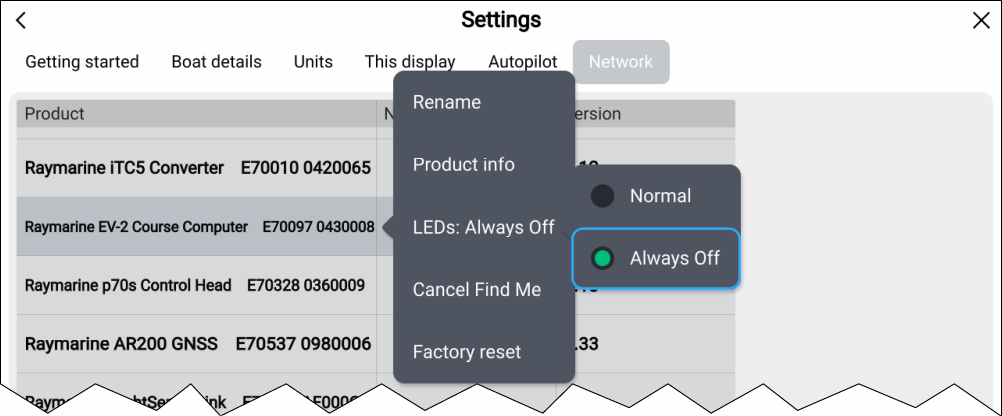
- Open the Network settings menu: .
- Select the relevant sensor from the network list.
- Select LEDs:.
- Select Always Off.
The status LED on the selected device will now be switched off, and will remain off until this setting is reverted to Normal, or the Find Me feature is enabled.