Zoom mode view
By default, zoom mode uses a 50:50 split for the zoomed area and water column. You can change the zoom view so that the water column appears narrower and the zoomed area is larger.
Fishfinder app Zoom viewZoom mode Zoom viewTo change the view mode, use the 50:50 zoom view toggle switch available in the Sonar display settings menu: .
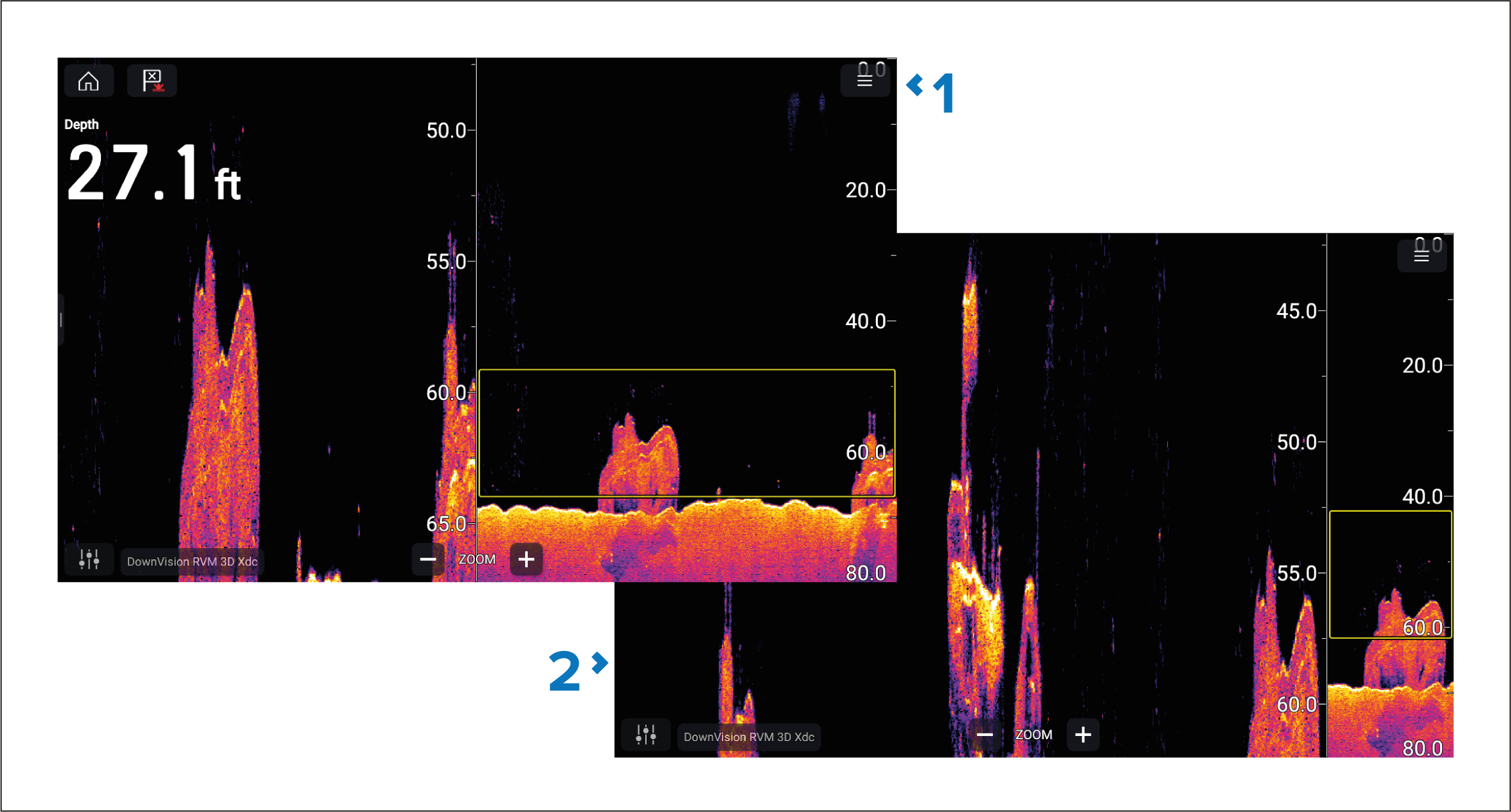
50:50 zoom view enabled (Default option)
50:50 zoom view disabled.