Generator configuration
Detected compatible generators can be viewed and customized.
Before a generator can transmit data to a to the chartplotter, it must be:
connected to the same SeaTalk NG™ / NMEA 2000 network as the chartplotter (typically, via the generator manufacturer’s NMEA 2000 interface/gateway, which must be running an appropriate software version — refer to the generator manufacturer), and:
transmit supported NMEA 2000 PGNs onto the same SeaTalk NG™ / NMEA 2000 network.
For information on compatible interfaces, refer to your generator’s manufacturer.
Each generator/generator’s NMEA 2000 interface must be configured with an instance number that is unique to the boat system to which it is connected. For example, if an interface uses the same instance number as a propulsion engine, there will be a data conflict. In this case, refer to the generator manufacturer for advice on configuring instance numbers, if necessary.
Generators ConfigureThe generator configuration table can be accessed by selecting the Configure generators button from the Boat details settings menu: .
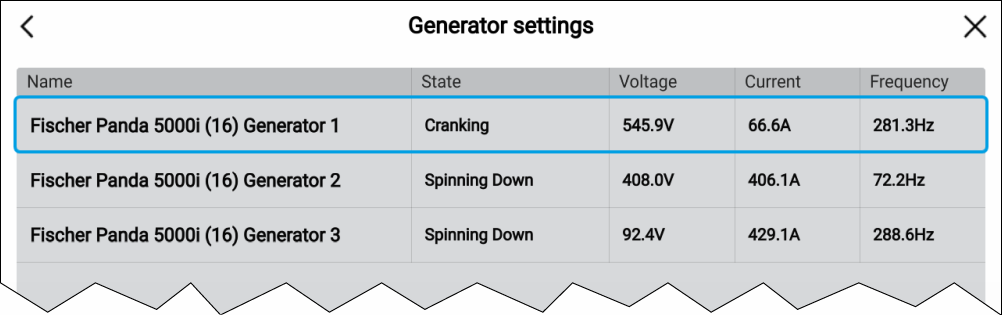
The generator name is derived automatically by the generator interface. You can rename each generator to give it a more appropriate name by selecting a generator from the list and then selecting the Name: option from the pop-over menu.
Generators that are no longer detected can be removed from the list by selecting the Not found generator and selecting Remove from the pop-over menu.
Detailed data for generators can be viewed on pre-configured pages in the Dashboard app. For details, refer to: Generators page