First power up datamaster selection
Ethernet networks that contain more than 1 display must have a designated datamaster. The datamaster is the primary display on the network and should be the display that is also connected to the SeaTalk NG/NMEA 2000 network and any other sources of data in your system. The datamaster bridges the data over the ethernet network to any compatible networked ‘repeater’ displays.
DatamasterMultipleDatamaster Selection
By default your display will be set as a datamaster. If you connect a new display to the network then on first power up the ‘Multiple datamasters found’ notification will be displayed.
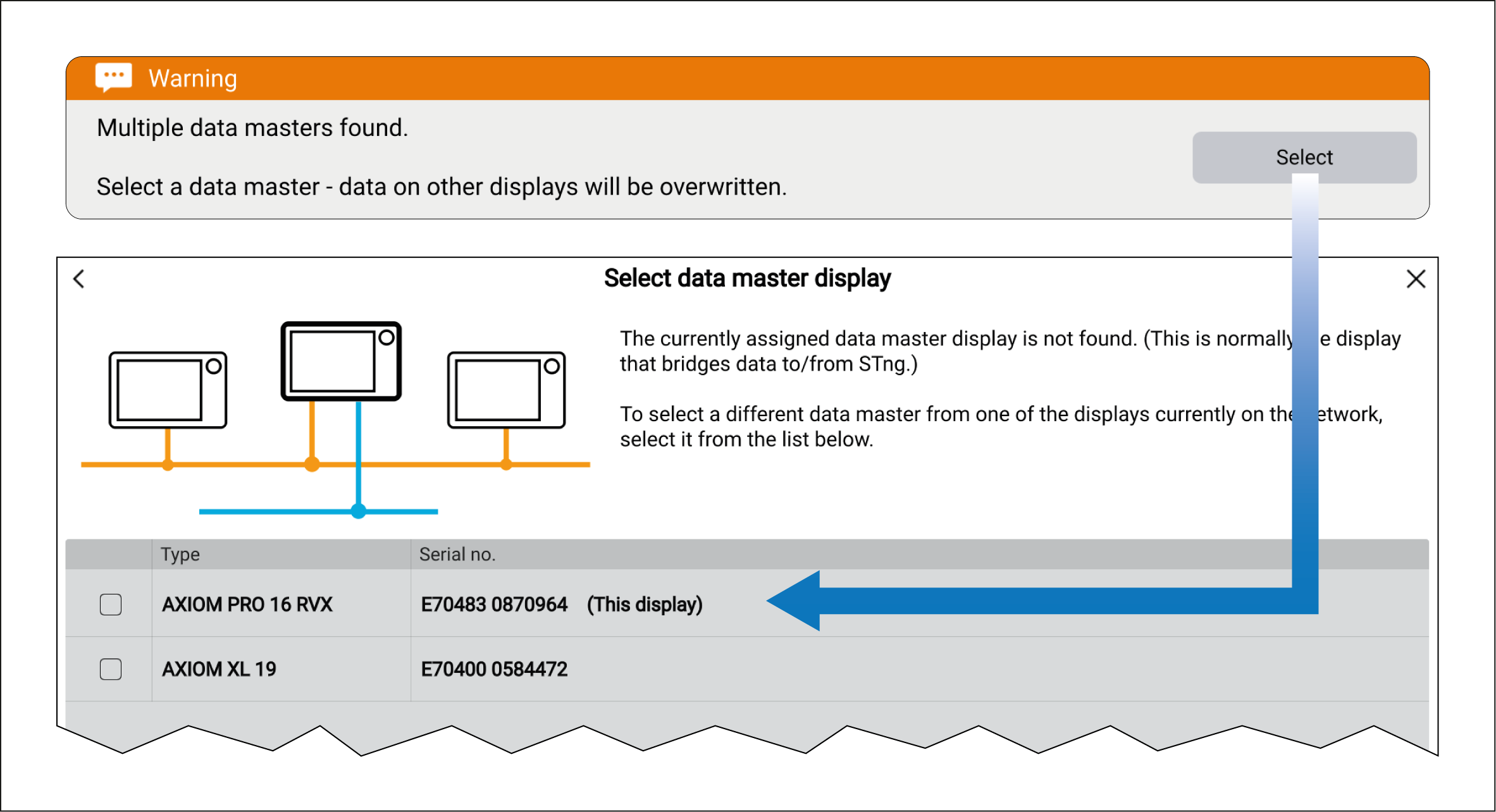
Select the button from the notification and choose your desired datamaster from the list.
If you are selecting a new datamaster then all networked displays’ settings and any saved waypoints, routes and tracks will be overwritten with those of the new datamaster display. To prevent loss of data and settings perform a back up of data and settings on the current datamaster before assigning a new datamaster.
You can change your datamaster at anytime by selecting Assign as datamaster from the pop-over menu for the displays listed in the Network settings menu: .