Battery configuration
Detected batteries can be viewed and customized from the battery configuration table.
The chartplotter automatically detects batteries on the network when battery information is transmitted using standard NMEA 2000 PGNs 127506 & 127508, or via other supported interfaces.
Battery ConfigurationThe battery configuration table can be accessed by selecting the Configure batteries button from the Boat details settings menu: .
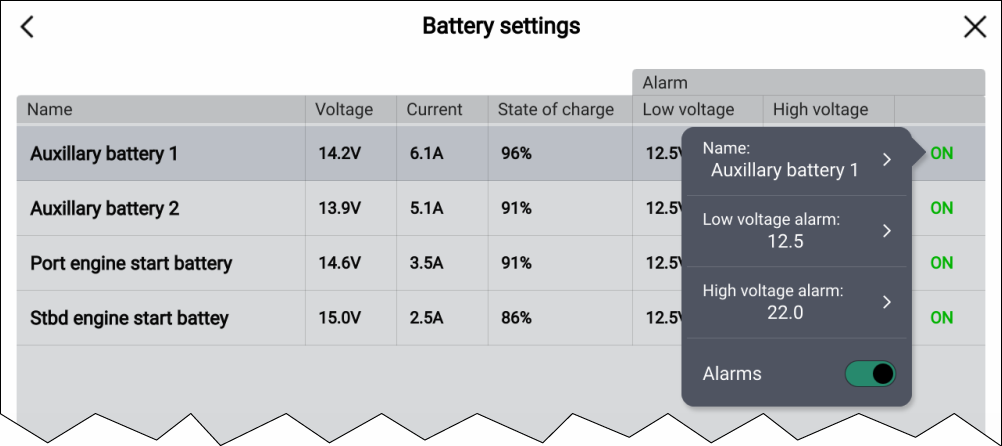
The battery configuration table lists all detected batteries and provide details and status for each. Default battery names are based on device name plus battery number (instance).
Selecting a battery from the table displays a pop-over menu where you can rename or set up a low and high voltage alarm for the selected battery. Changed battery names will appear in battery data items.
The battery configuration table can also be accessed from the alarms manager: .