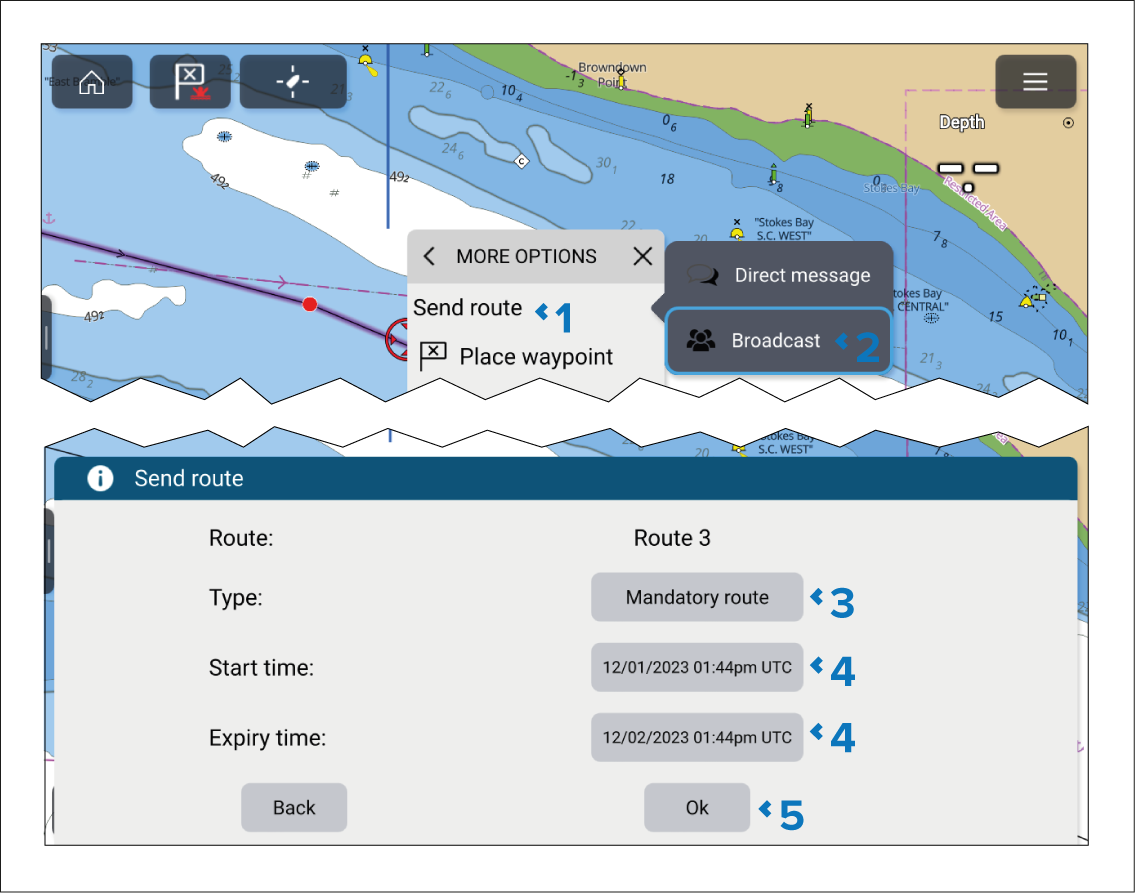
A route can be broadcast to all vessels using the same
STEDs passphrase.
First responder Broadcasting a routeRoutes Broadcasting (First responder)
- Select Send route from either the Route context menu or from the Route list pop-over menu.
To access the Send route option from the
context menu, open the Route context menu and select More options.
- Select Broadcast.
- Select the Type field and choose the
relevant route type.
- If required, adjust the Start time and Expiry time.
- Select OK.
The route will be broadcast to all vessels in range which
have the same STEDs passphrase as the sending vessel.