Saving an OEM install file
Once a boat system has been configured an OEM install file can be created.
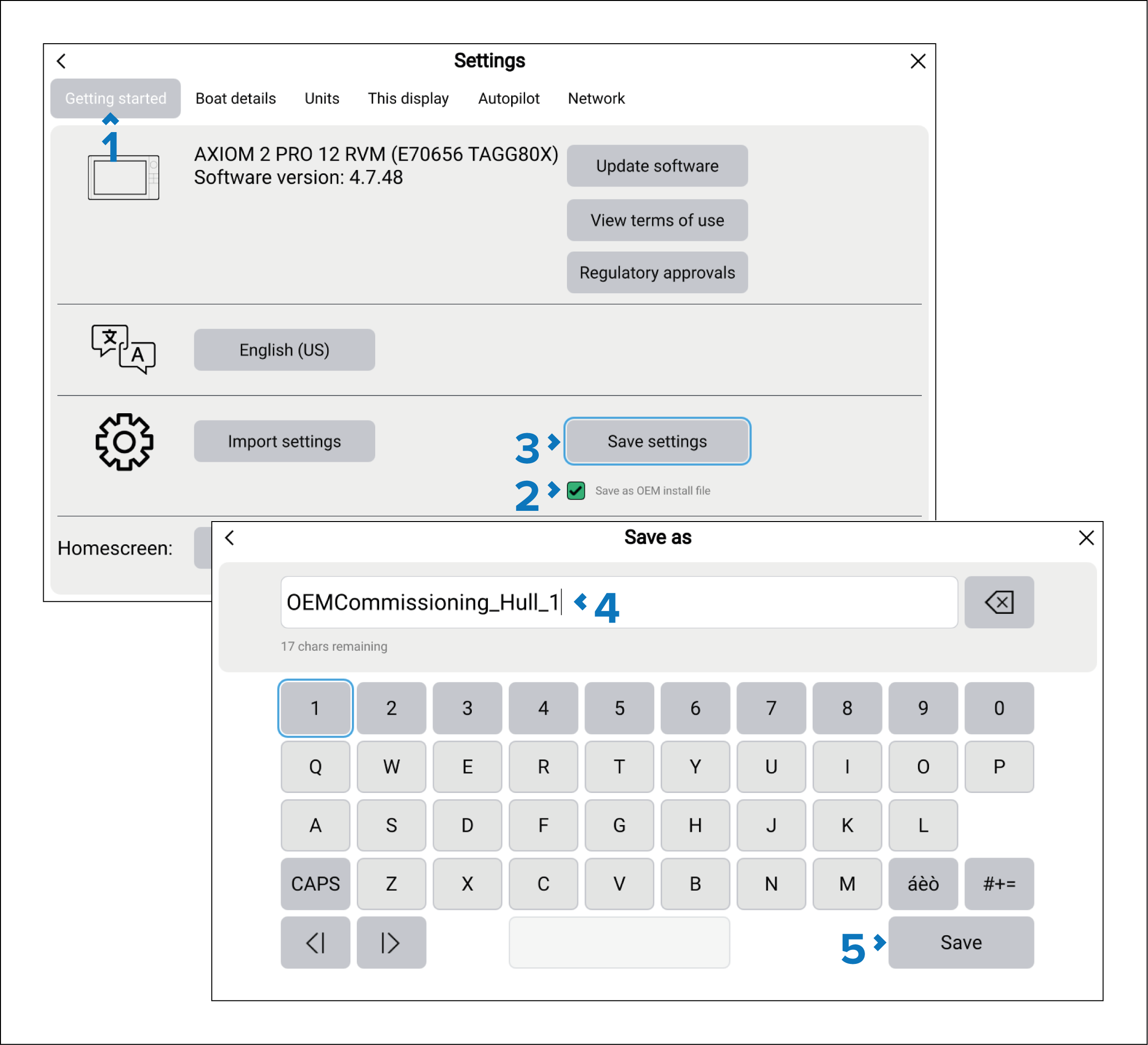
- Open the Getting started setting menu: .
- Select the Save as OEM install file tick box.
- Select Save settings.
- Enter a name for the OEM install file.
- Select Save.
You can now safely eject the memory card.