Video app controls
Onscreen controls are provided in the Video app.
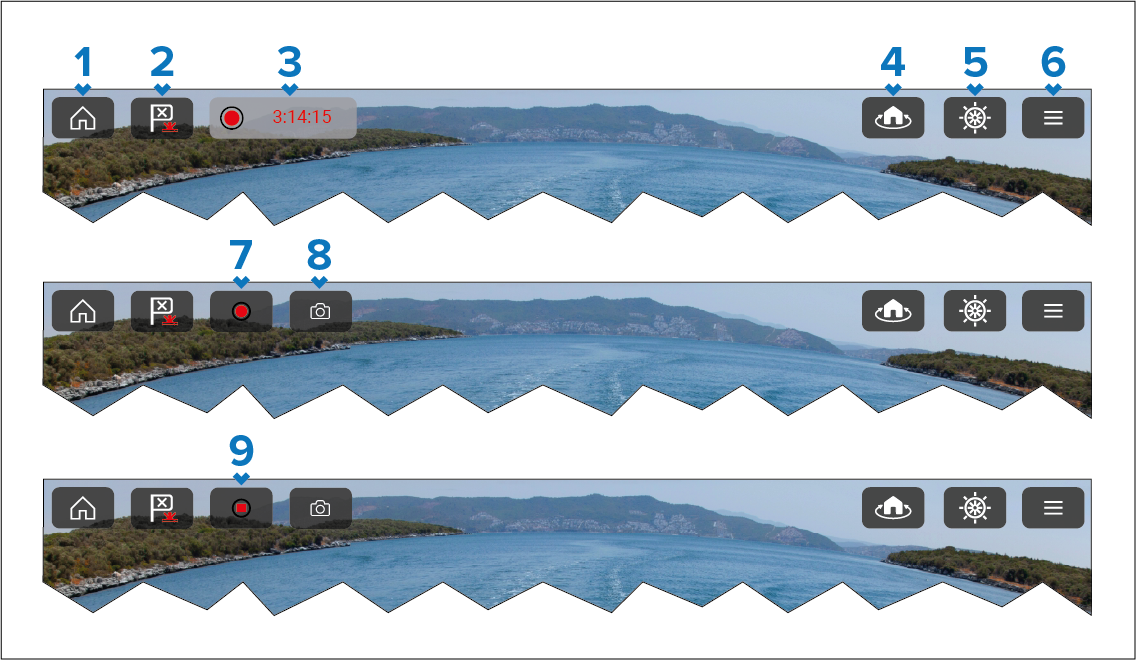
Home — Return to the Homescreen.
Waypoint / MOB:
Short press — Places waypoint at vessel’s location.
Long press — Activate Man Over Board (MOB).
Recording — Displayed when recording. Select to stop recording.
Camera Home — Return a PTZ (Pan / Tilt / Zoom) camera to its home position.
Pilot — Open / close the Pilot sidebar.
Menu — Open the app’s menu.
Record — This icon is temporarily displayed when the screen is touched. Select to start recording.
Take Photo — This icon is temporarily displayed when the screen is touched. Select to take a photo (screenshot) of the current image.
Stop — This icon is temporarily displayed when the screen is touched and recording is in progress. Select to Stop the recording.