Fish detection
Fish detection options are available when using a compatible Raymarine® sonar module with a Raymarine® or Airmar conical beam capable sonar transducer.
The fish detection feature is available when using the following conical beam sonar channels
50KHZ
200KHZ
SONAR
CHIRP Low
CHIRP High
CHIRP Auto
The fish detection feature is not available when using DownVision, SideVision or 3D Vision sonar channels.
The Fish detection feature can be accessed from the fishfinder app menu:
Fish detection Fish detection options include:
Fish detection Fish detection beepFish detection beep — An audible 2–tone beep is sounded when a sonar target is detected that the fish detection algorithm considers to be a fish.
Fish detection Fish iconsFish icons — A fish icon is placed onscreen over sonar targets that the fish detection algorithm considers to be fish.
Fish detection Fish depth labelsFish depth labels — The depths of sonar targets are displayed next to the target that the fish detection algorithm considers to be fish.
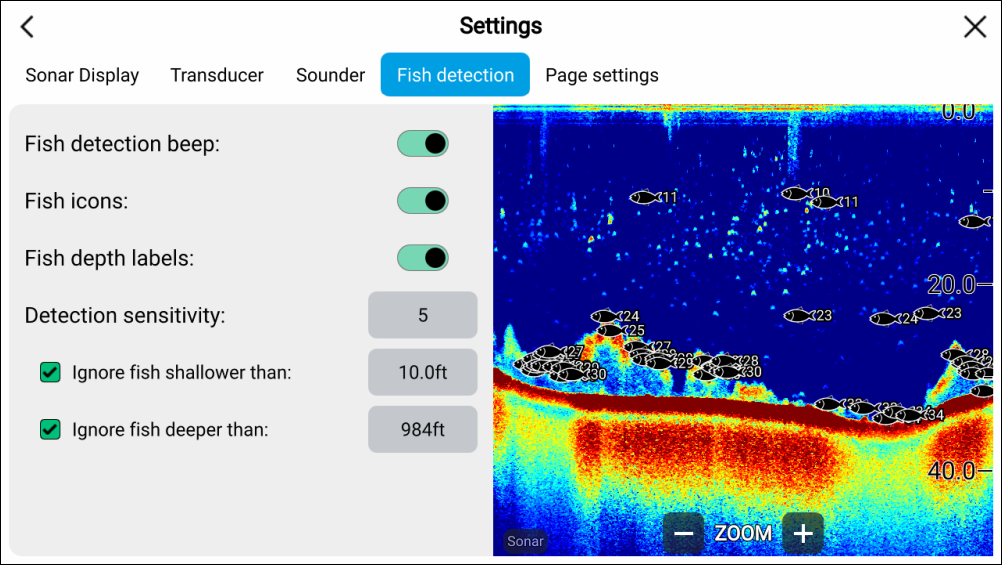
The fish detection feature can be adjusted manually as follows:
Fish detectionDetection sensitivityDetection sensitivity — The detection sensitivity setting determines the size at which sonar targets are considered to be fish. The higher the value, the more sonar targets will be considered to be fish.
Ignore fish shallower than: — Specifies the depth at which the fish detection algorithm will be used.
Ignore fish deeper than: — Specified the depth at which the fish detection algorithm will stop being used.
Using these options allows you to specify a specific depth band of water where you will be fishing, and also the size of the fish you want to catch.