Animated weather
In weather mode you can play weather animations of historical weather radar data and forecasted wind, wave and surface pressure data.
Weather modeAnimated weatherWeather animations can be accessed in weather mode by selecting Animate weather from the menu.
When animate weather is selected the player controls and symbols representing weather layers are displayed.
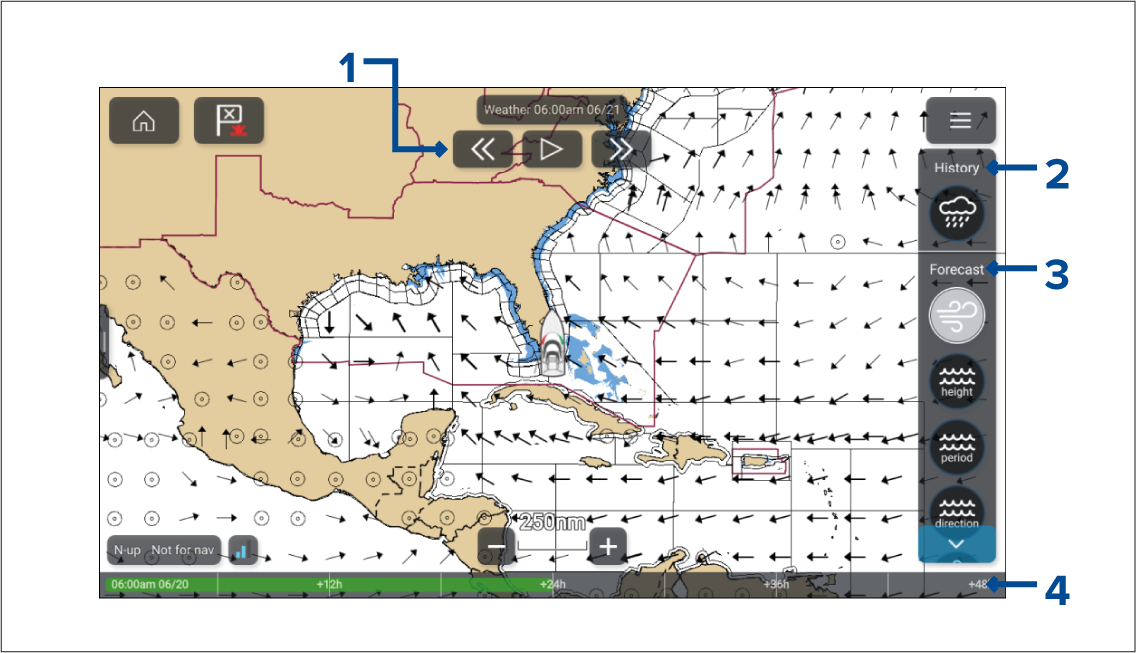
Player controls.
Historical data animation is available for the weather radar layer.
Forecasted data animation is available for wind, wave and surface pressure layers.
Animation progress bar.
Animated weather layers
Weather mode Animated weather layersAnimations are available for the following layers: Selecting a symbol will display the animation for that layer.
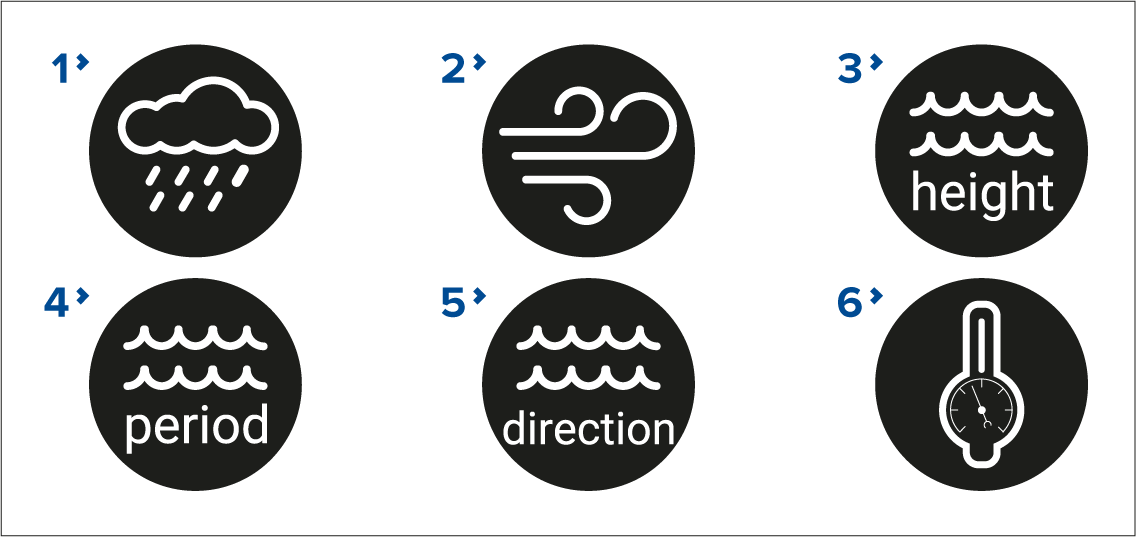
Weather radarWeather mode Weather radar — Historical precipitation data for the previous 2 hours can be played.
WindWeather mode Wind direction — Offshore wind forecast for up to 48 hours. High resolution coastal and inland wind forecast for up to 24 hours.
Wave heightWeather mode Wave height — Offshore wave height forecast for up to 48 hours. High resolution coastal wave height forecast for up to 24 hours. Great Lakes wave height forecast for up to 24 hours.
Wave periodWeather mode Wave period — Offshore wave period forecast for up to 48 hours. Great Lakes wave period forecast for up to 24 hours.
Wave directionWeather mode Wave direction — Offshore wave direction forecast for up to 48 hours. Great Lakes wave direction forecast for up to 24 hours.
Surface pressureWeather mode Surface pressure — Surface pressure forecast for up to 48 hours.
To exit animations open the Menu.