Axiom 2 Pro keypad type selection
After the startup wizard is completed on Axiom® 2 Pro displays, or following the selection of a different display as datamaster, the keypad type selection screen is displayed.
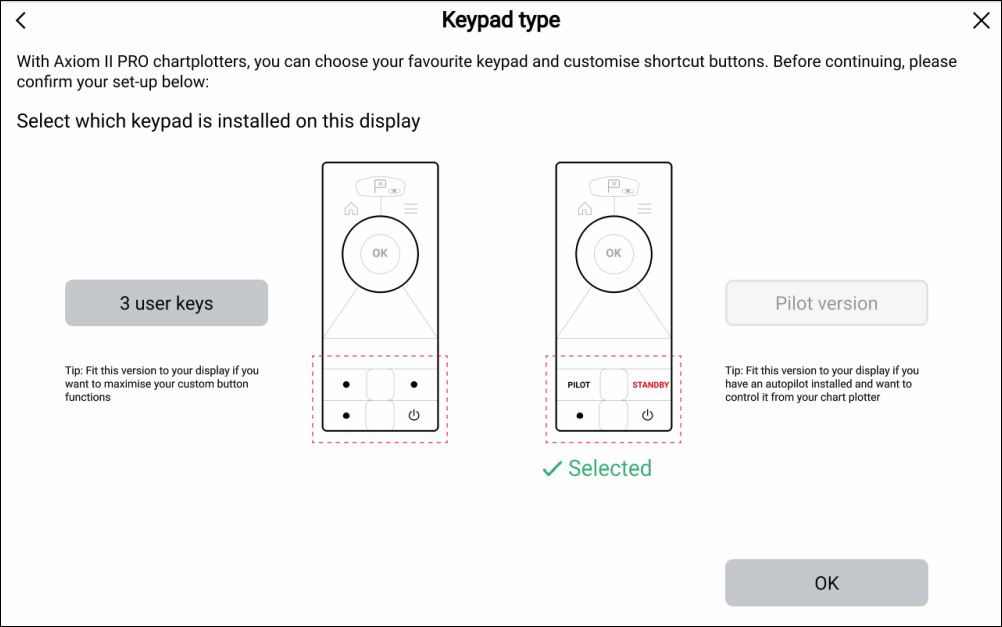
By default Axiom® 2 Pro displays are fitted with the Pilot Version lower keypad. If you intend to keep the Pilot Version lower keypad, select the Pilot version button and then select OK.
If you have installed or intend to install the 3 User Keys lower keypad, select the 3 user keys button and then select OK.
The keypad selection can be changed at any time from the This display settings menu: .