Importing a sail plan
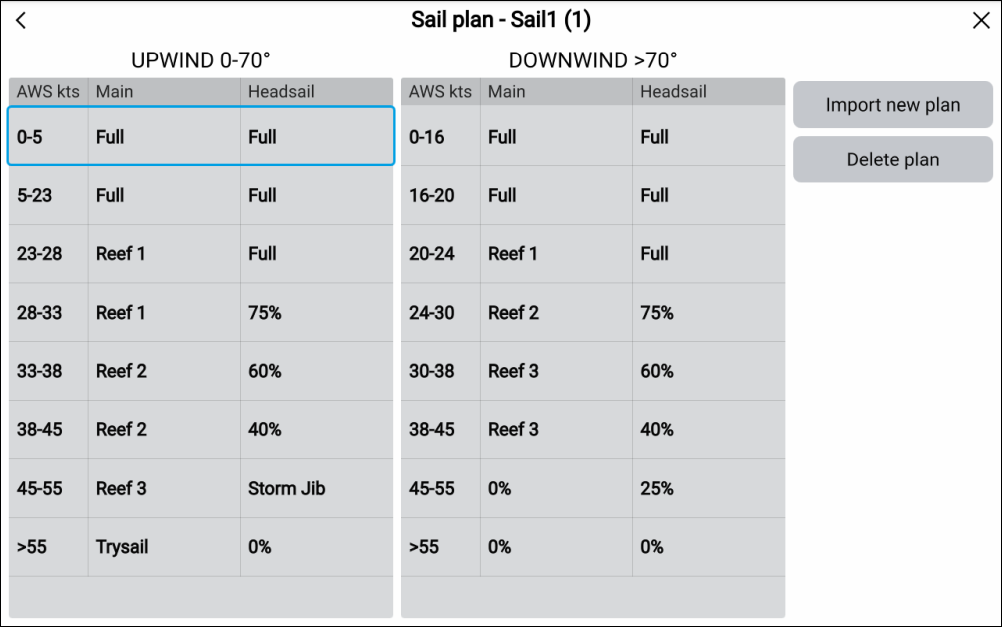
Figure 1. Example imported sail plan recommendation
From the details page you can also Delete the plan and Import a new plan. Importing a sail plan will overwrite the existing plan.
Figure 1. Example imported sail plan recommendation
From the details page you can also Delete the plan and Import a new plan. Importing a sail plan will overwrite the existing plan.