Following a received route
Once a route has been received it can be followed in the same way as any other route.
First responder Following received route
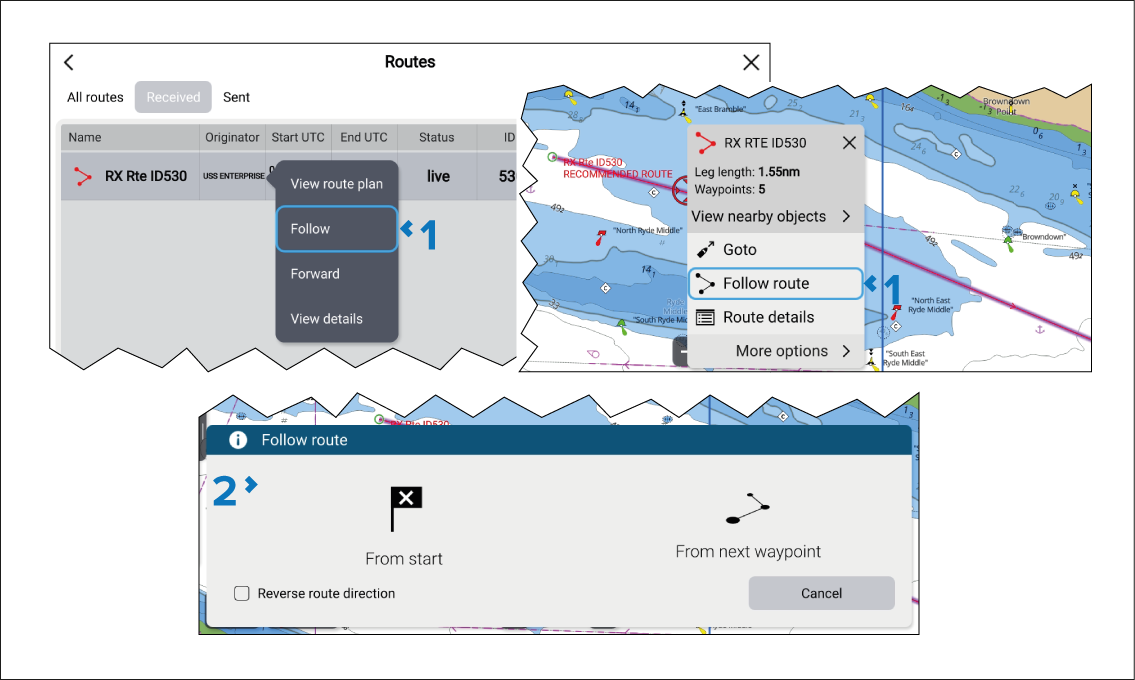
- Select Follow route from the Route context menu, or select Follow from the Route’s pop-over menu in the Received routes list.
- Select how you wish to follow the route.
Active navigation of the route will commence.