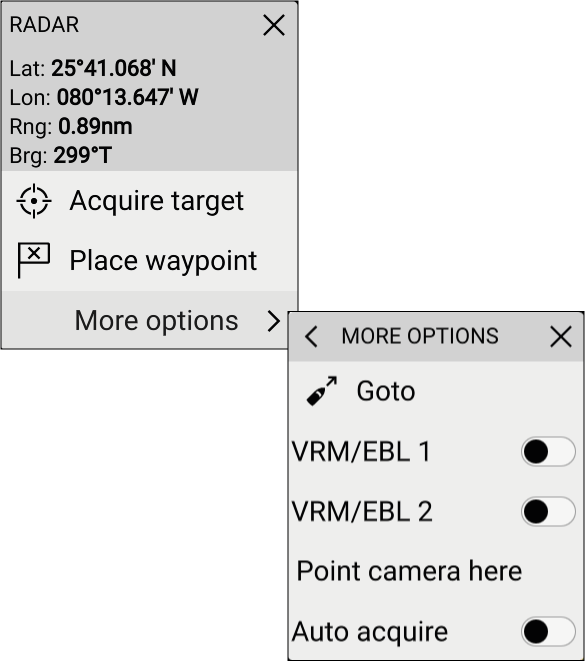
Radar app context menu Context menus provide context sensitive menu options. Radar app Context menu Context menus are accessed in the Radar app by selecting a location or target. The context menu provides Latitude, longitude, range and bearing details for the selected location or object. The context menu provides quick access to relevant settings or features. Select More options to display further options. ContentsAIS target context menuWhen an AIS target is selected in the Radar app the AIS target context menu is displayed.Radar target context menuWhen an acquired Radar target is selected in the Radar app the Radar target context menu is displayed.Moving (dragging) the context menuIn the Radar app the context menu can be moved.Parent topic: Radar app overviewPrevious topic: Radar app controlsNext topic: Camera tracking