Adding a data overlay
Data items can be overlaid in MFD apps.
Data overlaysMFD appsData overlaysA maximum of 4 data overlays can be added to an app. Data overlays are specific to that instance of the app.
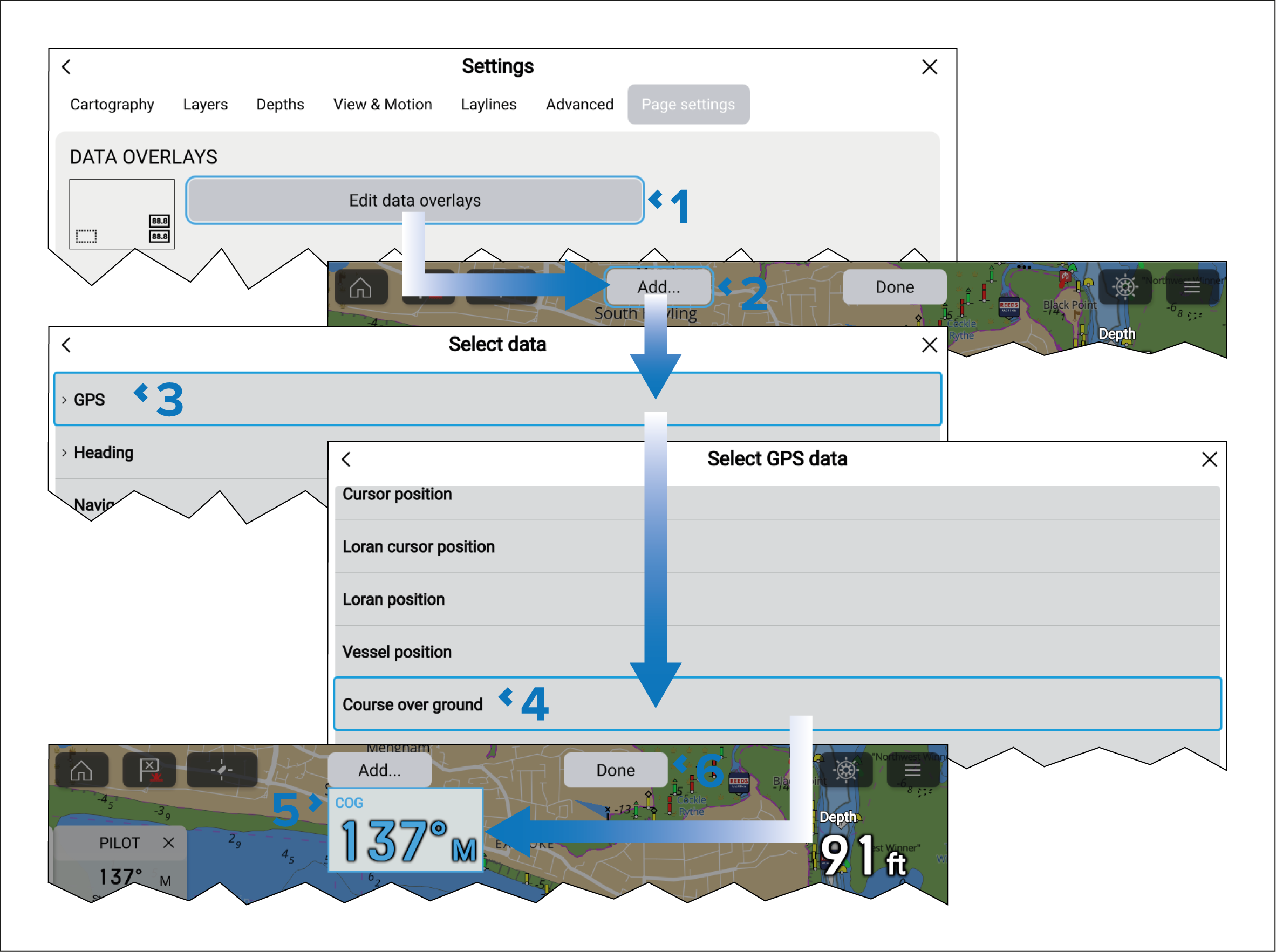
- Select Edit data overlays from the Page settings menu: .
- Select Add or select and hold on a location and select Add new.
- Select a data category from the list.
- Select a data item from the category list.
- If required, select and hold on the new data overlay and drag it to a new location.
- Select Done to confirm the new data overlay.
For a list of available data items refer to: Display data