Obtaining an S-63 MFD activation file
An S-63 MFD activation file must be installed on your MFD to display and enable the use of S-63 Encrypted Charts on your MFD. Without the S-63 MFD activation file installed S-63 chart selection and related settings will not be available.
S-63 Encrypted ChartsMFD activation file
An S-63 MFD activation file will be required for each MFD you want to be able to view S-63 encrypted charts on. S-63 encrypted charts are not shared with other MFD’s on the same network.
- Identify your MFD’s product name, product number and serial
number.
The required information can be found on the Getting started settings menu and the Network settings menu:, or from the physical product label.
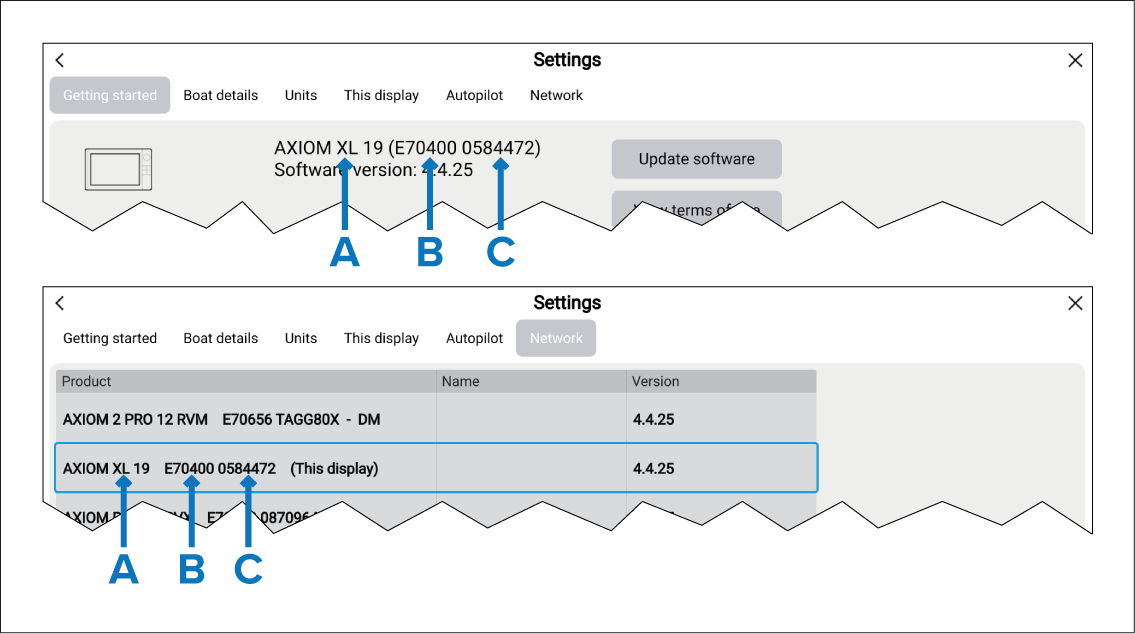
Figure 1. Example
A — Product name
B — Product number
C — Serial number
The MFD will now be able to select S–63 Encrypted Charts and display them in the Chart app. Related settings will also be available.