Chart app onscreen controls
Onscreen controls are available which are overlaid in fixed positions onscreen.
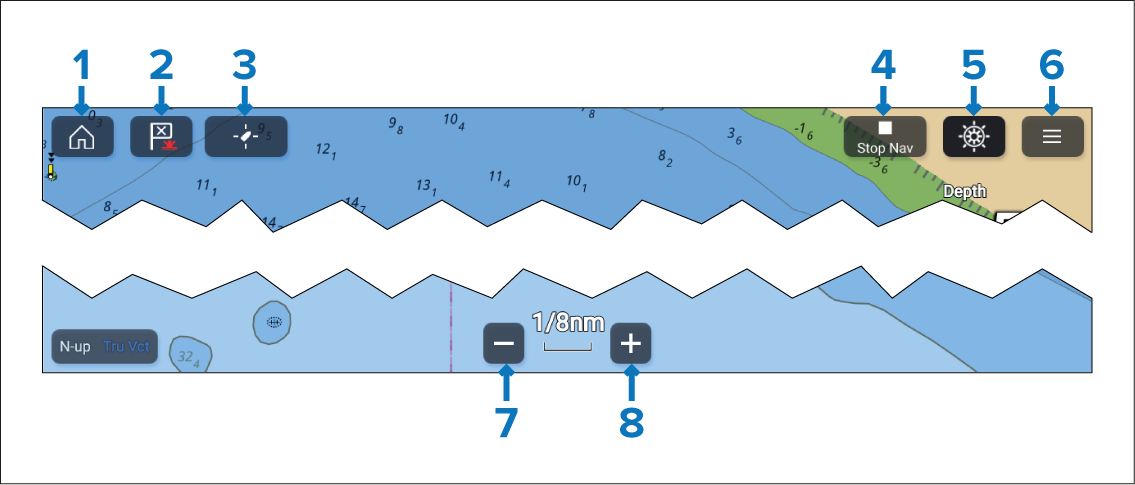
Home — Select to return to the Homescreen.
Waypoint / MOB — Select to place a waypoint at your vessel’s location, or press and hold to activate Man overboard (MOB) alarm.
Find vessel — Select to center the vessel icon on the screen. Only displayed when the vessel is not centred.
Stop Nav — Select to end active navigation (i.e.; goto or route follow). Only shown during active navigation.
Pilot — Select to open the Pilot sidebar. Only displayed when autopilot integration is enabled.
Menu — Select to open the Chart app menu.
Range out — Select to zoom out and show a larger area onscreen.
Range in — Select to zoom in and show a smaller area onscreen.