Route plan
The route plan provides a list of the waypoints that are used in the route..
RoutePlanWhen accessed from the Chart app the route plan menu includes a LiveView chart pane showing the route’s location.
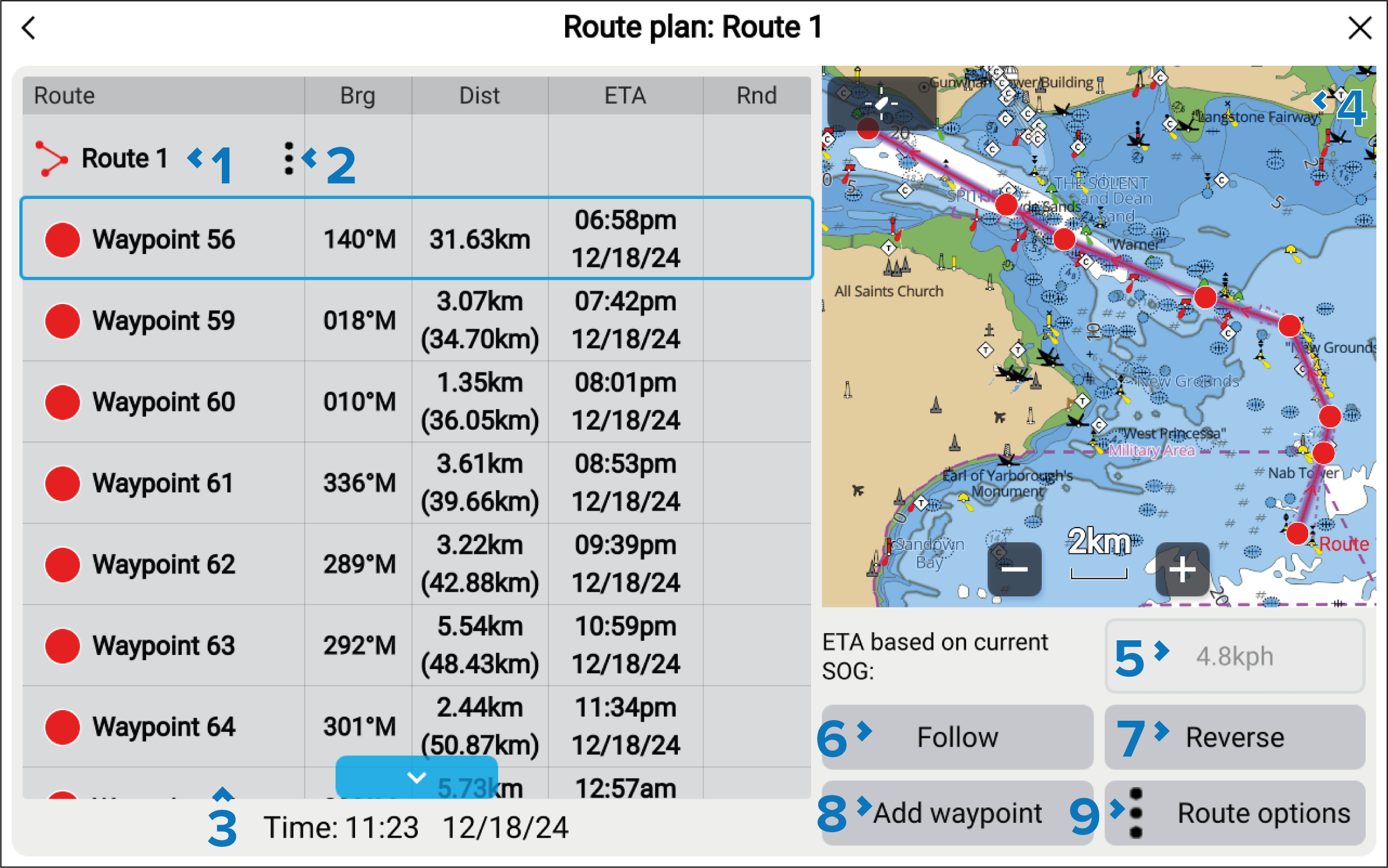
Route name — the route name can be customized from the Route options menu..
Route options — opens the Route options pop-over menu.
List of waypoints that are used in the route.
LiveViewLiveViewRoutes LiveView — when accessed via the Chart app, the LiveView pane is displayed. When a route is selected the LiveView will center the route in the LiveView pane.
Current SOG (Speed Over Ground).
Follow — close the menu and begin active navigation of the route.
Reverse — reverse the route’s direction. Selecting Reverse will overwrite the original route, swapping the start and end waypoints so that the route can be followed in the opposite direction. You can revert the route to its previous direction by selection Reverse again.
Add waypoint — add an existing waypoint to the route by selecting Add waypoint
Route options — opens the Route options pop-over menu.
Selecting a waypoint from the list will open the route waypoint options.
Route waypoint options:
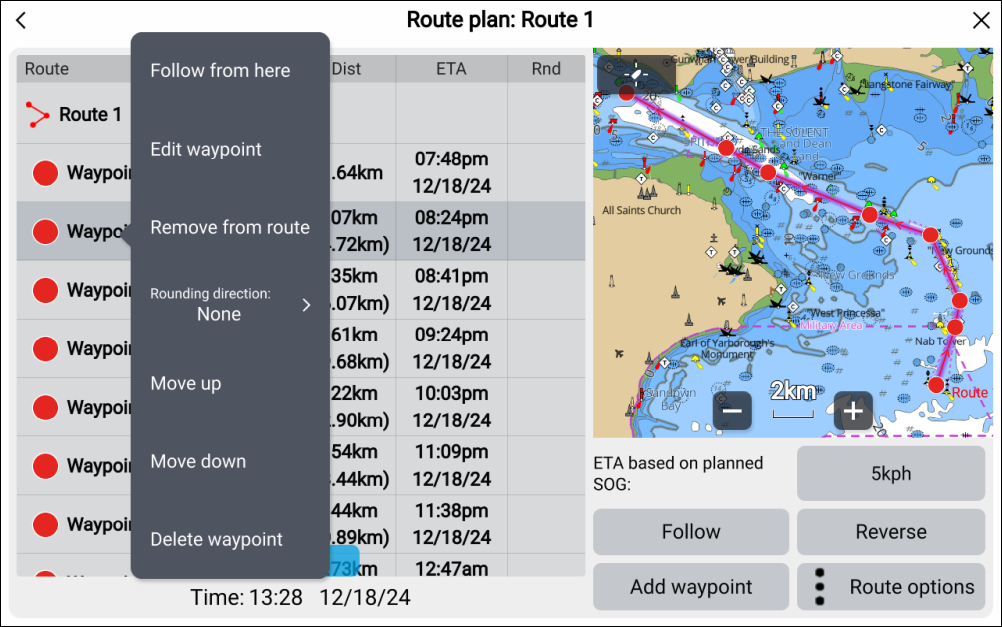
RouteFollow from hereFollow from here — Follow the route from the selected waypoint.
WaypointEditEdit waypoint — edit the waypoint’s details.
WaypointRemove from routeRemove from route — remove the waypoint from the route keeping the waypoint.
RouteRounding directionRounding direction — choose whether you should leave the waypoint to port or to starboard. The Rounding direction feature is only available when Sailing has been selected as the Boating activity during the initial MFD start up wizard.
Move up — move the waypoint up in the route list order.
Move down — move the waypoint down in the route list order.
WaypointDeleteDelete waypoint — delete the waypoint.