Mercury sidebar overview
The Mercury sidebar is available in all MFD apps, and provides quick access to Mercury features and engine data.
Mercury SidebarSidebarMercury
Selecting the Mercury icon displays additional icons representing the various Mercury sidebars available. Selecting a Mercury sidebar icon will display the relevant sidebar.
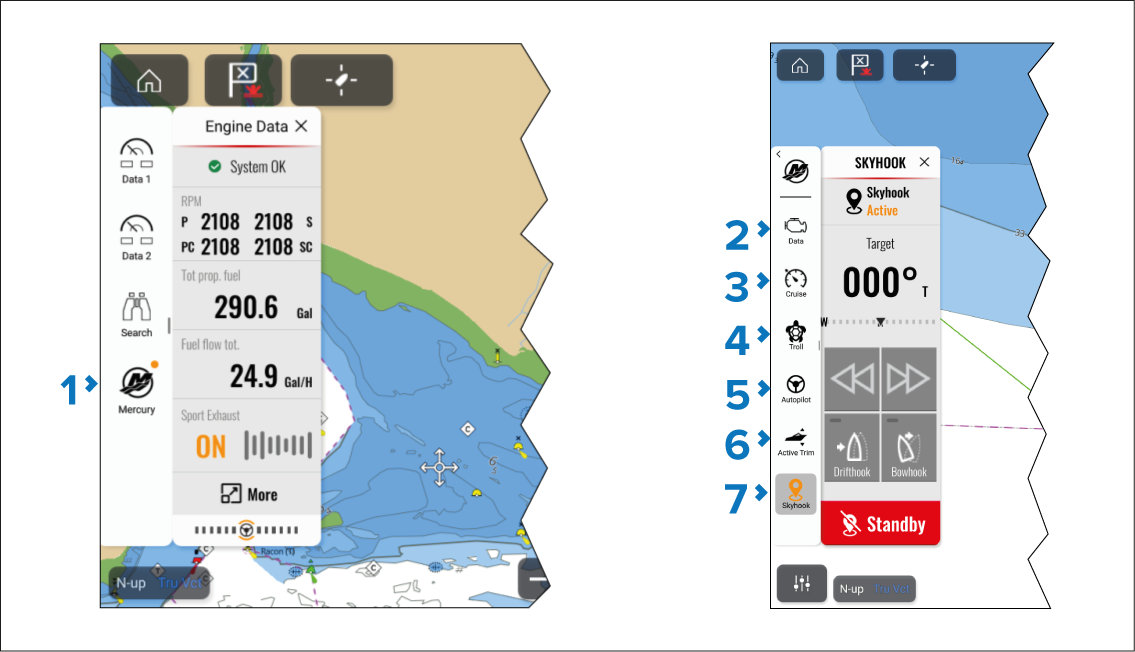
Mercury sidebars.
Data sidebar.
Cruise control sidebar.
Troll control sidebar.
Autopilot sidebar.
Active Trim sidebar.
SkyHook sidebar
An amber circle in the top right of the Mercury icon (as shown in (1) in the screenshot shown above) indicates an active control feature, such as Cruise control or Troll control. The relevant sidebar icon will also be colored amber, as shown in (3), (5) and (6) in the screenshot shown above.