Wind and Watchbox layers
The wind layer uses arrows or barbs to identify wind direction and speed. The watchbox layer uses red polygons to identify areas where severe weather is occurring or forecast within a specified range.
Weather mode WindWatchbox
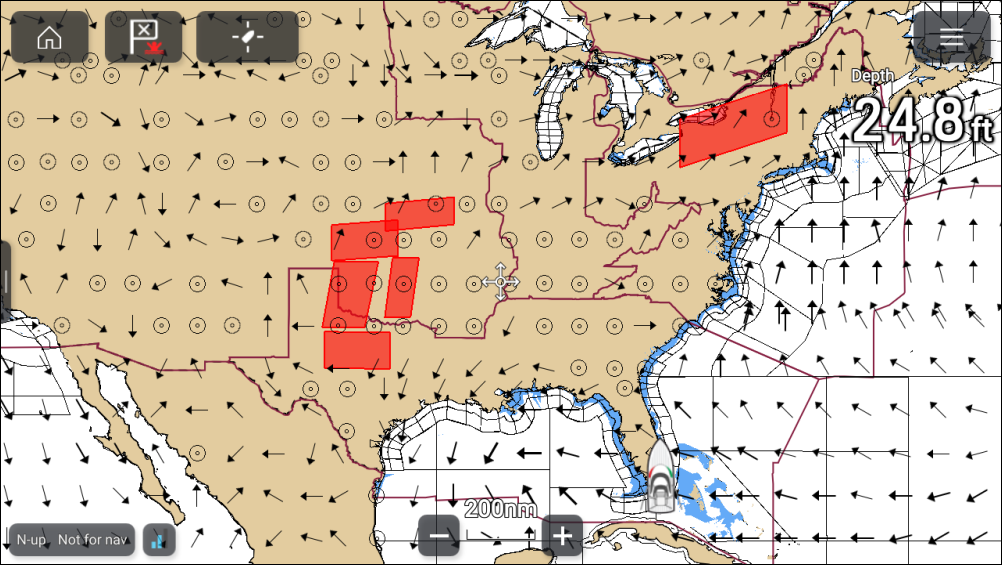
Wind arrows
Weather modeWind directionWind speedWind arrowsThe direction of the arrows indicates the wind direction and the size of the arrow indicates wind speed, the larger the arrow the greater the wind speed. Where conditions are calm a circular symbol is used.
Wind barbs
Wind barbs identify wind direction and speed.
Weather modeWind directionWind speedWind barbsBarbs provide a more accurate speed identification than arrows.
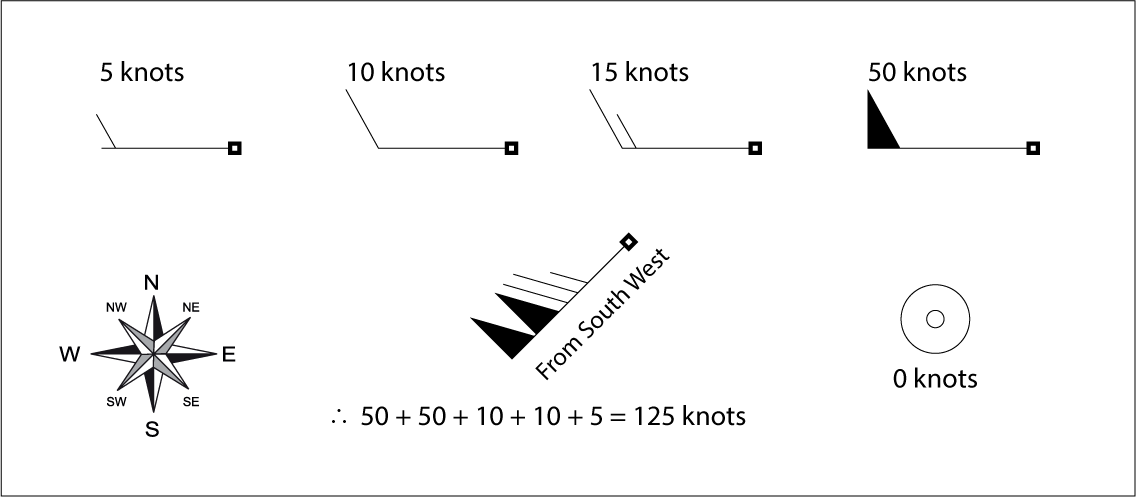
Adding the half barbs, full barbs and flags together provides wind speed. The direction the barbs point towards indicates where the wind is coming from.
Half barbs = 5 knots
Full barbs = 10 knots
Flag = 50 knots
The wind layer can be enabled and disabled from the Weather layers menu: .
You can switch between using Arrows or Barbs for wind data from the Weather settings menu: .
Watchbox
Weather modeWatchboxThe watchbox layer can be enabled and disabled from the Weather layers menu: .
When the watchbox layer is enabled you can select a watchbox area onscreen and view the details by selecting Watchbox data from the context menu.
Watchbox alerts
Weather modeWatchbox alertsWatchbox alerts are alert notifications that are displayed onscreen if a tornado or thunderstorm alert is received. Watchbox alerts can be enabled and disabled from the Weather settings menu.
You can specify the range from your vessel that will trigger an alerts using the Watchbox range setting: .