Thermal camera screen overview
When viewing the thermal or visible light video feed of a compatible thermal camera, additional controls are available.
The status icons are embedded in the video stream from the camera. Only the focus and zoom controls can be interacted with.
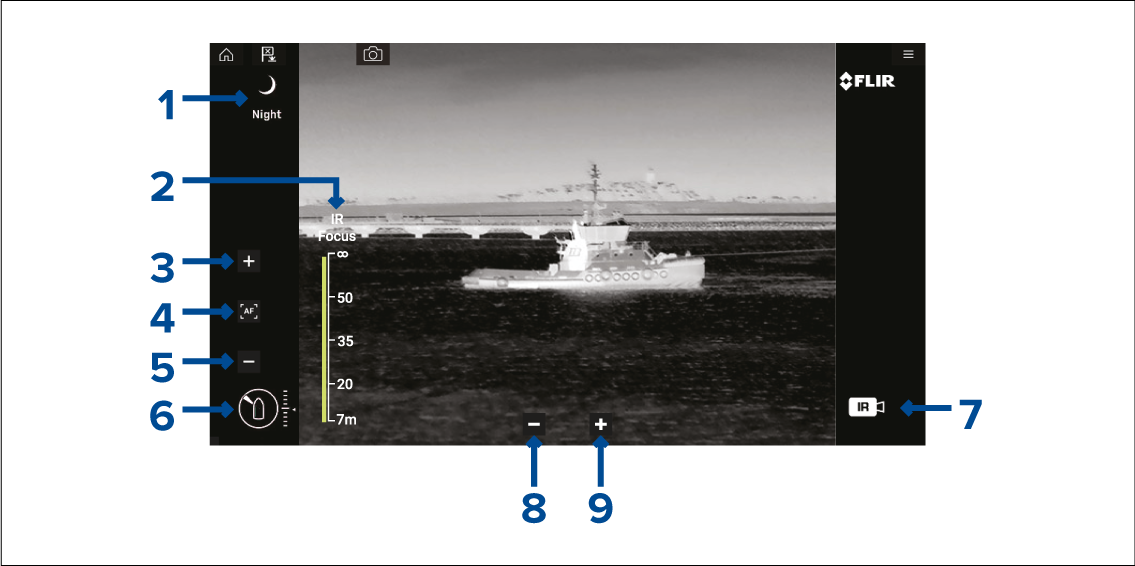
Scene Automatic Gain Control (AGC) settings — the icon for the currently selected scene is displayed. The following scenes are available:
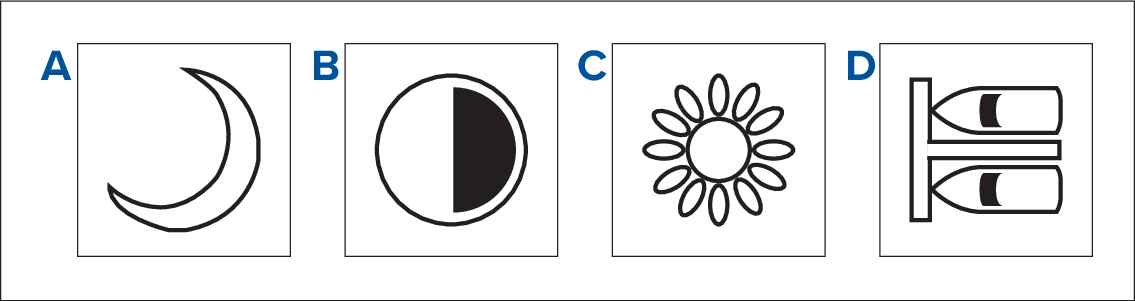
Night scene — optimized for use on the open water at night.
Contrast scene — optimized for good visibility of small moving objects.
Day scene — optimized for use on the open water during the day.
Docking scene — optimized for use when the boat is docking at night.
IR Focus — shown when autofocus is activated, to indicate the progress of the operation.
(1)Increase focus — manually increases camera focus.
(1)Autofocus — enable/disable autofocus.
(1)Decrease focus — manually decrease focus.
Note(1) For cameras that support manual focus, the controls are displayed temporarily when you tap the touchscreen.
Azimuth (Position) and Elevation (Tilt) indicator — Shows the azimuth (or direction) of the camera relative to the vessel, as well as the vertical tilt of the camera. The triangle shows the approximate camera field of view (FOV). The diamond shows the approximate camera position.
Payload — Identifies the type of video feed being displayed, e.g. thermal or visible light.
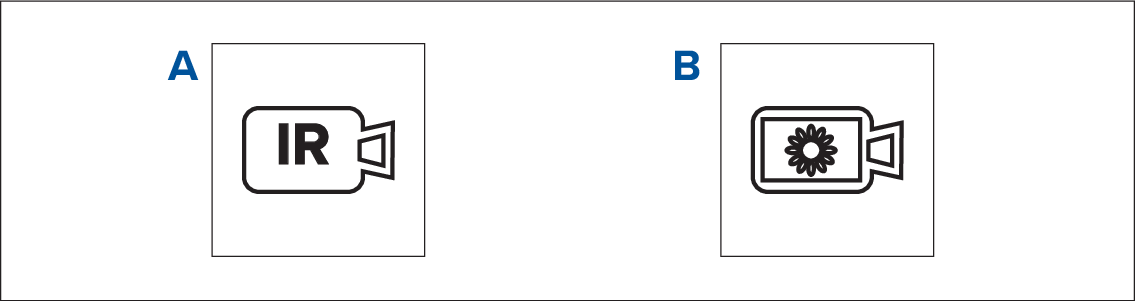
Thermal video feed
Daylight / visible light video feed
Zoom out
Zoom in