Storm cast and Storm tracks layers
The storm cast layer displays arrows that identifies a storm’s direction and speed. The storm tracks layer identifies a storm’s historic, current and forecasted path. Associated wind fields are also shown for the storm’s current location.
Weather mode Storm castStorm tracks
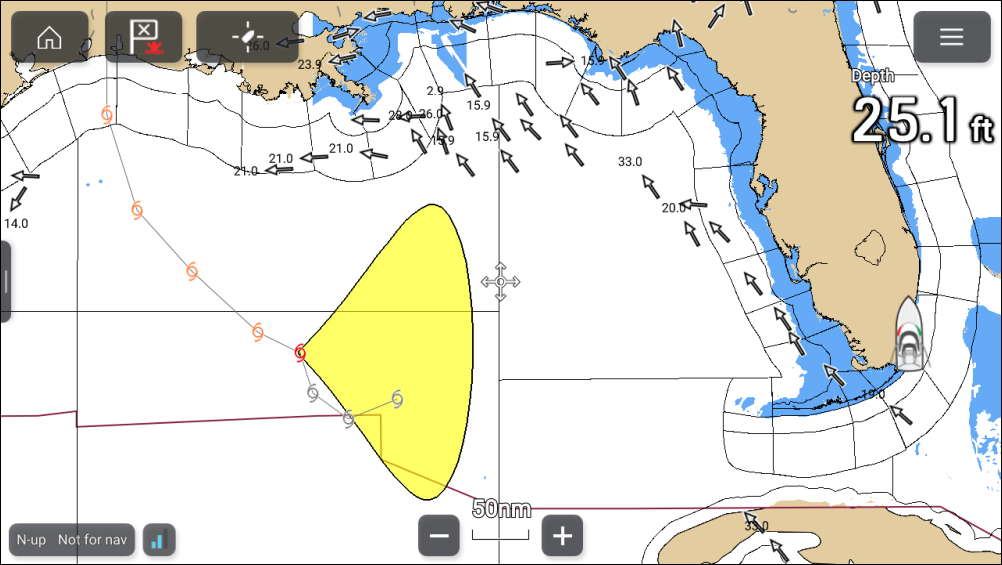
Storm track symbols
Weather mode Storm tracksStorm track symbols identify the type and time period of the storm.
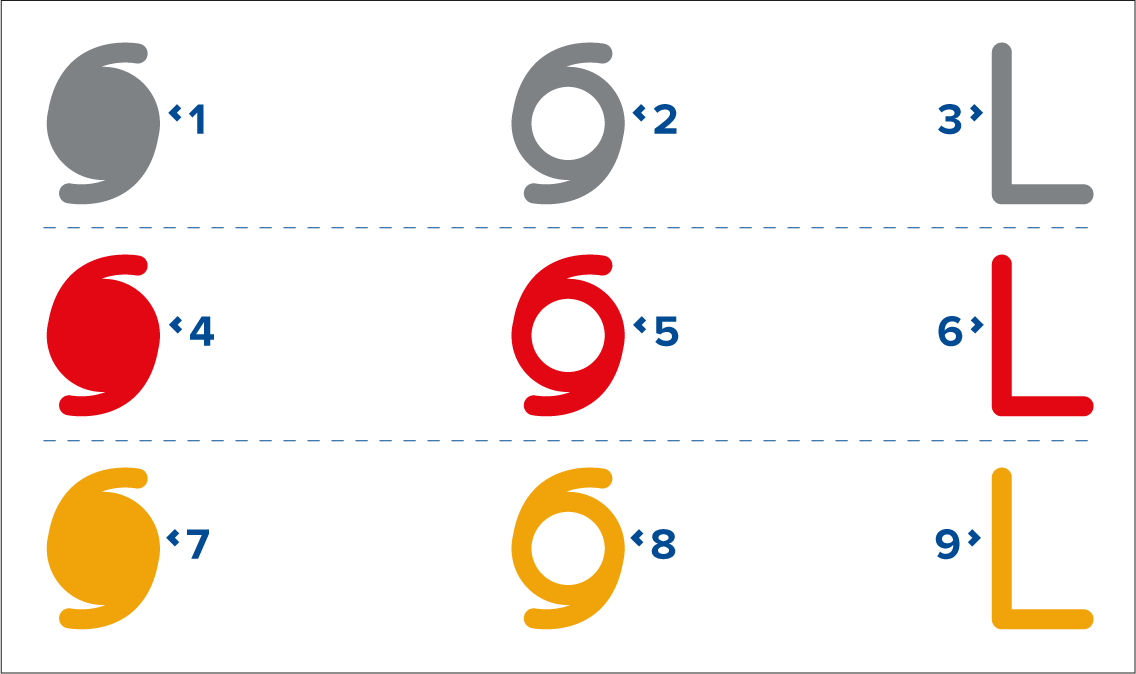
1, 2 and 3 represent historical data.
4, 5 and 6 represent current data.
7, 8 and 9 represent forecast data.
1, 4 and 7 represent a hurricane (category 1 to 5).
2, 5 and 8 represent a tropical storm.
3, 6 and 9 represent a tropical disturbance, tropical depression.
Storm data is available from the context menu when a symbol is selected.
Weather mode Wind fieldsWind RadiiSurface wind fields (wind radii) are shown using colored shape representing the wind field area and speed.
Pink — wind speed = 64 knots or greater.
Orange — wind speed = 50 knots or greater.
Yellow — wind speed = 34 knots or greater.
The storm cast layer can be enabled and disabled from the Weather layers menu: .
The storm tracks layer can be enabled and disabled from the Weather layers menu: .