Mercury SmartCraft helm grouping
Mercury SmartCraft integration is only available on displays assigned to display groups Helm 1, Helm 2, Helm 3 and Helm 4.
Helm grouping should be configured during installation. If required the helm grouping can be changed from the This display menu: .
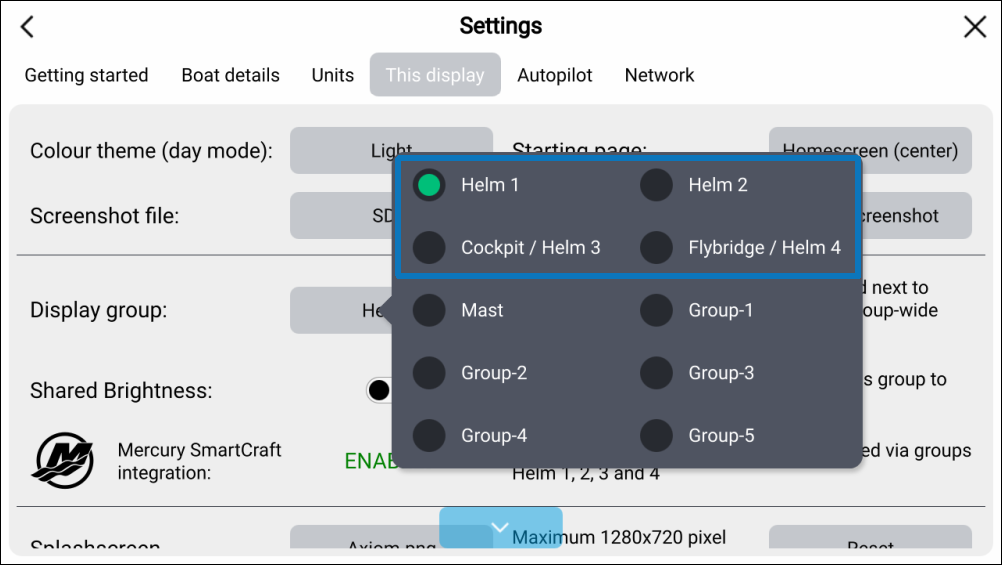
Figure 1. Helm grouping
Displays that are in the same area should be in the same group.
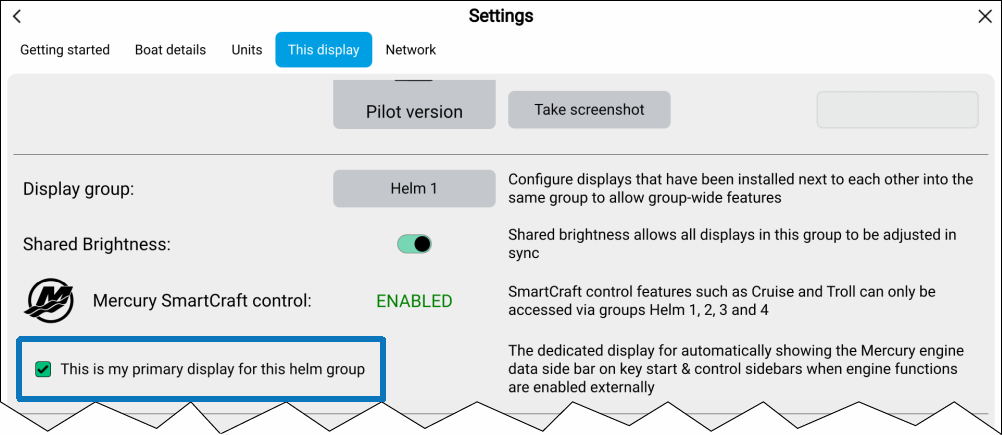
Figure 2. Primary display selection
When more than 1 display is in a group then a primary display must be selected. On the selected primary display the relevant Mercury sidebar will automatically be displayed on engine start and when a Mercury feature is activated.
To assign the primary display, select the This is my primary display for this helm group from the This display settings menu: .