Pilot sidebar — Steer to Wind
When the autopilot is engaged in Steer to Wind mode the Wind pilot sidebar will be displayed.
Steer to Wind mode will only be available if Sailing was selected as the display’s Boating activity during the initial start up wizard.
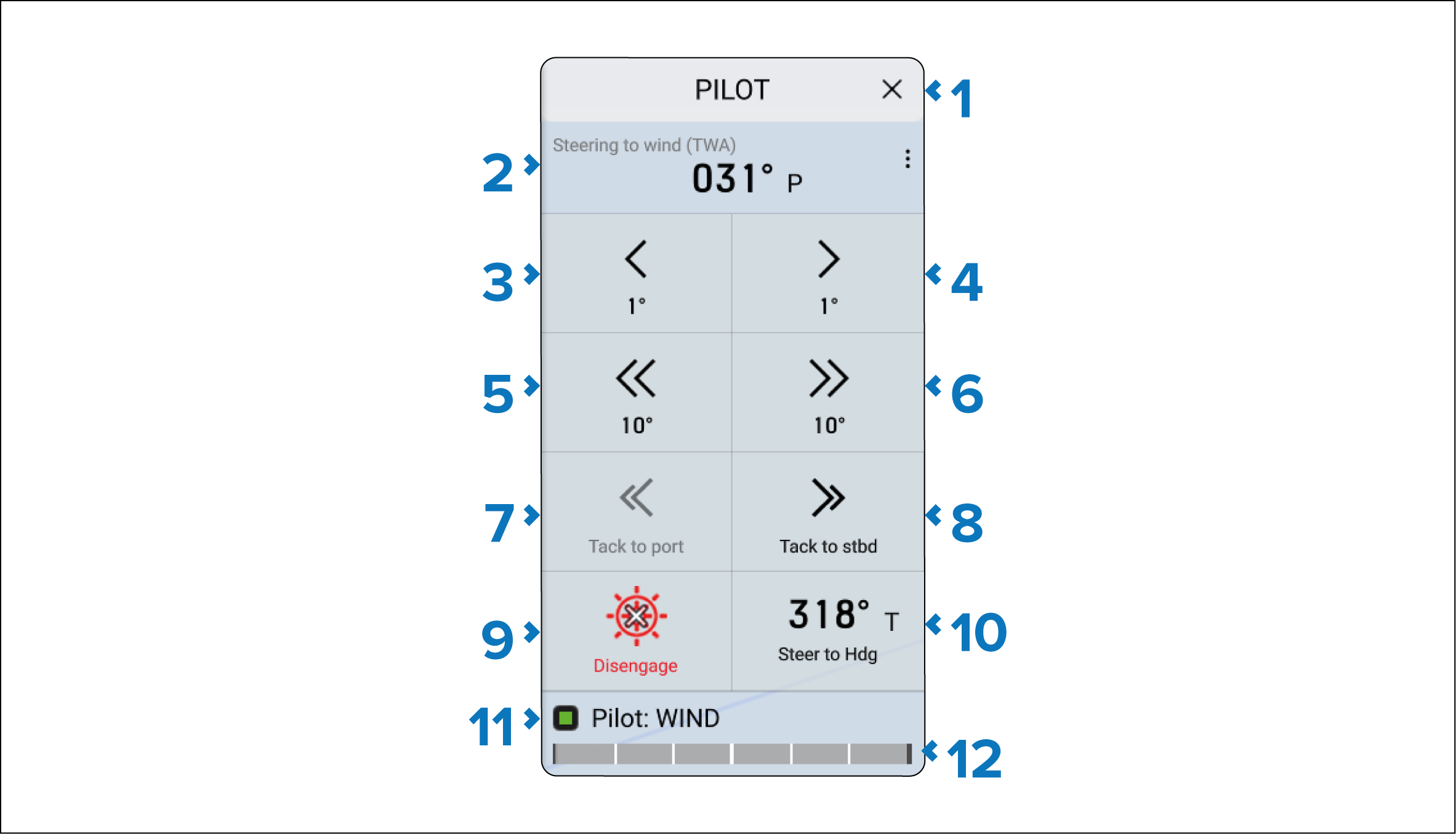
Description |
|
|---|---|
1 |
X (Close) — Closes the Pilot sidebar. |
2 |
Steer to Wind mode — Indicates the current Steer to Wind mode and course in degrees. Selecting the data cell allows you to change the Steer to Wind mode. |
3 |
< –1° — Selecting will adjust your course by minus 1°. |
4 |
> +1° — Selecting will adjust your course by plus 1°. |
5 |
<< –10° — Selecting will adjust your course by minus 10°. |
6 |
>> +10° — Selecting will adjust your course by plus 10°. |
7 |
<< Tack to port — Selecting will turn the boat to port so that the boat’s course mirrors the same offset angle on the opposite side of the wind. |
8 |
<< Tack to starboard — Selecting will turn the boat to starboard so that the boat’s course mirrors the same offset angle on the opposite side of the wind. |
9 |
Disengage — Allows you to disengage the autopilot and return to Standby (manual control). |
10 |
Steer to Hdg Steer to Hdg — Enables you to engage the autopilot in Locked heading (Auto) mode. |
11 |
Pilot statusAutopilotStatus — Provides the status of the autopilot. |
12 |
Rudder barRudder bar — Provides visual indication of rudder position. |