Status area
You can view the status of certain connected devices from the Homescreen Status area, located at the top right of the Homescreen. The status area also includes the Time which is received from an internal or external GNSS receiver The Status area will also indicate if the display has Touchlock mode enabled.
Homescreen Status areaStatus area
Device status
The status of the following devices can be shown in the status area: Autopilot, AIS, Radar, Sonar transducer, YachtSense Link router, and Bluetooth connection.
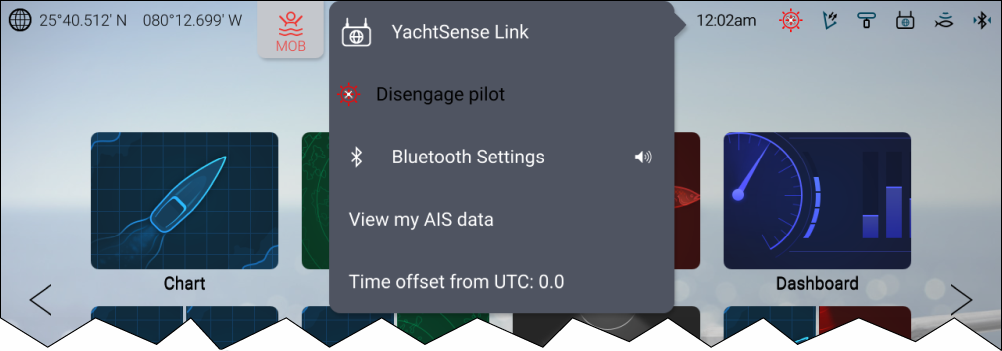
Pop-over menu options
From the Status area pop-over menu the following options are available:
YachtSense Link — Select to access the YachtSense Link router’s user interface.
Disengage pilot — Select to disengage your autopilot.
Bluetooth Settings — Select to access Bluetooth connection settings. Select the speaker icon to access volume controls for a connected Bluetooth speaker.
View my AIS data — Select to view your own boat’s AIS data.
Time offset from UTC — Select to adjust the Time offset from UTC.
Additional options are available for First Responders.