Setting a route as Command approved
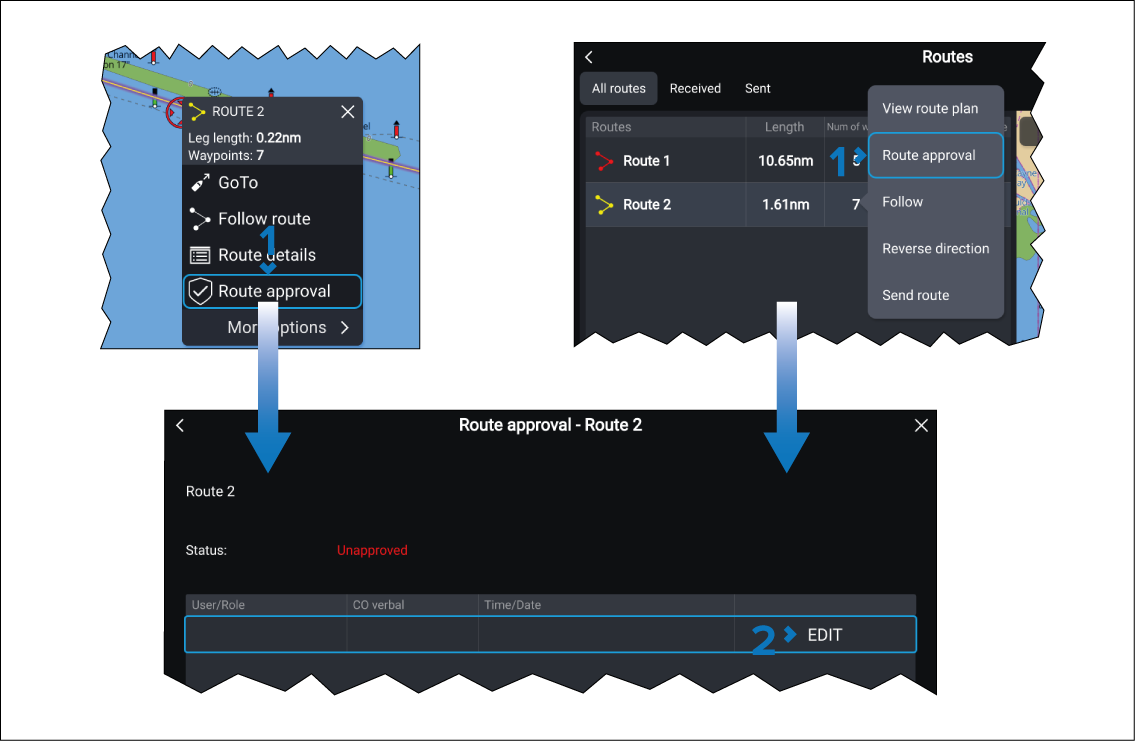
When Approved routes has been activated, routes can be marked as Command approved.
- Select EDIT.
- Select the OK button.
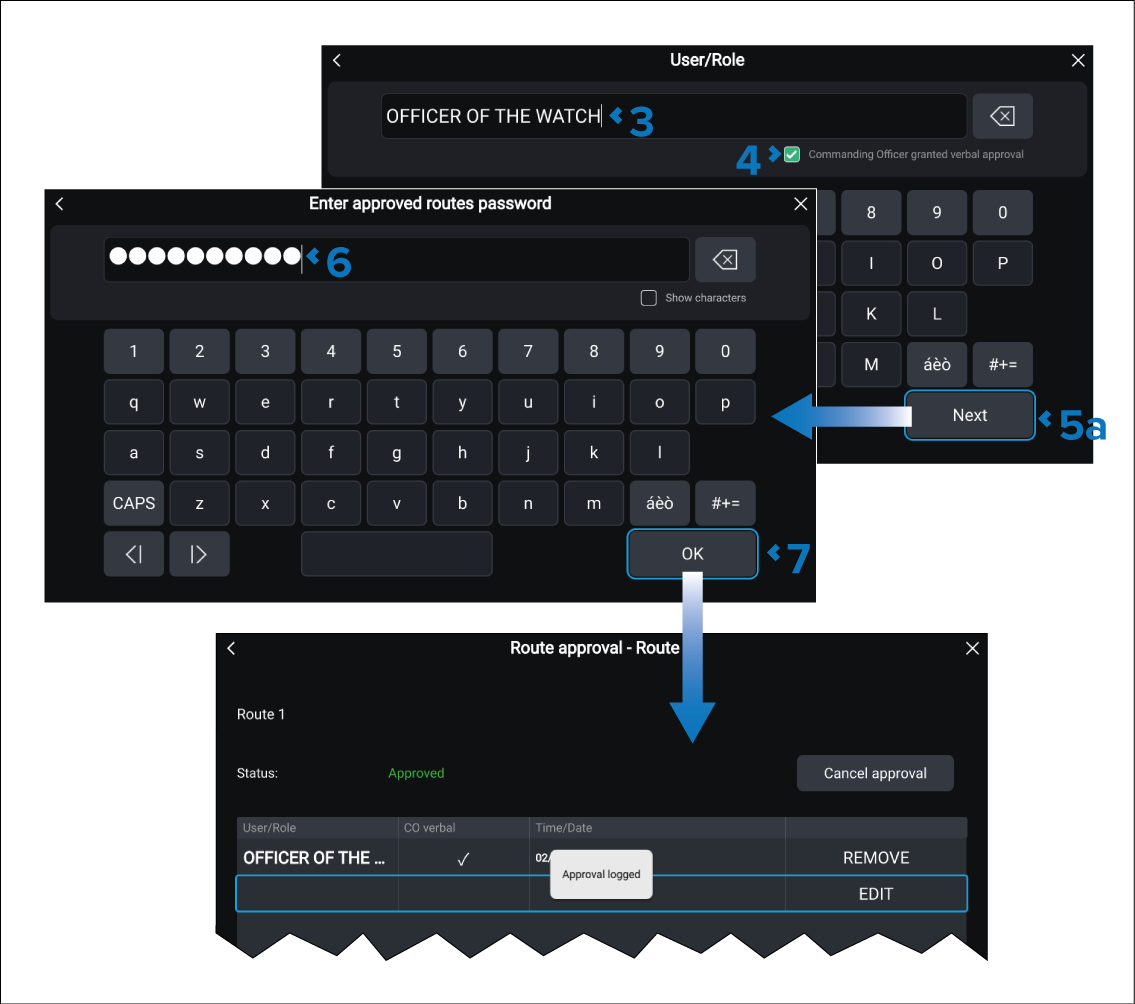
The route will be marked as Command approved. Command approved routes require the password to be entered before they can be modified.