Menu types
The LightHouse operating system uses several types of menus which contain settings and options for your chartplotter.
MFD app main menu
MenusTypes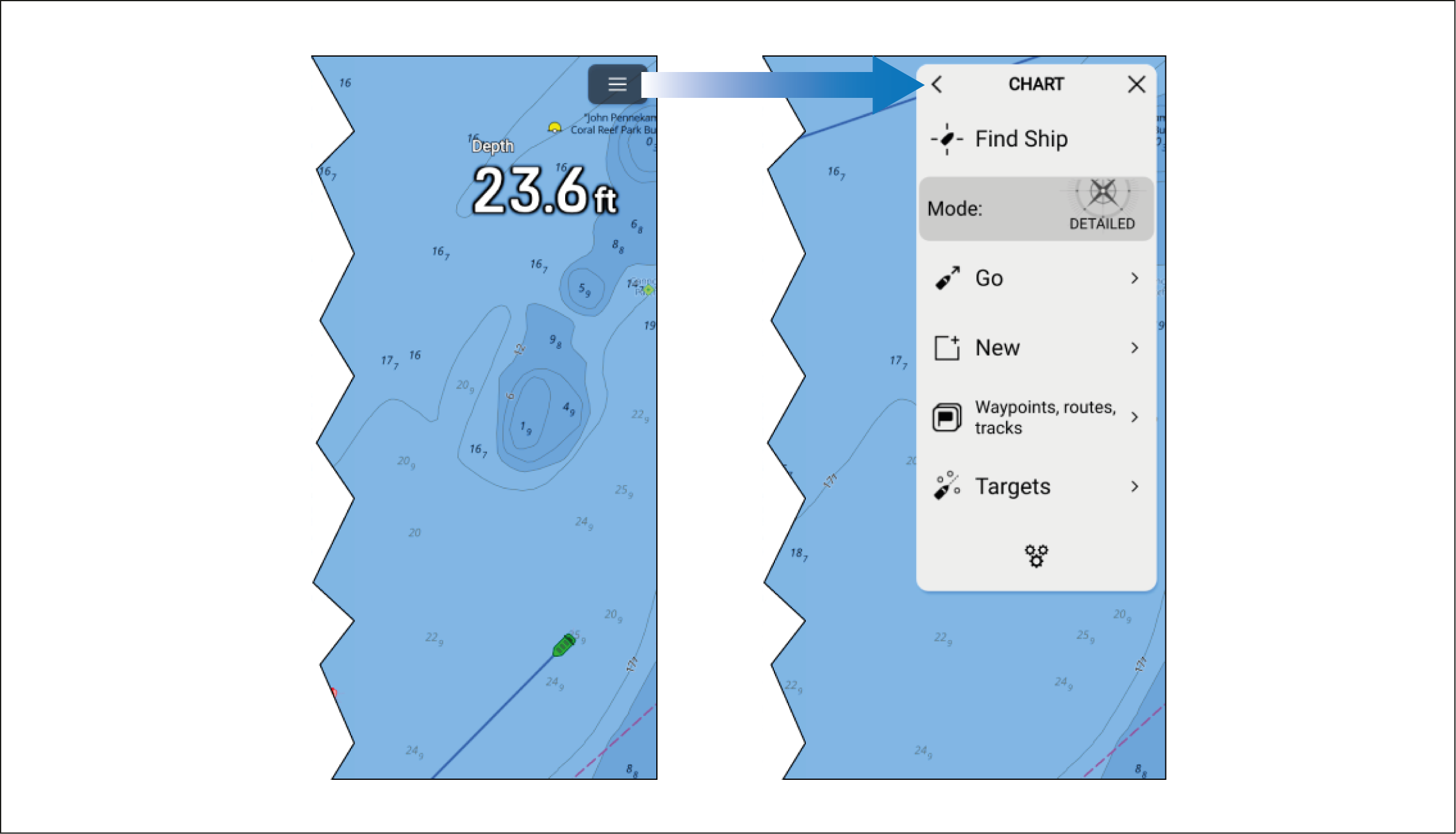
Each MFD app includes a main menu that provides access to the app’s settings and functions.
The MFD app main menu is accessed by selecting the menu icon located in the top right of the screen.
Selecting the < (Back), X (Close) icons or selecting an area of the screen away from the menu, will close the menu.
Selecting a menu item with a > (right arrow) will open a settings page or other menu options related to that item.
Settings pages
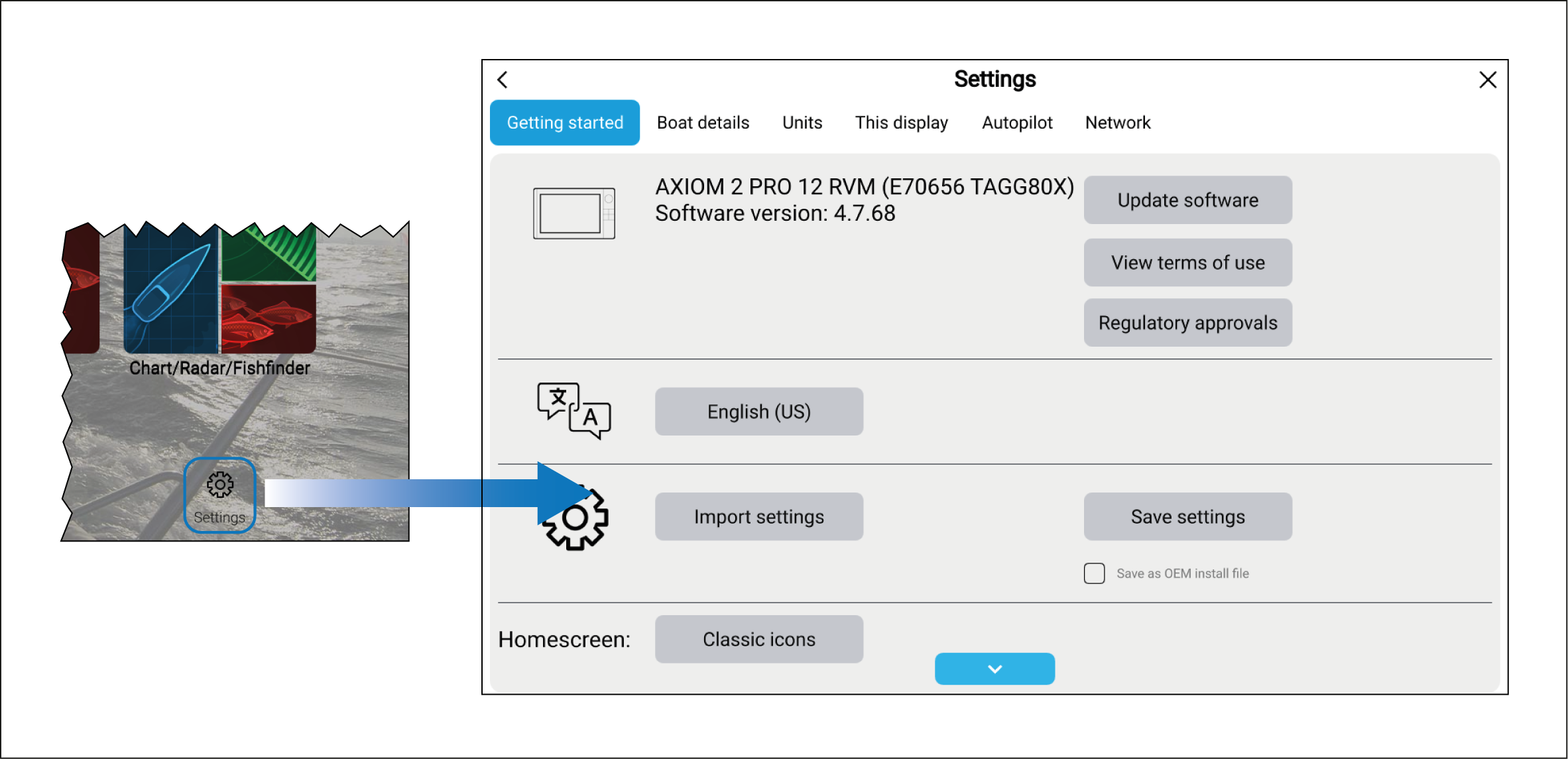
Settings pages are fullscreen pages containing settings and menu options. Settings pages are usually laid out using tabs to group similar setting together.
Settings pages are accessed by selecting the Settings icon located on the bottom right of the homescreen or the bottom of each MFD app main menu. Other settings pages are also available by selecting menu items that have a > (right arrow) located on the right side of the menu option.
Selecting tab titles in settings pages will display the contents for that tab.
Selecting the < (Back) or X (Close) icons will close the menu.
Context menus
Context menusMFD appContext menus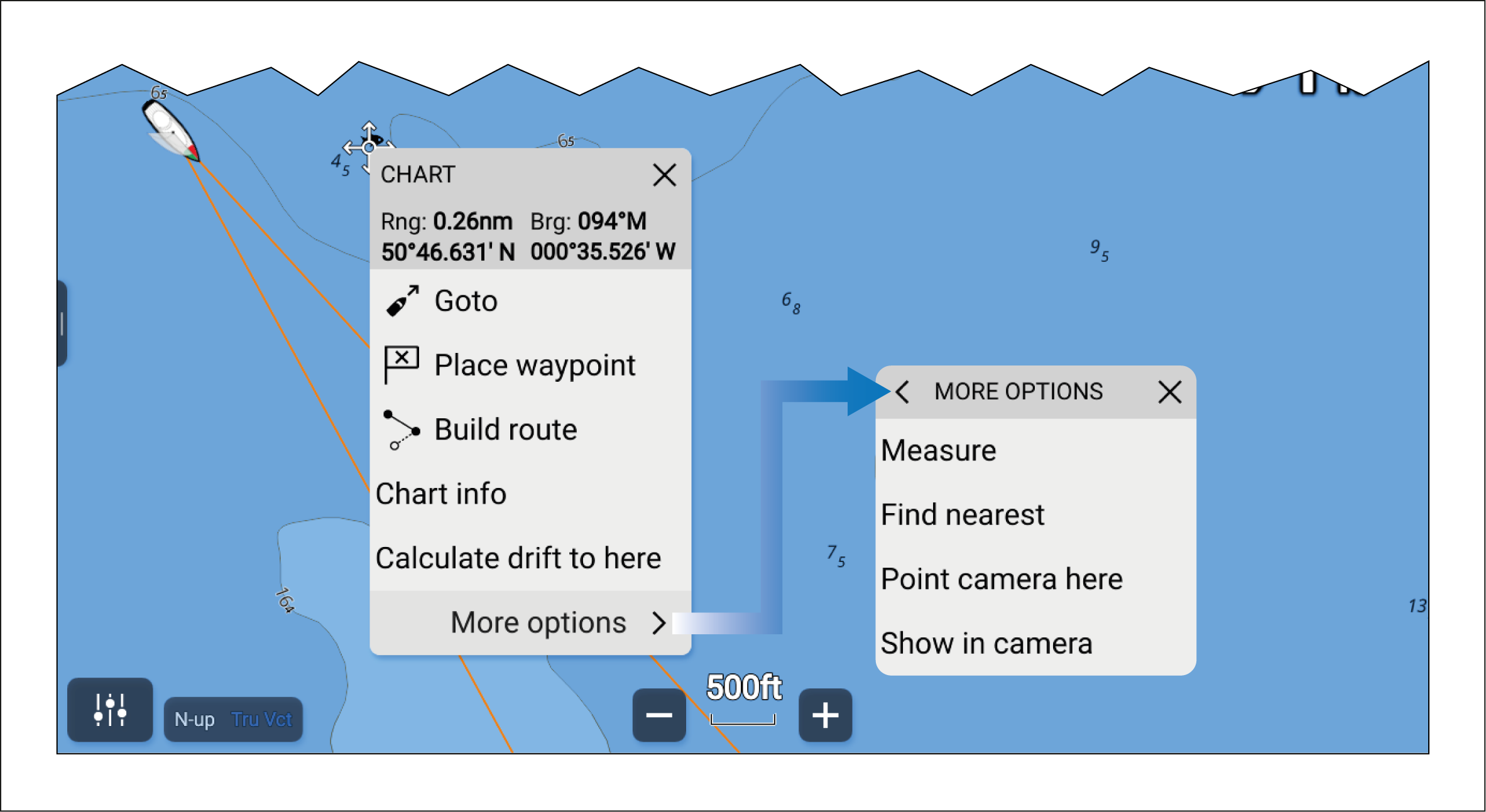
Context menus are available in MFD apps. Context menus are accessed by pressing and holding (highlighting with cursor and pressing OK button) on an onscreen object or location within an MFD app.
Context menus provide context-sensitive information and options.
Selecting more options will display further menu options.
Selecting X (Close) or selecting an area of the screen away from the menu will close the menu.
Pop-over menus
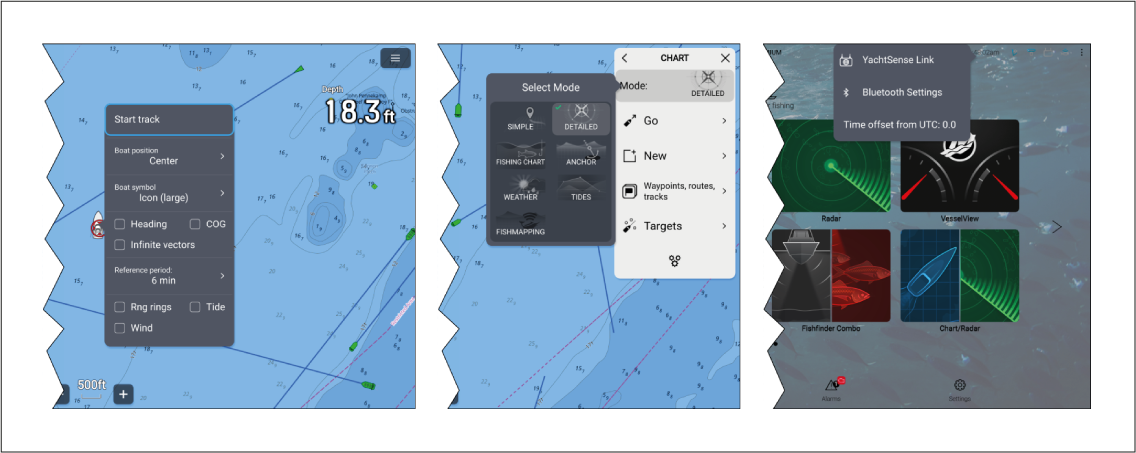
Pop-over menus are available on the homescreen, in MFD apps and from settings pages. Pop-over menus provide access to further menu options and settings.
Selecting an area of the screen away from the menu will close the menu.