AR200 calibration settings
The calibration settings page provides access to the AR200’s compass calibration options.
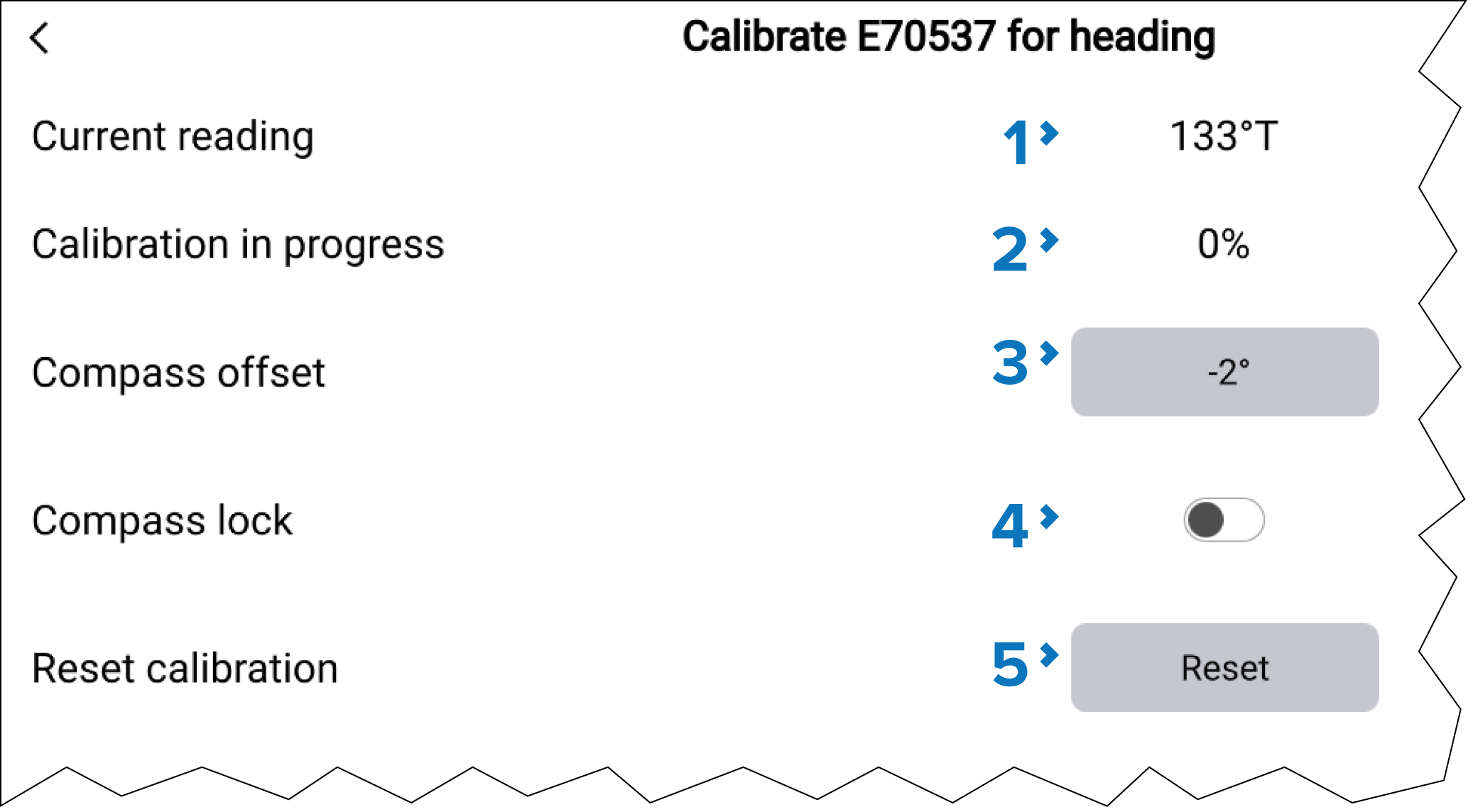
AR200CalibrationThe AR200 calibration settings can be accessed by selecting Calibrate from the AR200’s pop-over menu on the Network settings page: .
Description |
|
|---|---|
1 |
Current reading:Augmented RealityCurrent reading The current heading reported by the AR200. |
2 |
Calibration in progress: While linearization is in progress the progress percentage is displayed. Maximum deviation at last calibration:Augmented RealityDeviation If calibration is complete then the maximum deviation reported during the last linearization process is shown. Important If the Maximum deviation at last calibration is 45° or above, it is recommended that the AR200 unit is moved and re-installed in a location which is subject to less magnetic interference. |
3 |
Compass offsetAugmented RealityCompass offset Once the linearization process has completed, it is possible that the heading value may be slightly out of alignment. This is common where installation space is limited and the AR200 is not properly aligned with your vessel’s longitudinal axis. In this case, it is possible to manually adjust the Compass offset. |
4 |
Compass lockAugmented RealityCompass lock When enabled, the Compass lock prevents the continual monitoring and adaptation of the compass linearization process. For more information, refer to: Compass lock. |
5 |
Reset calibrationAugmented RealityReset calibration You can reset your AR200’s current linearization settings by selecting Reset calibration |