Customizing a data item
The data items displayed on each page can be changed.
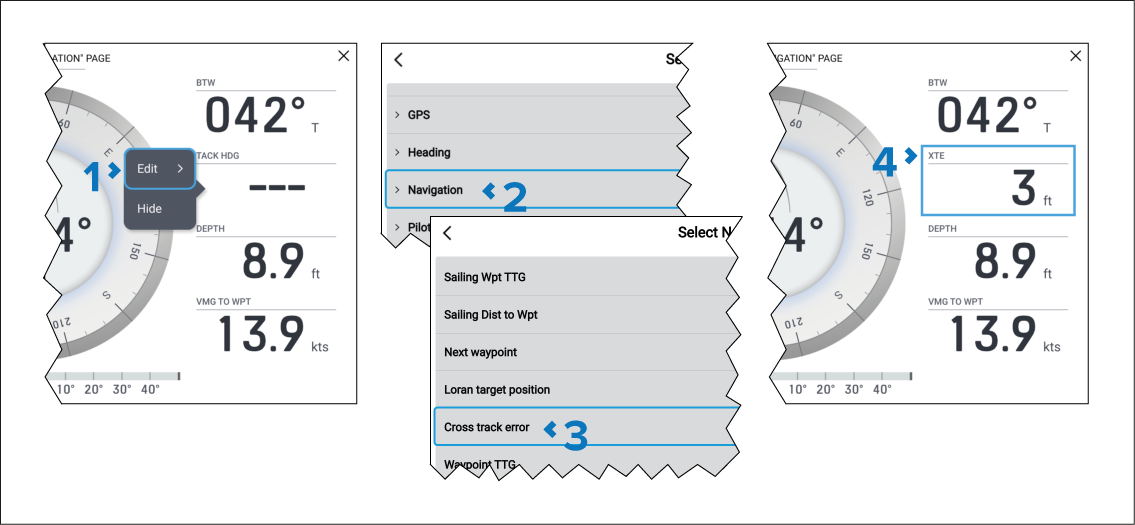
- Select and hold on the data item you want to change and then Select Edit from the pop-over menu.
- Select a data category from the list.
- Select the new data item from the chosen category.
- The new data item is displayed.
Alternatively, to use physical buttons instead of the touchscreen you can select Customize page from the app menu: and then follow the steps above.
For a list of available data items refer to: Display data