Creating an Intel target
Targets can be creating using reported or sighted information about a targets location, Heading and Speed.
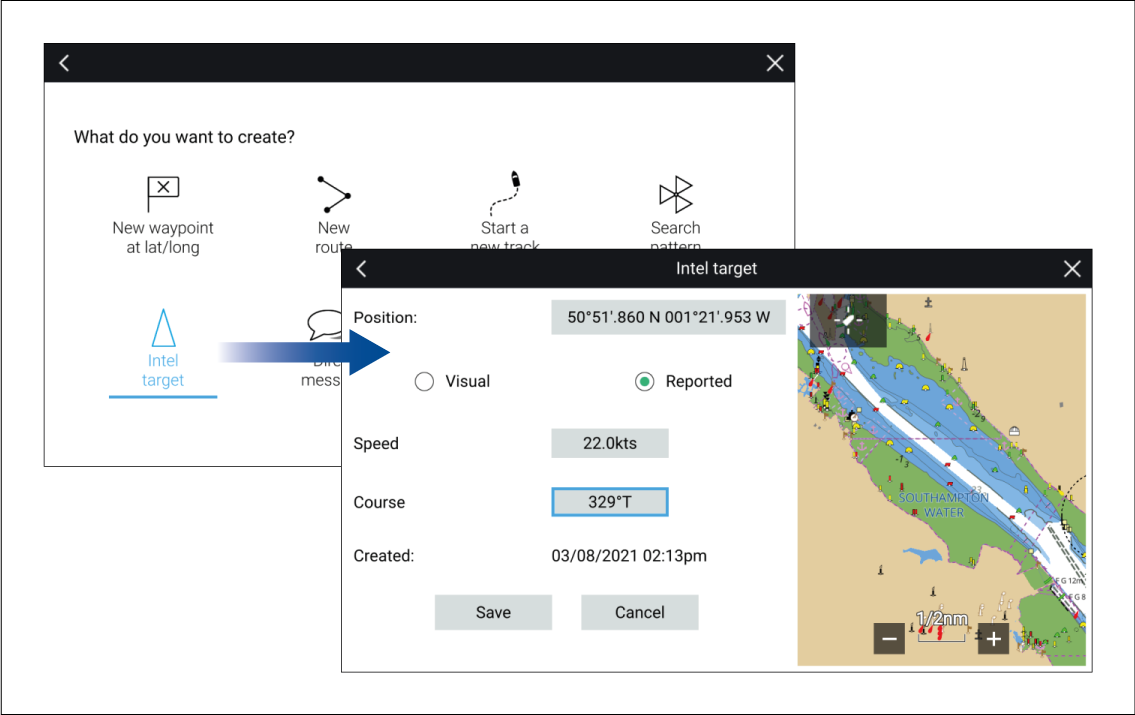
TargetsIntelIntelTargetsIntel targets are created from the Chart app’s New menu:
To create an Intel target follow the steps below:
- Place the cursor at the desired location in the Chart app..
- Select New from the Chart app menu.
- Select Intel target.
- Ensure that the latitude and longitude for the target are correct in the Position field, adjusting if necessary.
- Select whether the Intel is Visual or Reported.
- Enter a Speed and Course for the Intel target.
- Select Save.
The Intel target will be displayed in the Chart app using a purple target icon.
Intel targets can also be created from the Pop-over options in the Intel targets list: .