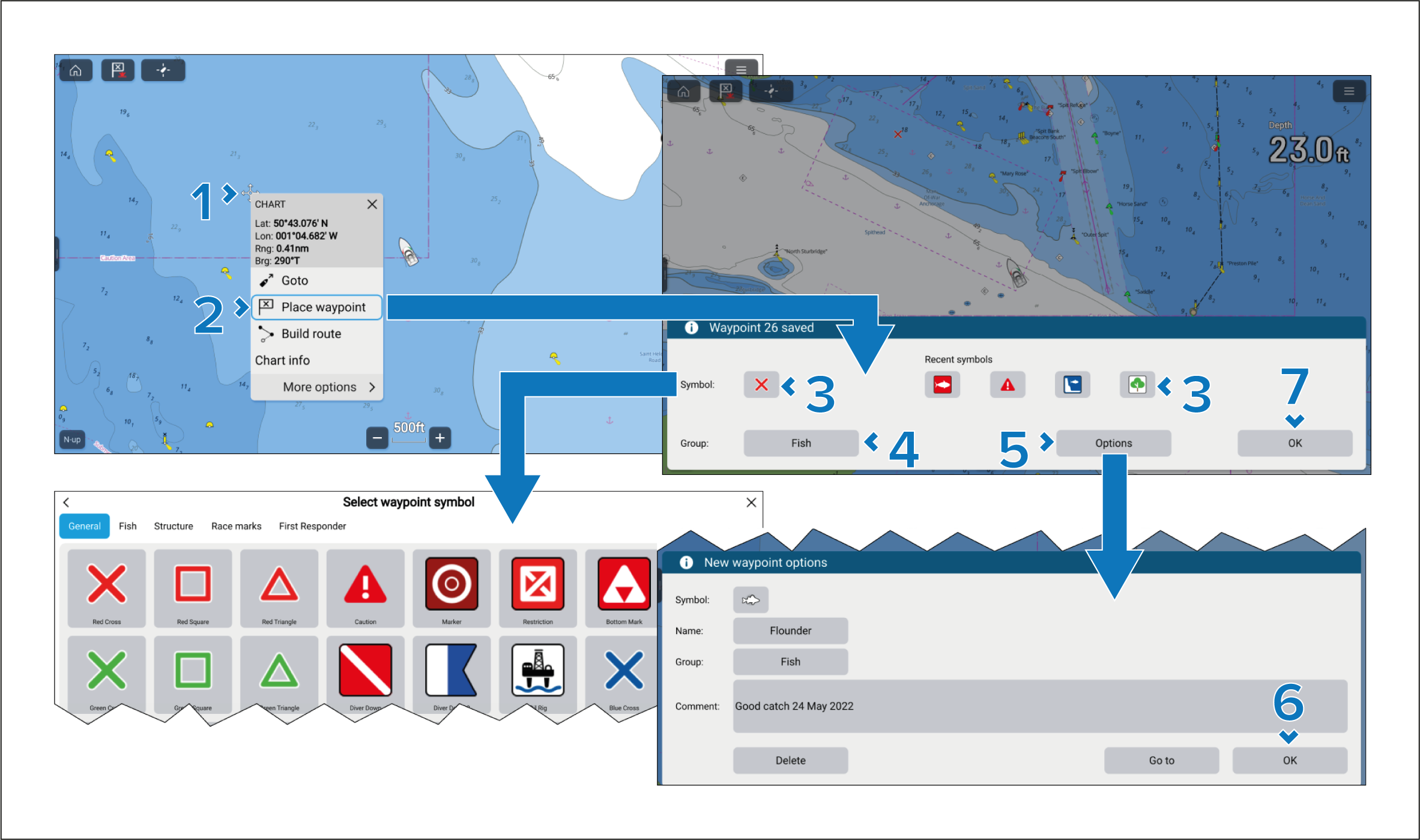
Waypoints can be placed in the chart app, radar app and
fishfinder app from the context menu.
Waypoints Placing a waypointPlacing a waypoint
- Select and hold the desired area onscreen.
- Select Place waypoint from the context
menu.
- You can customize the symbol used for the waypoint.
You can either select a recently used symbol, or select the Symbol field to select a symbol from the waypoint symbol
lists.
- You can select the Group field to select
or create a group for the new waypoint.
- You can select Options to enter further
details about the waypoint.
From the options dialog you can edit the waypoint’s symbol,
name, or group and also enter a comment about the waypoint.
- Select OK to accept the waypoint options.
- Select OK to close the waypoint dialog.
From the Waypoint options you can Delete the waypoint or perform a Go to.