My profiles
You can share your MFD with other users by creating user profiles on your MFD. Profiles enable you to retain your own personal settings whilst letting other users personalize the MFD’s settings to their preference.
User data such as waypoints, routes, tracks, images and video recordings etc. will be available to all users, and are shared by all users. This means that, for example, if you add or delete a waypoint while using one user profile, the change will also be reflected in all other profiles on the MFD, including demo profiles.
User profilesMy profilesGuest profilesYou can access the profiles page by selecting the profile Icon on the homescreen.
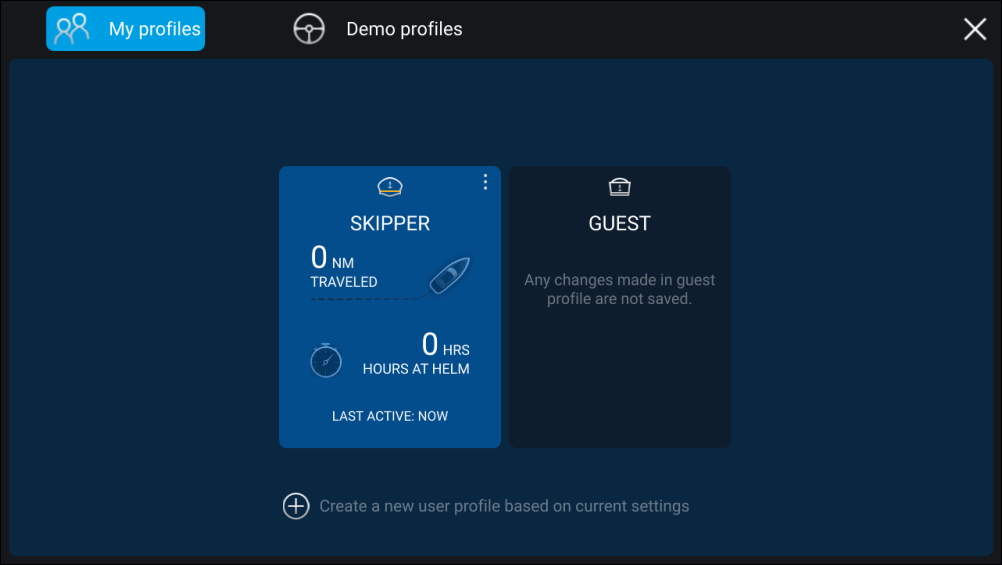
Selecting the + (plus) icon will create a new profile based on the profile that is currently in use.
MFD settings changes are unique to the profile in use and are retained the next time the profile is used.
The distance and time that a profile has been active is displayed for each profile.
Profile names and icons can be customized. You can also reset the distance and time for each profile.
A Guest profile is available for temporary users. Setting changes to the Guest profile are not retained. Each time the guest profile is activated the settings are based on the last used profile.
When the MFD is rebooted the last used profile will be active.
Demo profiles are also available to help you practice operating your MFD with simulated data.