Changing route color
The color used for routes can be set to a specific color or can be set so that the route color changes automatically.
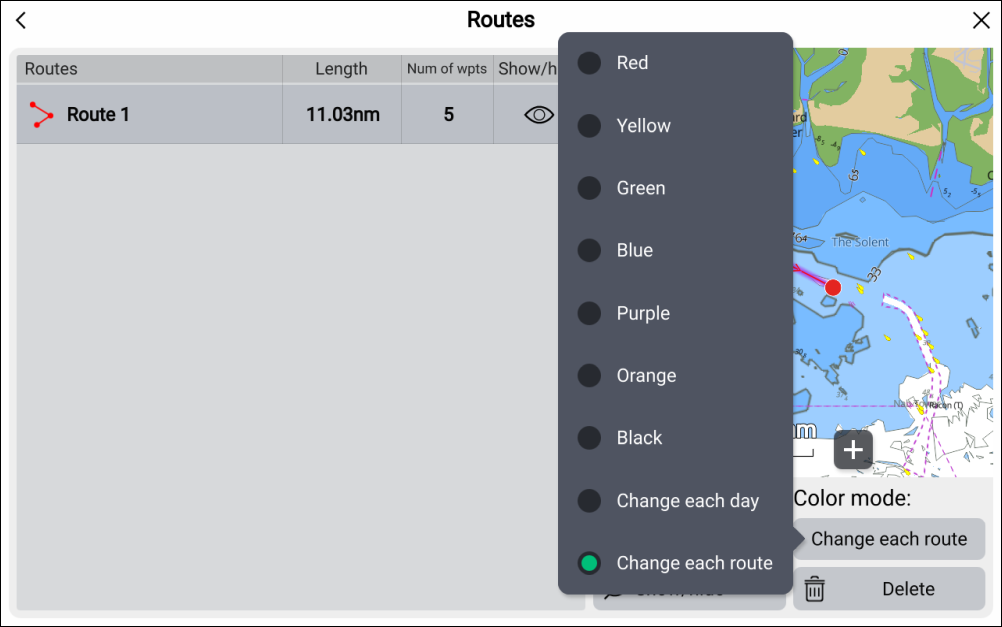
From the Route list.
The color of created routes can also be changed at any time from the Route options.
The color used for routes can be set to a specific color or can be set so that the route color changes automatically.
From the Route list.
The color of created routes can also be changed at any time from the Route options.