AIS target information
Vessels with AIS transceivers can broadcast programmed vessel information, which can be displayed in the Chart app.
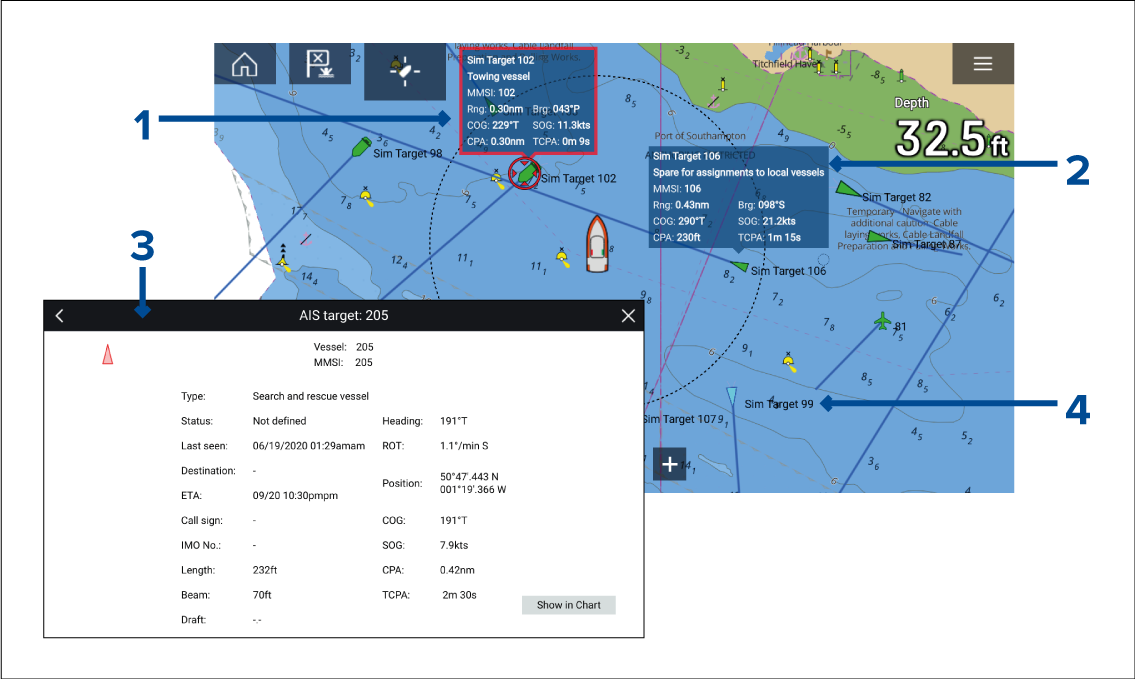
Selecting an AIS target icon in the Chart app will display an Infobox containing AIS identification and position information. The Infobox will close automatically after approximately 5 seconds.
The Infobox can be switched on and off for individual targets from the AIS target context menu. When switched on, the Infobox is always displayed for the selected target.
Full AIS data can be viewed by selecting View AIS data from the AIS target context menu, or by selecting a target from the target list and selecting View full target data from the pop-over menu.
The AIS target name can be displayed next to the target icon. AIS names can be switched on and off from the AIS Settings menu: .