Man Overboard (MOB)
If a person or object falls overboard, you can use the Man Overboard (MOB) alarm to mark the position that your vessel was at when the MOB alarm was activated.
Man Overboard (MOB)The MOB alarm is activated using the MOB icons.
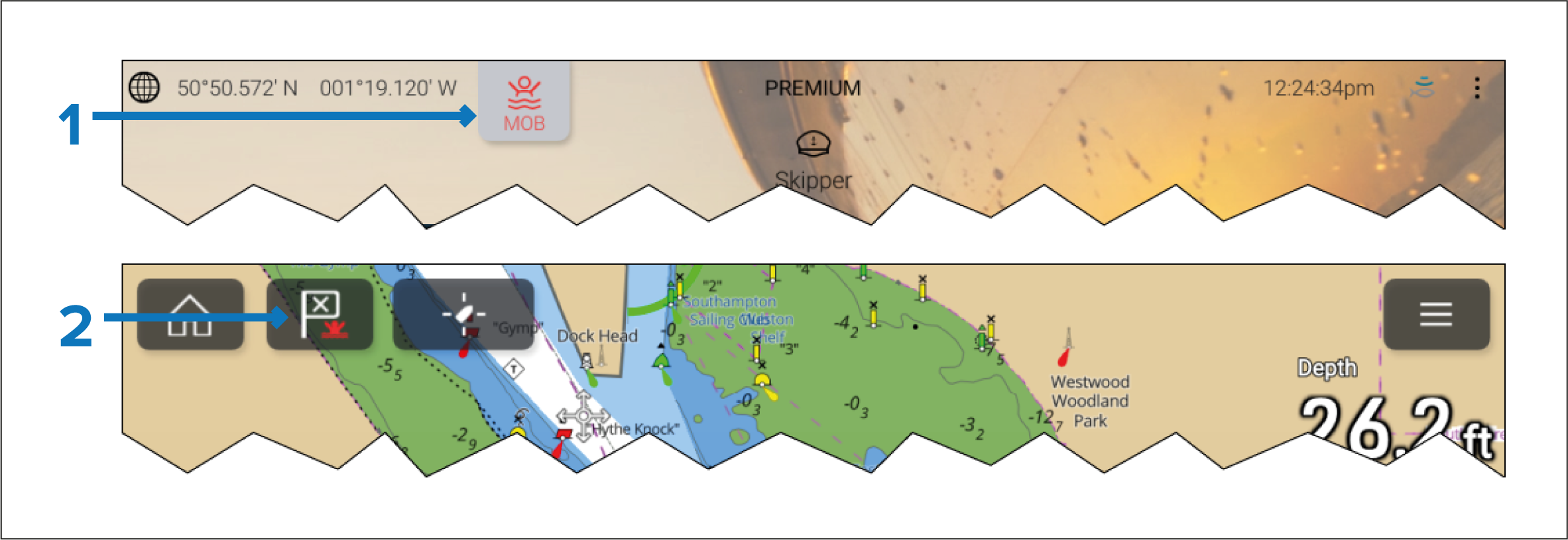
The MOB alarm can be activated by pressing and holding on the MOB icon on the Homescreen.
The MOB alarm can also be activated by pressing and holding on the waypoint / MOB icon located at the top of all MFD apps.
The MOB feature requires your vessel to have a valid position fix from a GNSS (GPS) receiver. Dead reckoning mode also requires Heading and Speed data.
When you activate the MOB alarm:
an audible alarm is sounded which is repeated every 30 seconds until the alarm is cancelled.
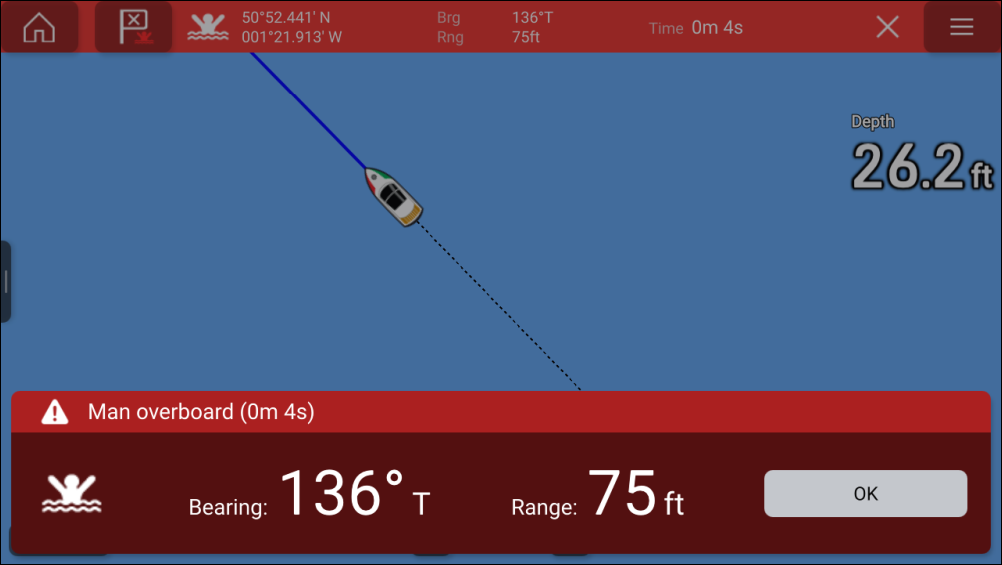
a MOB Databar providing Bearing and range to the MOB, and elapsed time since MOB was initiated, is displayed along the top of the screen. The Databar persists across apps and the Homescreen, and remains until the MOB alarm is cancelled.
a MOB warning is displayed in the bottom of the screen, which requires acknowledgement.
the Chart app is placed in a special MOB mode to help you navigate back to the point your vessel was at when the MOB was initiated.