Importing waypoints or routes over NMEA 0183
This procedure details importing waypoint or routes to a chartplotter running LightHouse v3.0.40 or later from an chartplotter running the LightHouse 2 (USCG SINS2) operating system.
It may be possible to import waypoints and routes from other NMEA 0183 devices following a similar procedure, refer to the instructions that accompanied the NMEA 0183 device and use them in place of the LightHouse 2 (USCG SINS2) steps below.
chartplotters running LightHouse v3.0.40 or later allow more than 1 waypoint or route to have the same name. It is recommended that you check and rename waypoints or routes that have the same name as existing waypoints and routes before importing.
- NMEA 0183Importing waypointsImporting RoutesEnsure that an NMEA 0183 input port on the receiving chartplotter is correctly
connected to an NMEA 0183 output port on the LightHouse 2 (USCG SINS2) chartplotter.
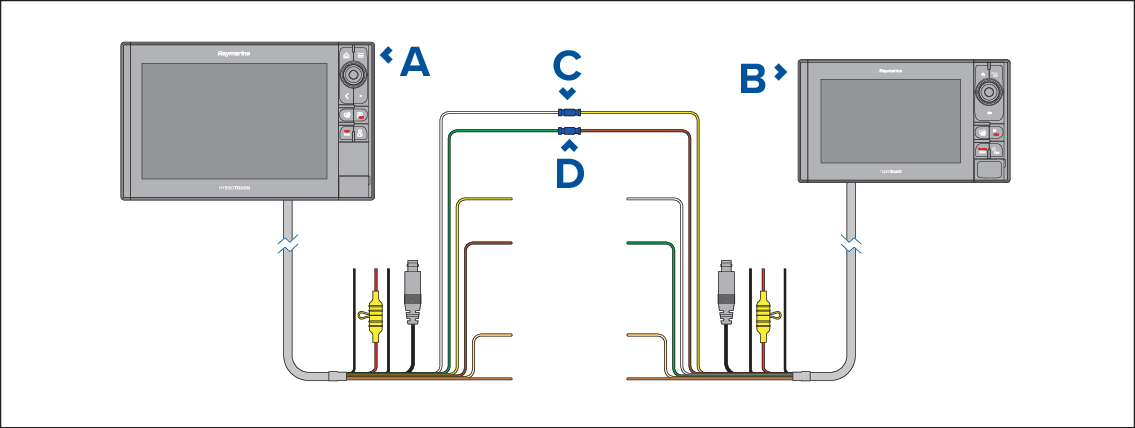
Figure 1. Example NMEA 0183 connection
Receiving chartplotter
LightHouse 2 (USCG SINS2) chartplotter (e.g.: eS series)
Example connection Port 1, positive input (White) to Port 1, positive output (Yellow)
Example connection Port 1, negative input (Green) to Port 1, negative output (Brown)
NoteIf you require 2 way transfer of waypoint and routes also connect:Example connection Port 1, positive output (Yellow) to Port 1, positive input (White)
Example connection Port 1, negative output (Brown) to Port 1, negative input (Green)
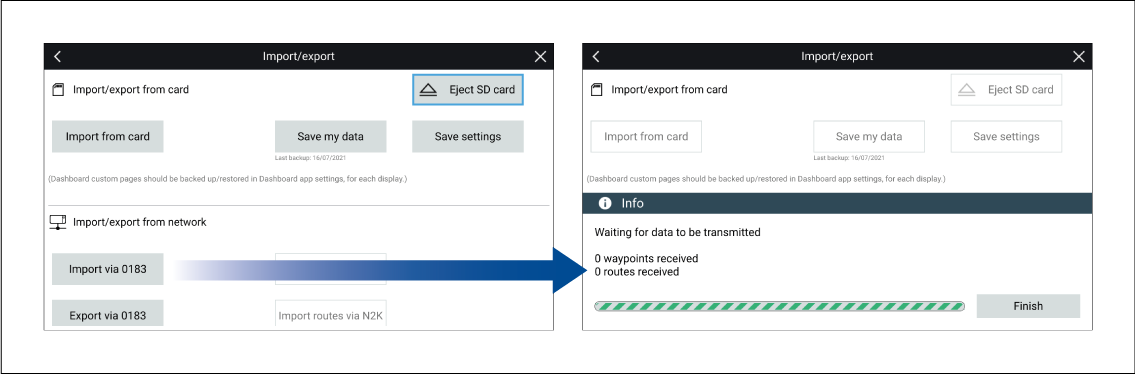
- Select Import via 0183 from the Import/Export menu: .
The receiving chartplotter will be waiting to receive over NMEA 0183 connection.
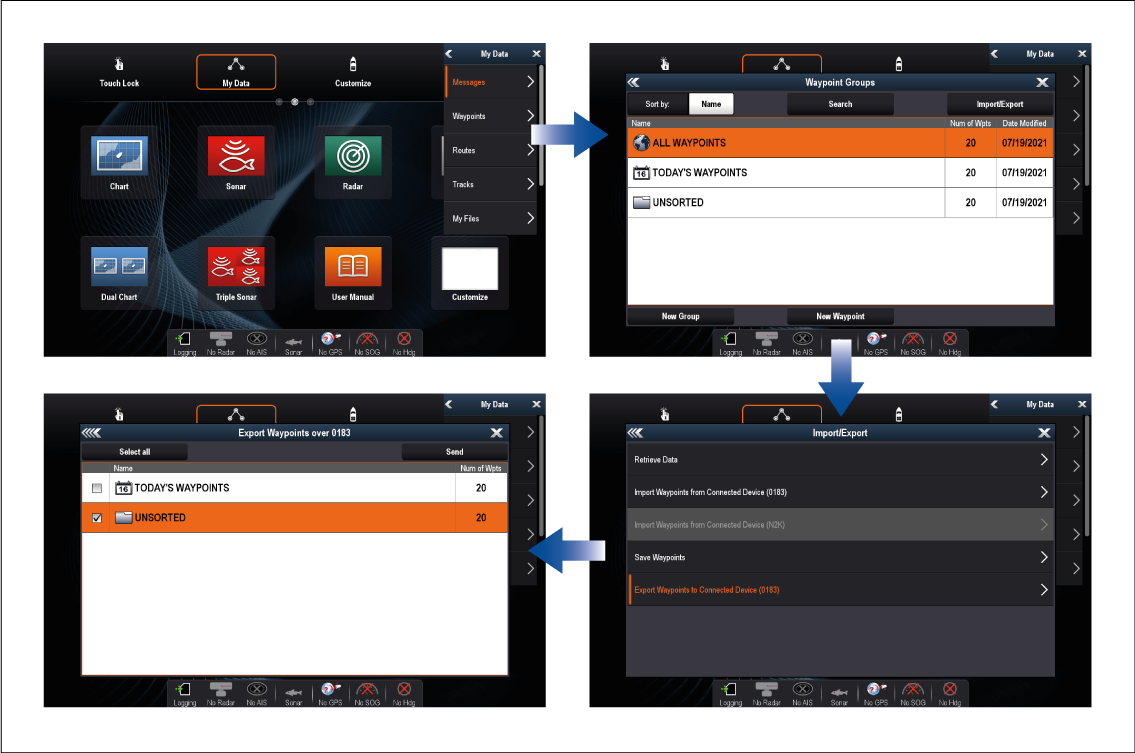
- On the LightHouse 2 (USCG SINS2) chartplotter:
- Select My data from the Homescreen.
- Select either Waypoints or Routes..
- Select Import/Export from the top of the waypoint list / routes list.
- Select either Export Waypoints to Connected Device (0183) or Export Routes to Connected Device (0183).
- Select the Waypoints or the Routes you want to transfer.
- Select Send.
- Back on the receiving chartplotter:
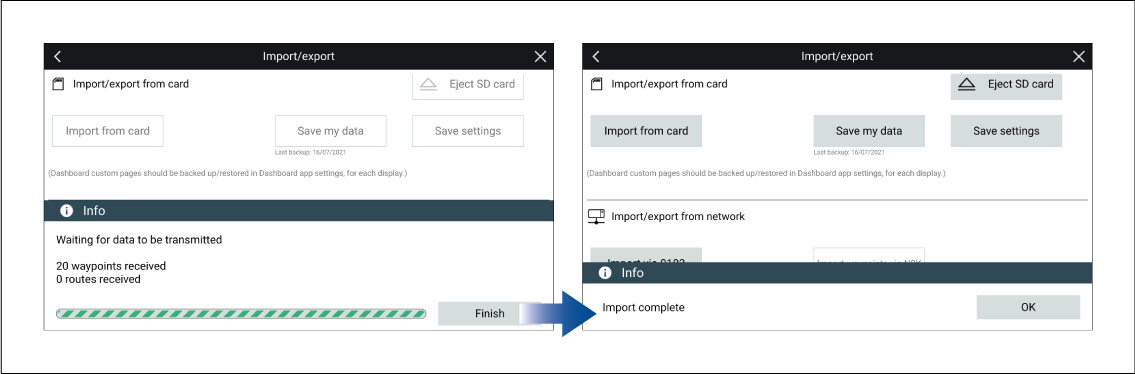
- When all waypoints or routes have been received select Finish.
- Select OK on the Import complete dialog..