Importing an OEM install file
Follow the steps below to import an OEM install file to a new system.
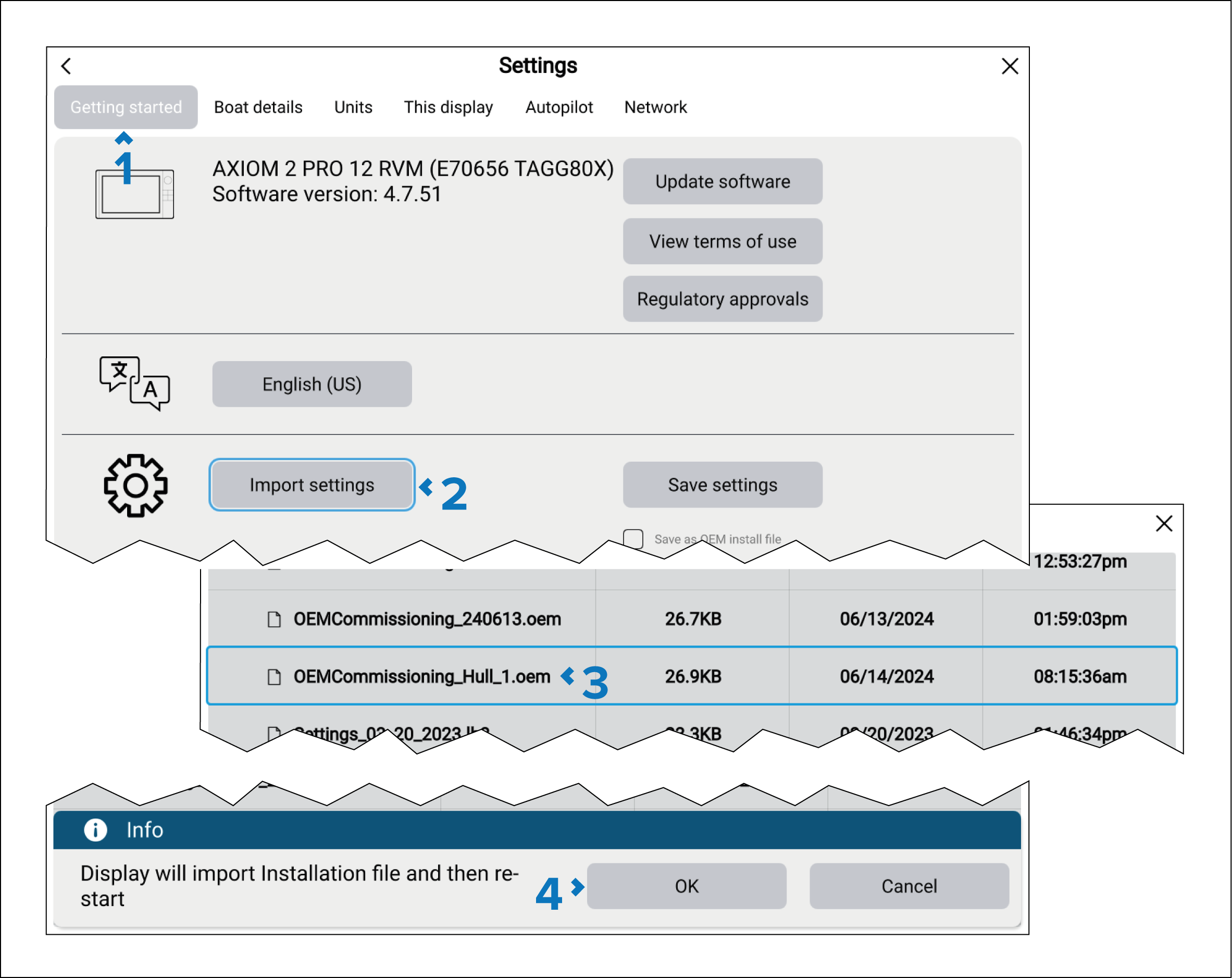
- Open the Getting started settings menu: .
- Select Import settings.
- Browse to the OEM install file and select it.
- Select OK.
The system will perform a factory reset and import the configuration from the OEM install file. Homescreen app pages which require further configuration will include warning symbols.