Disabling Orca app sync
The synchronization between the Orca app and the chartplotter can be disabled / removed.
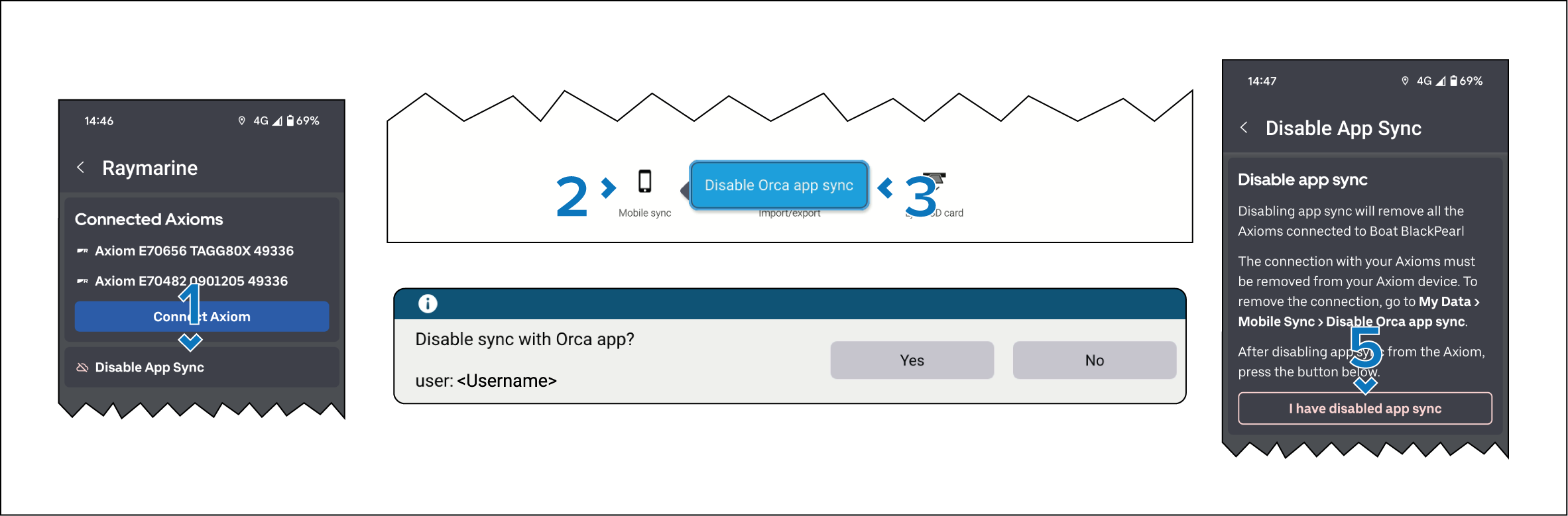
- From the Orca app: select Disable App Sync from the Raymarine Integrations menu: .
- From the MFD / chartplotter: select Mobile sync from the My Data menu: .
- Select Disable Orca app sync from the pop-over menu.
- Select Yes in the “Disable sync” notification.
- From the Orca app: select I have disabled app sync.
All connected MFD / chartplotters have now been removed from the Orca app.