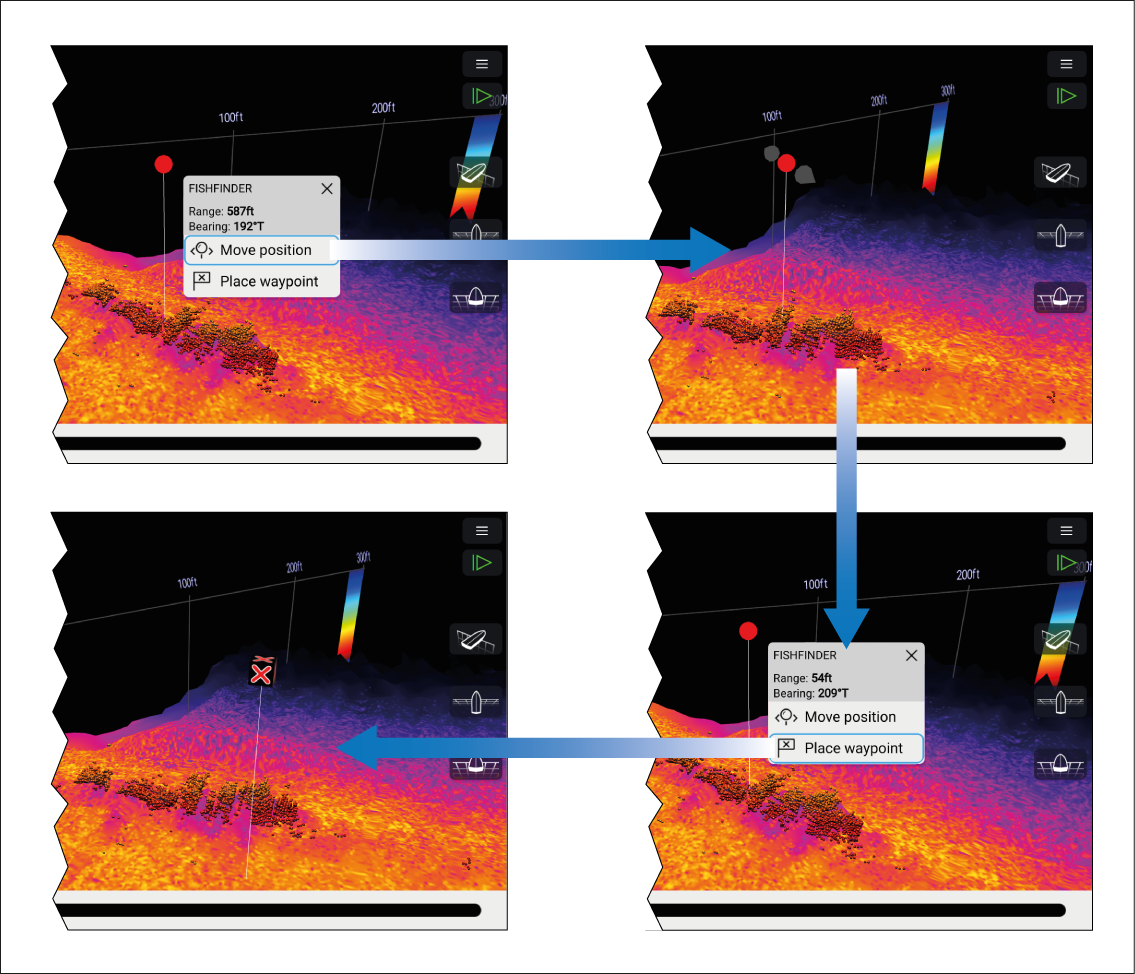
Placing a waypoint in the 3D Vision channel To place a waypoint whilst viewing a 3D Vision channel follow the steps below. WaypointPlacement3DWaypoints Select and hold a location onscreen. The Waypoint context menu and red waypoint marker is displayed: If required, select Move position and then use your finger to drag the waypoint marker to change its position. Select Place waypoint to create a waypoint at the marker’s location. Parent topic: Placing a Waypoint (Sonar, DownVision and SideVision)