SRU SAR pattern receipt notification overview
When a SAR pattern is broadcast, that assigns your vessel as the SRU, a notification is displayed.
First responder SRUThe following options are available from the notification:
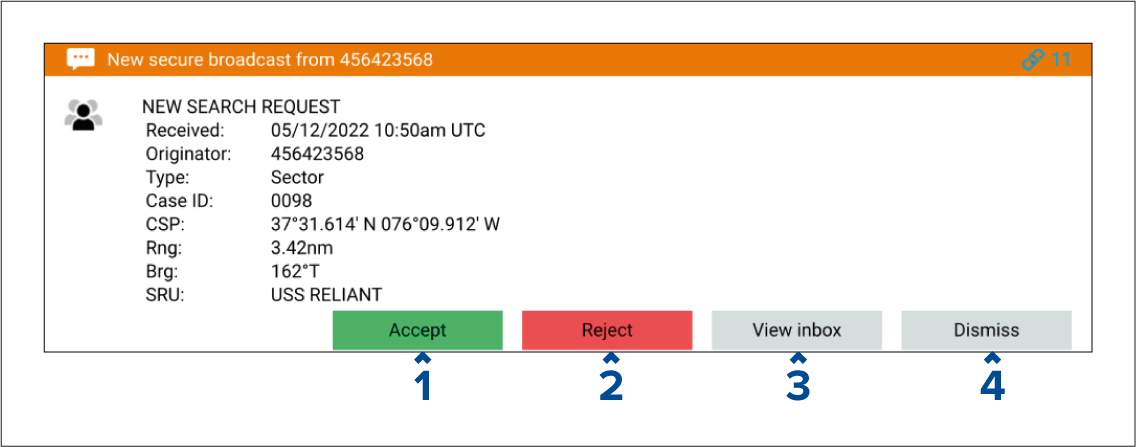
Accept — Imports the SAR pattern and displays the search in the All searches list. The SMC will receive automatic notification confirming that you have accepted the search.
Reject — Closes the notification without importing the SAR pattern. The SMC will receive automatic notification confirming that you have rejected the search.
View inbox — Closes the notification and opens the messages inbox so that you can view the related message. The search can be accepted or rejected from the inbox message’s pop-over options. No automatic notification is sent when View inbox is selected, and the SMC will be waiting for the SAR pattern to be accepted or rejected.
Dismiss — Selecting dismiss will close the notification. The search can be accepted or rejected from the inbox message’s pop-over options. No automatic notification is sent when Dismiss is selected and the SMC will be waiting for the SAR pattern to be accepted or rejected.