Homescreen app page icons
Two sets of Homescreen app page icons are available Classic icons and Mode icons. By default the Classic icons are used.
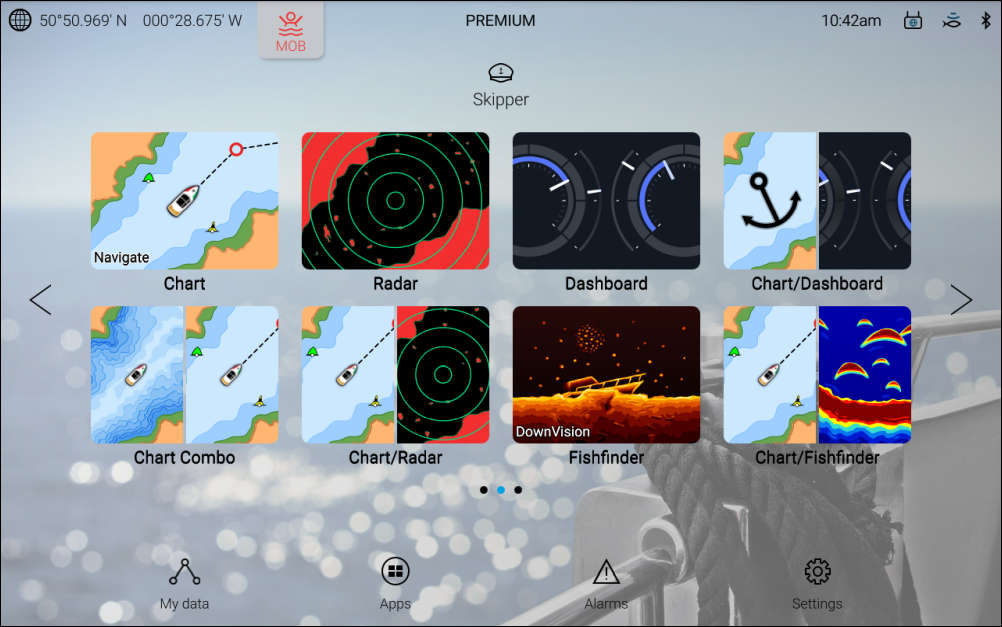
Figure 1. Example Homescreen using Mode icons
The mode icon style provide a clearer indication of the appearance of the app when in use.
Chart app and Fishfinder app icons will change dynamically to indicate which Chart mode or Fishfinder channel is in use.
The style of Homescreen icons can be selected from the Getting started menu: