Powering up a new system
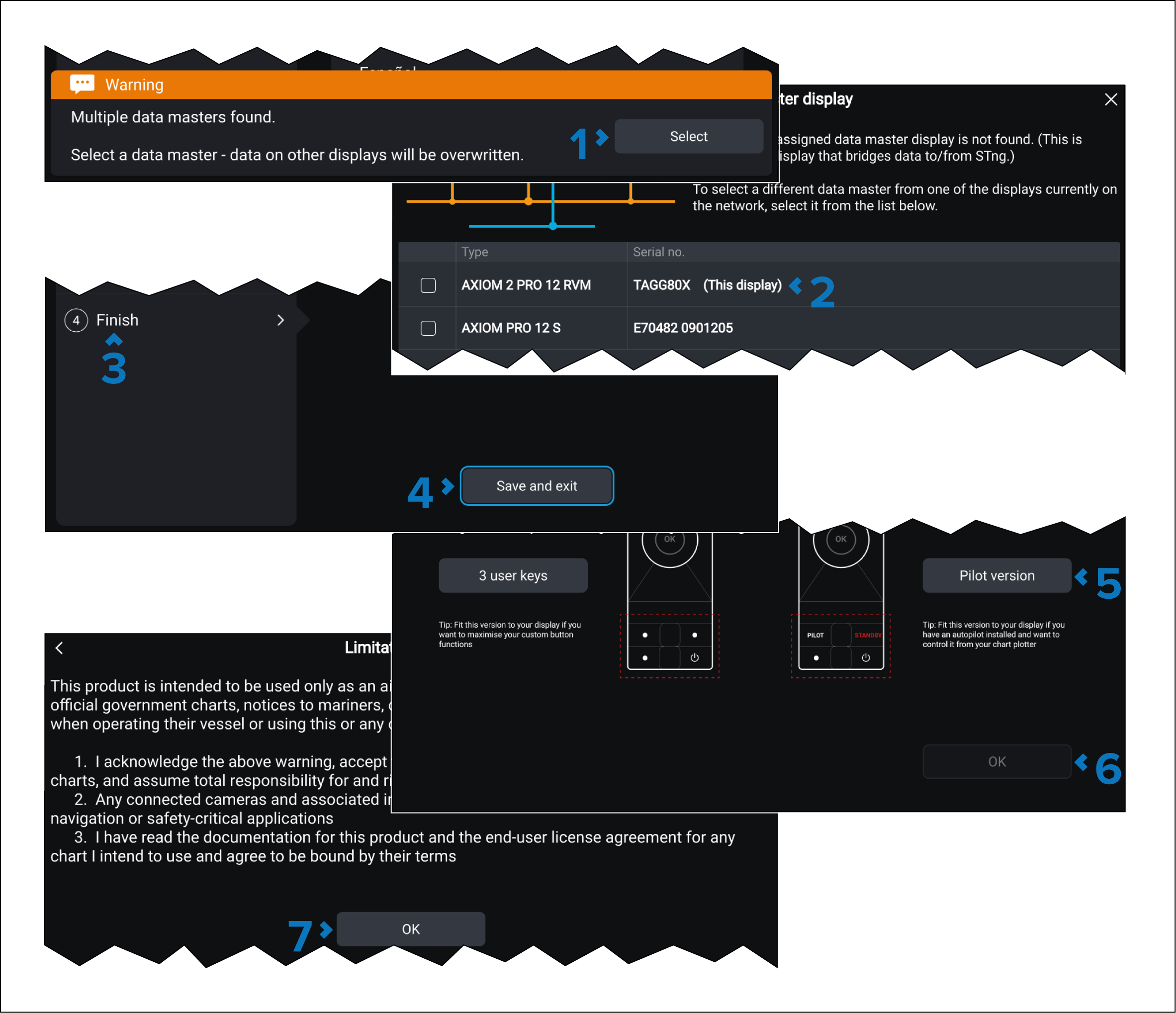
Procedure for powering up a new, unconfigured system for the first time so that an OEM install file can be imported.
Note
Steps 5 and 6 are only required for Axiom 2 Pro displays.
Procedure for powering up a new, unconfigured system for the first time so that an OEM install file can be imported.
Steps 5 and 6 are only required for Axiom 2 Pro displays.