Windlass anchor chain counter
The display will automatically detect Windlass anchor chain counters on the same SeaTalk NG / NMEA 2000 network when the information is transmitted using standard NMEA 2000 PGN 128777. Detected Windlasses can be viewed and customized from the Windlass configuration table.
Anchor chain counter WindlassPre-requisites:
Your chartplotter must be running LightHouse v4.8.164, or later.
Windlasses must be connected to a compatible interface / gateway that is connected to the same SeaTalk NG / NMEA 2000 network as the display.
Compatible interfaces:
The Windlass anchor chain counter has not been tested with every single available interface / gateway. At the date of publication of this document, the known working interfaces / gateways are:
Airmar SmartBoat ASM-C-T2.
LXNAV EMU (Engine Monitoring Unit), Version 2.38.
Windlass ConfigurationThe Windlass configuration table can be accessed from the Boat details settings menu: .
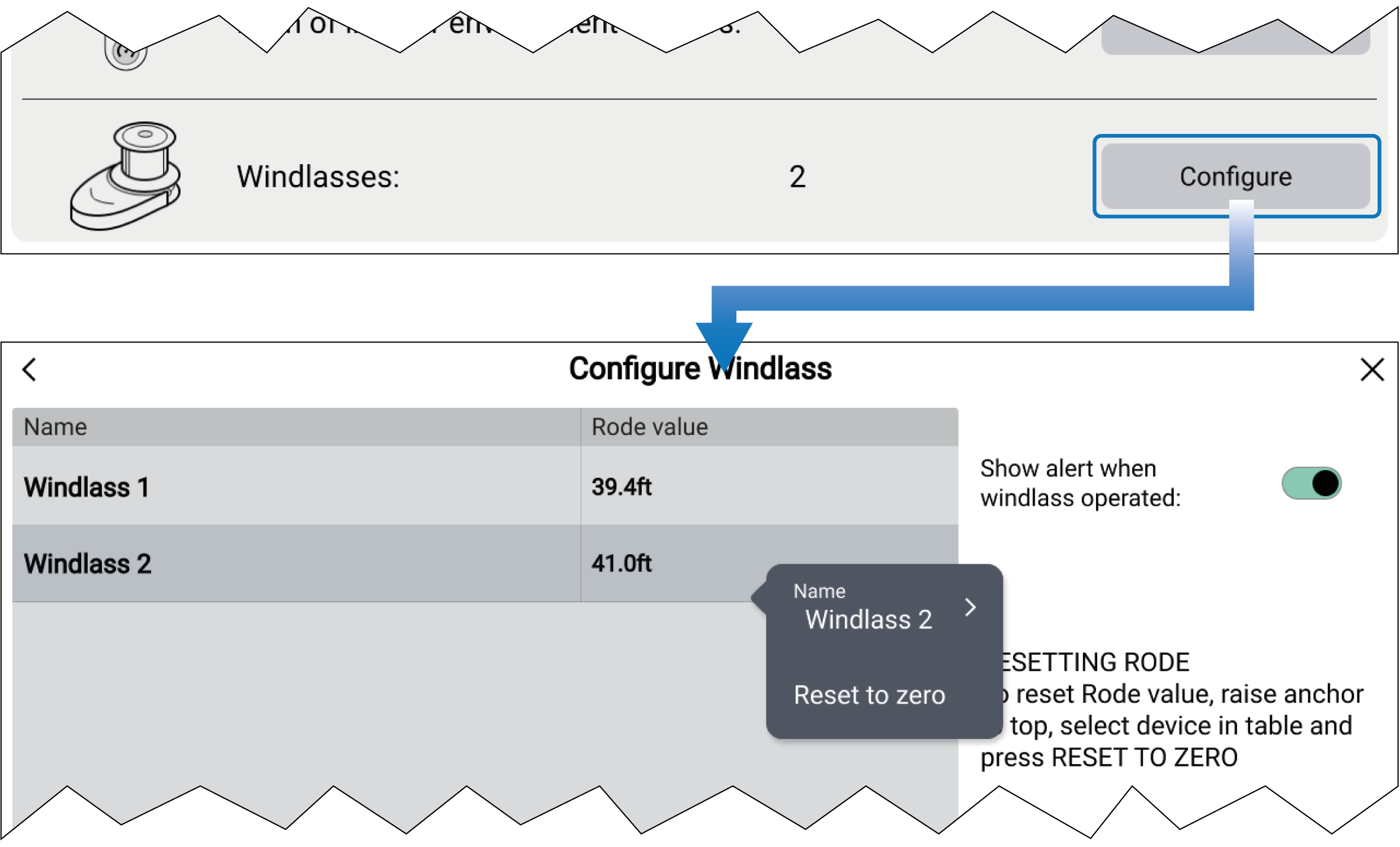
Figure 1. Windlasses configuration
The configuration table will list Windlasses that have been detected by the display and provide the current Rode value. Selecting a Windlass from the list displays a Pop-over menu.
From the Pop-over menu, you can rename the selected Windlass by selecting its name, or reset the current Rode value by selecting Reset to zero.
Windlasses that are no longer detected or have been removed can be deleted from the table by selecting Remove from the Pop-over menu.
Enable the Show alert when windlass operated toggle switch to receive a notification each time Windlass operation is detected. This notification will also include the current Rode value.
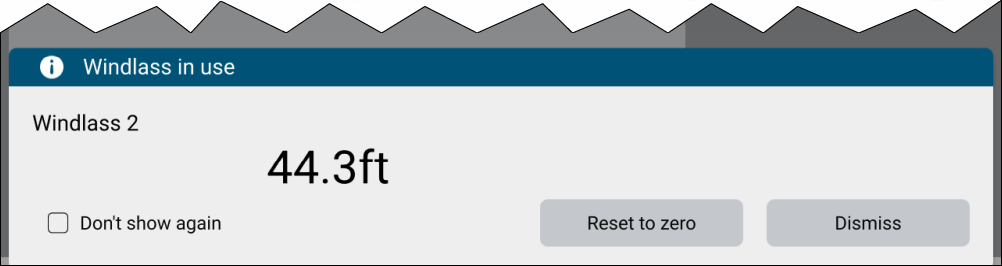
Figure 2. Windlass notification example
The notification displays the current Rode value. You can also select:
Don’t show again, to disable future Windlass notifications.
Dismiss, to acknowledge and dismiss the notification.
Reset to zero, to reset the Rode value to zero.
The Rode value for each detected Windlass is available in the Windlass data category, which can be displayed in the Dashboard app, Sidebar, or Data overlays.