Activating command approved routes
The Command approved routes feature is enabled by setting an Approved routes password in the Responder settings menu.
Note
First responderCommand approved routesThe Approved routes password cannot be recovered if forgotten and will require a factory reset of the MFD to reset.
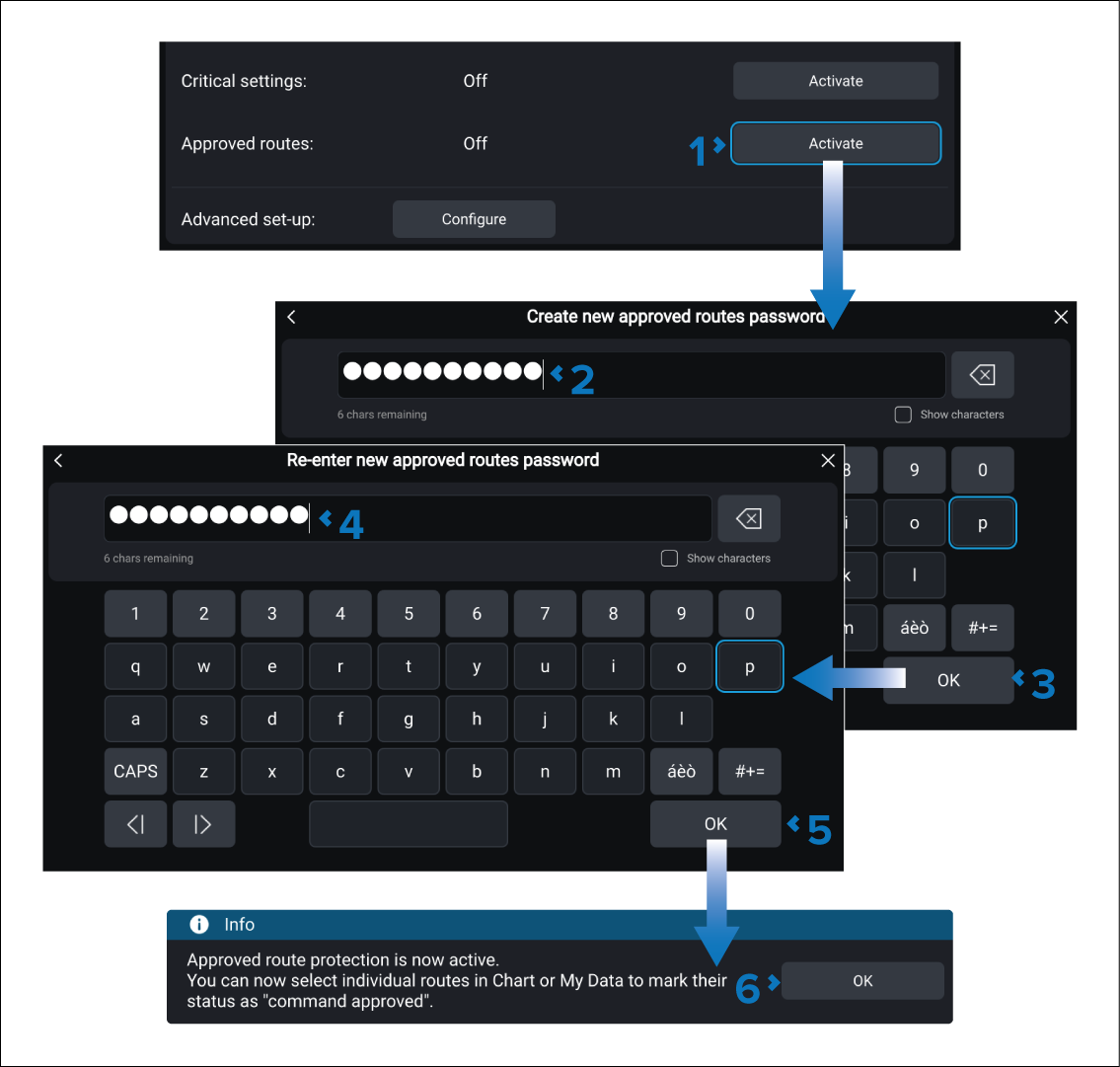
From the Responder settings menu:
Routes can now be marked as Command approved.
Approved routes can be deactivated by selecting the De-activate button and entering the password.