Target intercept
The Intercept feature can be used to help rendezvous with friends or for Pilot boats and the Coast Guard to intercept vessels that are to be boarded.
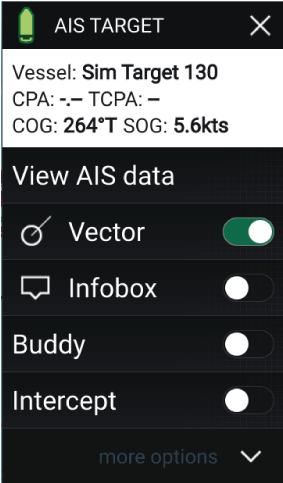 |
To use the Intercept feature, select and hold the target icon until the context menu is displayed, then select Intercept. The Chart app will automatically plot a direct course to a point where your vessel and the target will cross (intercept). An interception mark is placed at a predicted point where both your vessel and the target will cross. Important When performing an individual interception, you are placing your vessel on a collision course with the target vessel. In order to prevent a collision, it WILL be necessary to change to a parallel course. |
Pre-requisites:
- It is vital to have a good understanding of the International Regulations for Preventing Collisions at Sea (IRPCS / COLREGS), to ensure all actions taken are in accordance with the IRPCS. For more information on IRPCS / COLREGS, refer to: IRPCS
- You must be familiar with the AIS feature.
- You must have a thorough understanding of the Target interception feature and its implications before attempting to use it in a real life scenario.
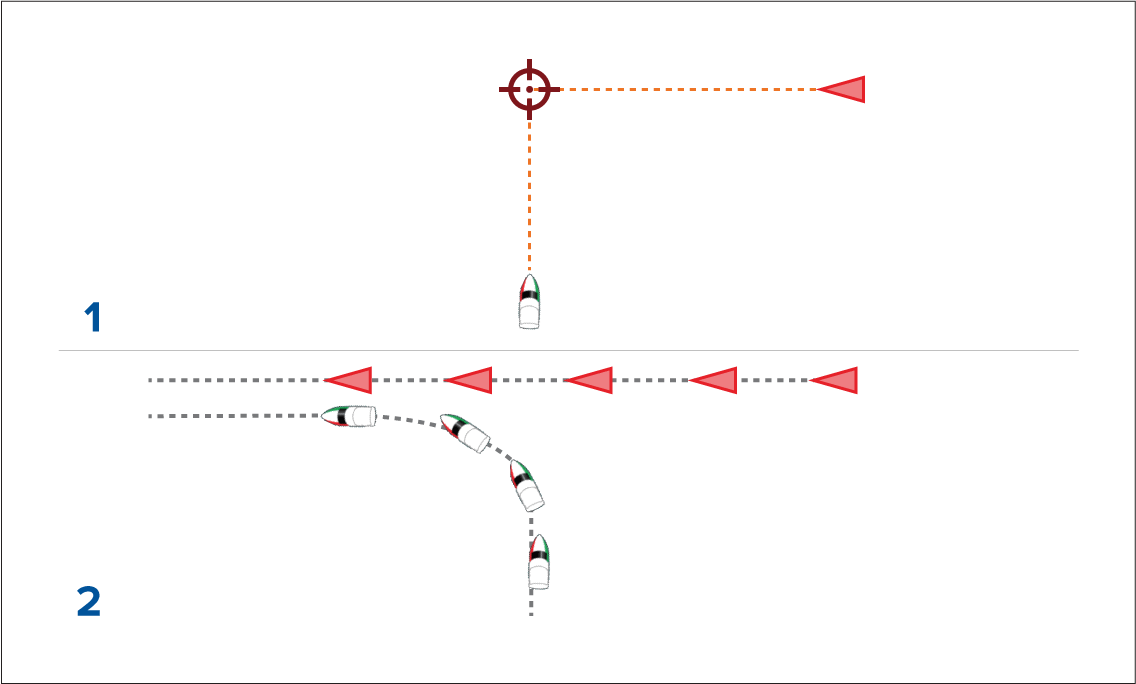
- Initial Target interception graphics.
- Actual vessel movements required to perform the rendezvous.