Selecting cartography
Appropriate cartography must be used for navigation. If desired you can select a different cartography for each instance of the chart app. The selected cartography will be remembered the next time that chart app instance is opened. If no cartography is detected the Chart app will default to LightHouse Charts basemap. The first time a chart app instance is opened if multiple cartography is detected the app will default to using LightHouse Charts.
Important
Basemaps should not be used for navigation.
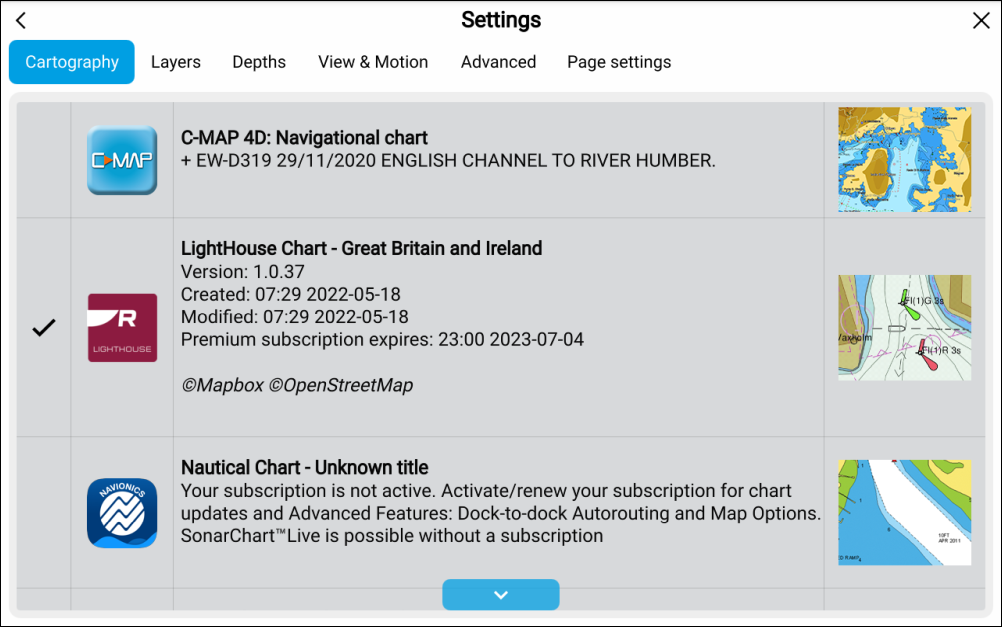
- Select the Settings icon.
- Select the cartography that you want to use from the Cartography tab.
The menu will automatically close and the chart app will refresh to display your selected cartography.