Adding partial fuel fills
When using the Fuel manager it is important that Partial fuel fills are recorded accurately.
Once you complete a partial fuel fill, open the Fuel manager: .
- Enter the exact amount of fuel that was added
Selecting Add partial fuel fill opens the numeric adjustment control. Use the Up and Down arrows to adjust to the desired value, or select the keypad icon to open the onscreen keypad.
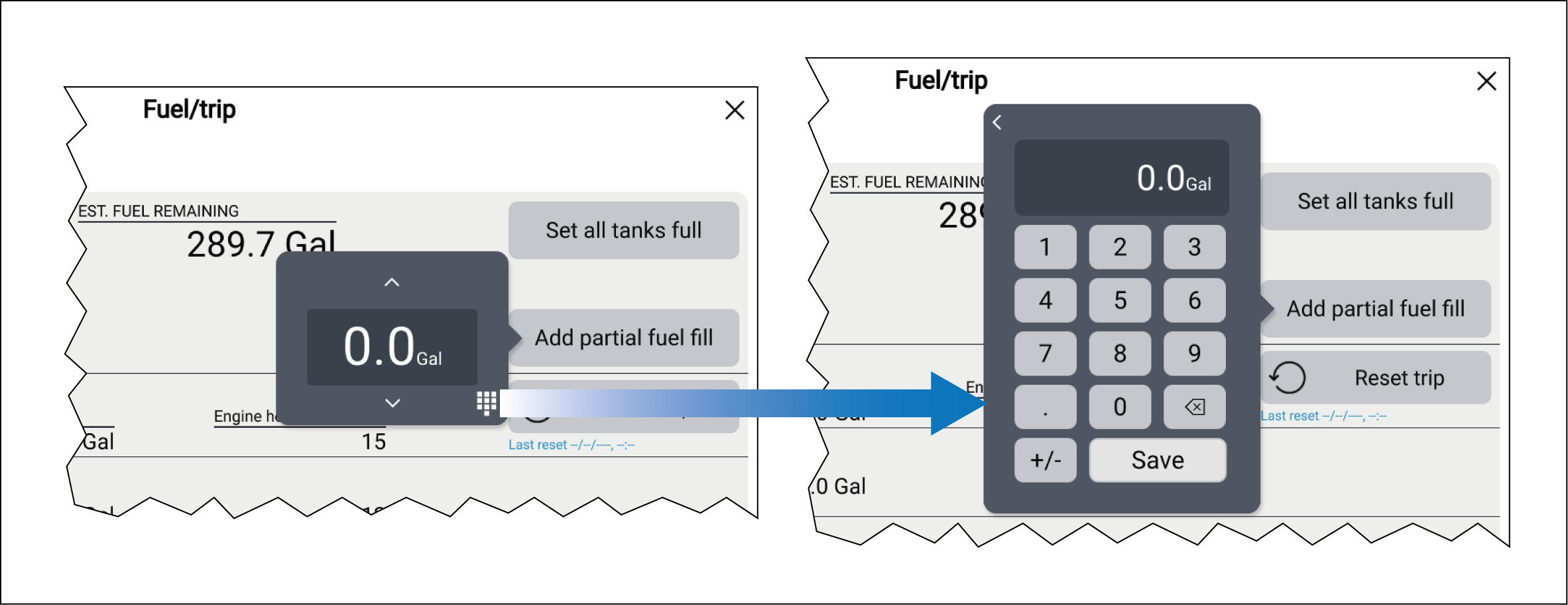
With the onscreen keypad displayed you can enter a specific value and then select Save to add the value to your Estimated fuel remaining.