Removing an apk app
Android apk apps which are no longer required can be removed (uninstalled) from your MFD.
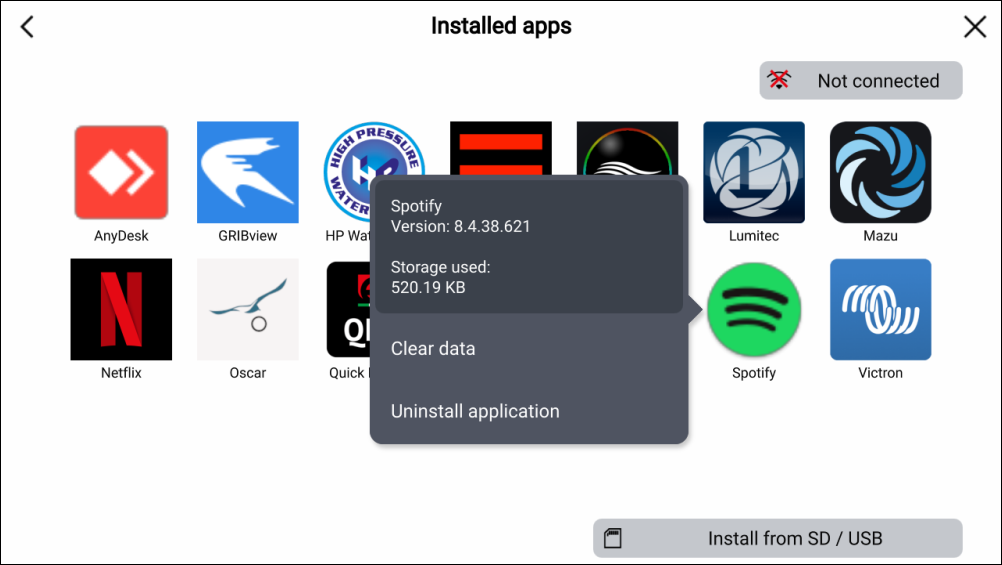
The app will be removed from your MFD.
Note
Apps that do not have the Uninstall application option cannot be removed.
Android apk apps which are no longer required can be removed (uninstalled) from your MFD.
The app will be removed from your MFD.
Apps that do not have the Uninstall application option cannot be removed.