Using SmartDrift™ in the Fishfinder app
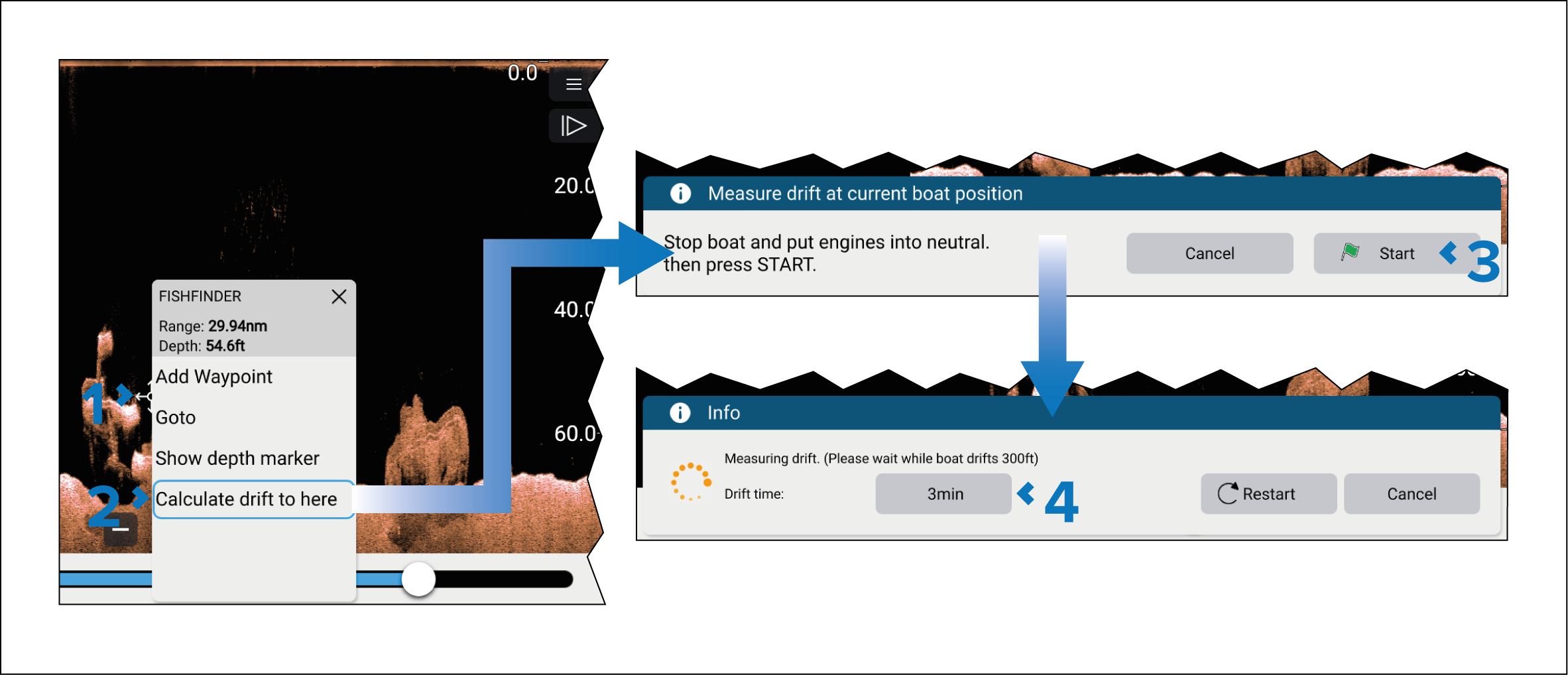
Follow the steps below to use SmartDrift™ in the Fishfinder app.
Fishfinder appSmart driftSmart drift
Note
The boat needs to be stopped and engines put in neutral.
Use the Sonar scroll back feature to identify a point of interest.
When the calculation is complete, the start and stop points are shown in the Fishfinder app.
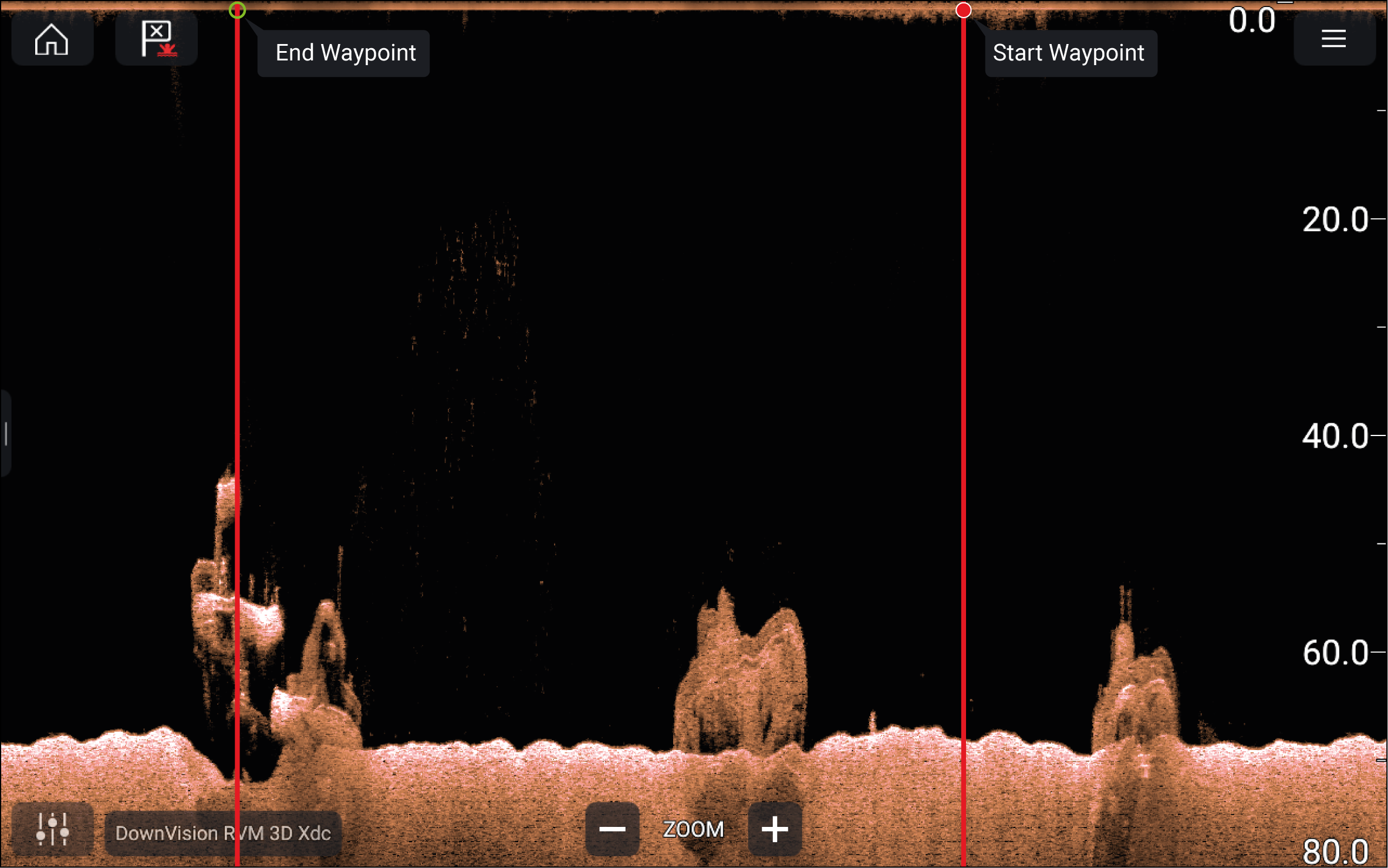
You should now position and align your boat with the transparent boat icon shown in the Chart app. If wind and tide conditions remain unchanged, you should be over the stop point once the specified drift time has elapsed.